




KN1IGHT
-
Joined
Everything posted by KN1IGHT
-
Just go to Model Spawning>Walk Style and set it to "move cop"
-
![[View 4] Bus Pursuit Ends in Crash and Drug Bust](//s3-gallery.int-cdn.lcpdfrusercontent.com/gallery/album_1463/sml_gallery_43345_1463_17722.jpg)
From the album: LCPDFR Scenarios
At approximately 5 PM, a Liberty City Police Officer, attempted to pull over a suspicious looking bus. The bus pulled over, but drove off as the officer approached the window. A pursuit was called in, but no backup, due to the fact it's a bus, and can't go that fast. The driver then began shooting as the pursuing officer. The pursuit lasted approximately 2 1/2 hrs, and ended behind F.I.A. where the bus crashed into a lightpole, just across from the ocean. as the pursuing officer had shot out his two rear tires The bus also hit 2 people in the time of the pursuit. Ambulances were dispatched for those citizens. Liberty City Ambulance and Edmonton Fire Rescue were called to the seen. Officer Knight was dispatched to the scene, as he was nearby. Needing some containment, one General Duties EPS Officer was called in, along with an EPS Investigations Unit. An EPS Supervisor also arrived on scene. Due to the fact, this accident was in an airport, one Alberta Sheriff's Officer was called in. Not wanting to be caught, the driver of the bus fled the scene the moment his bus crashed. Officers searched the bus, and found 4 duffel bags, full of cocaine, along with 3 extra large suitcases containing all necessary supplies and materials to produce it. These items were seized by Edmonton Police. After being thoroughly searched, the bus was seized by police, as a piece of evidence in an ongoing drug investigation. The driver is now wanted by LCPD, EPS, and Alberta Sheriff's. The bus driver faces charges of: - Reckless Driving - Hit & Run - Fleeing the Scene of an Accident - And Attempted Murder -
![[View 3] Bus Pursuit Ends in Crash and Drug Bust](//s3-gallery.int-cdn.lcpdfrusercontent.com/gallery/album_1463/sml_gallery_43345_1463_45657.jpg)
From the album: LCPDFR Scenarios
At approximately 5 PM, a Liberty City Police Officer, attempted to pull over a suspicious looking bus. The bus pulled over, but drove off as the officer approached the window. A pursuit was called in, but no backup, due to the fact it's a bus, and can't go that fast. The driver then began shooting as the pursuing officer. The pursuit lasted approximately 2 1/2 hrs, and ended behind F.I.A. where the bus crashed into a lightpole, just across from the ocean. as the pursuing officer had shot out his two rear tires The bus also hit 2 people in the time of the pursuit. Ambulances were dispatched for those citizens. Liberty City Ambulance and Edmonton Fire Rescue were called to the seen. Officer Knight was dispatched to the scene, as he was nearby. Needing some containment, one General Duties EPS Officer was called in, along with an EPS Investigations Unit. An EPS Supervisor also arrived on scene. Due to the fact, this accident was in an airport, one Alberta Sheriff's Officer was called in. Not wanting to be caught, the driver of the bus fled the scene the moment his bus crashed. Officers searched the bus, and found 4 duffel bags, full of cocaine, along with 3 extra large suitcases containing all necessary supplies and materials to produce it. These items were seized by Edmonton Police. After being thoroughly searched, the bus was seized by police, as a piece of evidence in an ongoing drug investigation. The driver is now wanted by LCPD, EPS, and Alberta Sheriff's. The bus driver faces charges of: - Reckless Driving - Hit & Run - Fleeing the Scene of an Accident - And Attempted Murder -
![[View 2] Bus Pursuit Ends in Crash and Drug Bust](//s3-gallery.int-cdn.lcpdfrusercontent.com/gallery/album_1463/sml_gallery_43345_1463_31974.jpg)
From the album: LCPDFR Scenarios
At approximately 5 PM, a Liberty City Police Officer, attempted to pull over a suspicious looking bus. The bus pulled over, but drove off as the officer approached the window. A pursuit was called in, but no backup, due to the fact it's a bus, and can't go that fast. The driver then began shooting as the pursuing officer. The pursuit lasted approximately 2 1/2 hrs, and ended behind F.I.A. where the bus crashed into a lightpole, just across from the ocean. as the pursuing officer had shot out his two rear tires The bus also hit 2 people in the time of the pursuit. Ambulances were dispatched for those citizens. Liberty City Ambulance and Edmonton Fire Rescue were called to the seen. Officer Knight was dispatched to the scene, as he was nearby. Needing some containment, one General Duties EPS Officer was called in, along with an EPS Investigations Unit. An EPS Supervisor also arrived on scene. Due to the fact, this accident was in an airport, one Alberta Sheriff's Officer was called in. Not wanting to be caught, the driver of the bus fled the scene the moment his bus crashed. Officers searched the bus, and found 4 duffel bags, full of cocaine, along with 3 extra large suitcases containing all necessary supplies and materials to produce it. These items were seized by Edmonton Police. After being thoroughly searched, the bus was seized by police, as a piece of evidence in an ongoing drug investigation. The driver is now wanted by LCPD, EPS, and Alberta Sheriff's. The bus driver faces charges of: - Reckless Driving - Hit & Run - Fleeing the Scene of an Accident - And Attempted Murder -
![[View 1] Bus Pursuit Ends in Crash and Drug Bust](//s3-gallery.int-cdn.lcpdfrusercontent.com/gallery/album_1463/sml_gallery_43345_1463_75001.jpg)
From the album: LCPDFR Scenarios
At approximately 5 PM, a Liberty City Police Officer, attempted to pull over a suspicious looking bus. The bus pulled over, but drove off as the officer approached the window. A pursuit was called in, but no backup, due to the fact it's a bus, and can't go that fast. The driver then began shooting as the pursuing officer. The pursuit lasted approximately 2 1/2 hrs, and ended behind F.I.A. where the bus crashed into a lightpole, just across from the ocean. as the pursuing officer had shot out his two rear tires The bus also hit 2 people in the time of the pursuit. Ambulances were dispatched for those citizens. Liberty City Ambulance and Edmonton Fire Rescue were called to the seen. Officer Knight was dispatched to the scene, as he was nearby. Needing some containment, one General Duties EPS Officer was called in, along with an EPS Investigations Unit. An EPS Supervisor also arrived on scene. Due to the fact, this accident was in an airport, one Alberta Sheriff's Officer was called in. Not wanting to be caught, the driver of the bus fled the scene the moment his bus crashed. Officers searched the bus, and found 4 duffel bags, full of cocaine, along with 3 extra large suitcases containing all necessary supplies and materials to produce it. These items were seized by Edmonton Police. After being thoroughly searched, the bus was seized by police, as a piece of evidence in an ongoing drug investigation. The driver is now wanted by LCPD, EPS, and Alberta Sheriff's. The bus driver faces charges of: - Reckless Driving - Hit & Run - Fleeing the Scene of an Accident - And Attempted Murder -
From the album: LCPDFR Scenarios
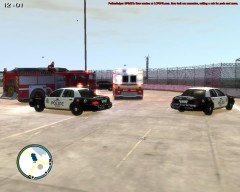
At approximately 5 PM, a Liberty City Police Officer, attempted to pull over a suspicious looking bus. The bus pulled over, but drove off as the officer approached the window. A pursuit was called in, but no backup, due to the fact it's a bus, and can't go that fast. The driver then began shooting as the pursuing officer. The pursuit lasted approximately 2 1/2 hrs, and ended behind F.I.A. where the bus crashed into a lightpole, just across from the ocean. as the pursuing officer had shot out his two rear tires The bus also hit 2 people in the time of the pursuit. Ambulances were dispatched for those citizens. Liberty City Ambulance and Edmonton Fire Rescue were called to the seen. Officer Knight was dispatched to the scene, as he was nearby. Needing some containment, one General Duties EPS Officer was called in, along with an EPS Investigations Unit. An EPS Supervisor also arrived on scene. Due to the fact, this accident was in an airport, one Alberta Sheriff's Officer was called in. Not wanting to be caught, the driver of the bus fled the scene the moment his bus crashed. Officers searched the bus, and found 4 duffle bags, full of cocaine, along with 3 extra large suitcases containing all necessary supplies and materials to produce it. These items were seized by Edmonton Police. After being thoroughly searched, the bus was seized by police, as a piece of evidence in an ongoing drug investigation. The driver is now wanted by LCPD, EPS, and Alberta Sheriff's. The bus driver faces charges of: - Reckless Driving - Hit & Run - Fleeing the Scene of an Accident - And Attempted Murder -
From the album: GTA IV/ LCPDFR Photos
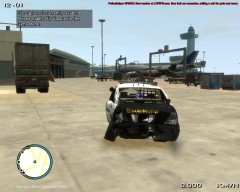
Officer Knight, of Chester's Mill Sheriff's Department, parked his cruiser to go speak with an Airport employee who had waved him over. The employee and Knight walked inside the Administration building, and were gone for at least 3-4 hours, discussing having some cruisers patrol the airport more frequently, due to the recent rise of crime around the airport. Officer Knight left the building 4 hours later, and walked to where he parked his cruiser, only to find that his cruiser was missing. He went on a walk, and found his cruiser parked at least 3-4 KM away from the building. He opened the door, and looked inside. Nothing had been taken from inside, but he did find a note saying "Sh*t happens". It had apparently been taken for a joyride in the time Knight was inside the building. Witnesses say all they saw was to people jumping out of the cruiser, and running like hell. None of the witnesses got a good look at the two individuals, and therefore, police don't have any suspects yet. -
From the album: GTA IV/ LCPDFR Photos
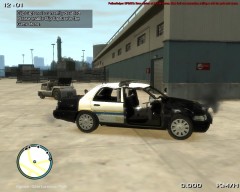
Officer Knight, of Chester's Mill Sheriff's Department, parked his cruiser to go speak with an Airport employee who had waved him over. The employee and Knight walked inside the Administration building, and were gone for at least 3-4 hours, discussing having some cruisers patrol the airport more frequently, due to the recent rise of crime around the airport. Officer Knight left the building 4 hours later, and walked to where he parked his cruiser, only to find that his cruiser was missing. He went on a walk, and found his cruiser parked at least 3-4 KM away from the building. He opened the door, and looked inside. Nothing had been taken from inside, but he did find a note saying "Sh*t happens". It had apparently been taken for a joyride in the time Knight was inside the building. Witnesses say all they saw was to people jumping out of the cruiser, and running like hell. None of the witnesses got a good look at the two individuals, and therefore, police don't have any suspects yet. -
From the album: GTA IV/ LCPDFR Photos
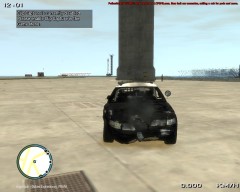
Officer Knight, of Chester's Mill Sheriff's Department, parked his cruiser to go speak with an Airport employee who had waved him over. The employee and Knight walked inside the Administration building, and were gone for at least 3-4 hours, discussing having some cruisers patrol the airport more frequently, due to the recent rise of crime around the airport. Officer Knight left the building 4 hours later, and walked to where he parked his cruiser, only to find that his cruiser was missing. He went on a walk, and found his cruiser parked at least 3-4 KM away from the building. He opened the door, and looked inside. Nothing had been taken from inside, but he did find a note saying "Sh*t happens". It had apparently been taken for a joyride in the time Knight was inside the building. Witnesses say all they saw was to people jumping out of the cruiser, and running like hell. None of the witnesses got a good look at the two individuals, and therefore, police don't have any suspects yet. -
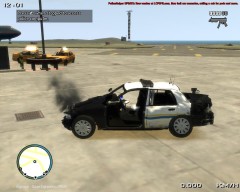
From the album: GTA IV/ LCPDFR Photos
Officer Knight, of Chester's Mill Sheriff's Department, parked his cruiser to go speak with an Airport employee who had waved him over. The employee and Knight walked inside the Administration building, and were gone for at least 3-4 hours, discussing having some cruisers patrol the airport more frequently, due to the recent rise of crime around the airport. Officer Knight left the building 4 hours later, and walked to where he parked his cruiser, only to find that his cruiser was missing. He went on a walk, and found his cruiser parked at least 3-4 KM away from the building. He opened the door, and looked inside. Nothing had been taken from inside, but he did find a note saying "Sh*t happens". It had apparently been taken for a joyride in the time Knight was inside the building. Witnesses say all they saw was to people jumping out of the cruiser, and running like hell. None of the witnesses got a good look at the two individuals, and therefore, police don't have any suspects yet. -
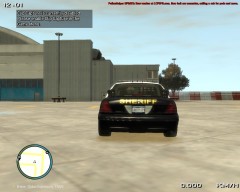
From the album: GTA IV/ LCPDFR Photos
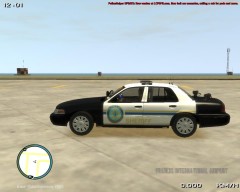
Just a texture I was working on today, based off of Chester's Mill in the Under The Dome TV Series. Edit: I just noticed that SHERIFF isn't on the hood in the middle. Thoughts? Suggestions? -
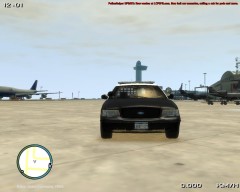
From the album: GTA IV/ LCPDFR Photos
Just a texture I was working on today, based off of Chester's Mill in the Under The Dome TV Series. Edit: I just noticed that SHERIFF isn't on the hood in the middle. Thoughts? Suggestions? -
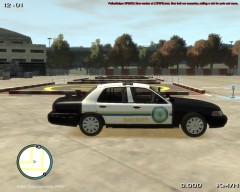
From the album: GTA IV/ LCPDFR Photos
Just a texture I was working on today, based off of Chester's Mill in the Under The Dome TV Series. Edit: I just noticed that SHERIFF isn't on the hood in the middle. Thoughts? Suggestions? -
From the album: GTA IV/ LCPDFR Photos
Just a texture I was working on today, based off of Chester's Mill in the Under The Dome TV Series. Edit: I just noticed that SHERIFF isn't on the hood in the middle. Thoughts? Suggestions? -
-
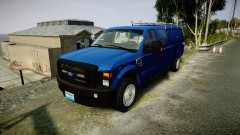 Thnx! :P
 -
Download link for that model?
-
From the album: GTA IV/ LCPDFR Photos
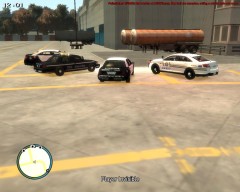
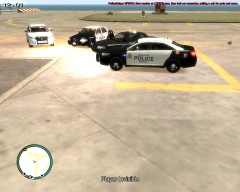
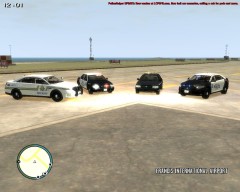
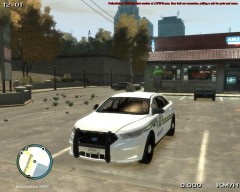
Approximately 2-3 hours ago, a TSA Security officer was patrolling behind F.I.A., and noticed something he considered suspicious, so he called it in. He didn't disclose what it was, but due to the quiet afternoon, a few agencies responded. A nearby EPS Detective, arrived on the scene, and called in a Supervisor, who then called in an Alberta Sheriff. None of the Officers know, what it is they were called in for, but responded since this afternoon was slow for call outs. The EPS Investigations section, will be conducting an Investigation -
From the album: GTA IV/ LCPDFR Photos
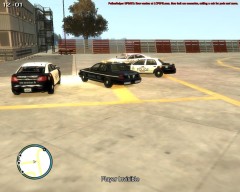
Approximately 2-3 hours ago, a TSA Security officer was patrolling behind F.I.A., and noticed something he considered suspicious, so he called it in. He didn't disclose what it was, but due to the quiet afternoon, a few agencies responded. A nearby EPS Detective, arrived on the scene, and called in a Supervisor, who then called in an Alberta Sheriff. None of the Officers know, what it is they were called in for, but responded since this afternoon was slow for call outs. The EPS Investigations section, will be conducting an Investigation -
From the album: GTA IV/ LCPDFR Photos
Approximately 2-3 hours ago, a TSA Security officer was patrolling behind F.I.A., and noticed something he considered suspicious, so he called it in. He didn't disclose what it was, but due to the quiet afternoon, a few agencies responded. A nearby EPS Detective, arrived on the scene, and called in a Supervisor, who then called in an Alberta Sheriff. None of the Officers know, what it is they were called in for, but responded since this afternoon was slow for call outs. The EPS Investigations section, will be conducting an Investigation -
From the album: GTA IV/ LCPDFR Photos
Approximately 2-3 hours ago, a TSA Security officer was patrolling behind F.I.A., and noticed something he considered suspicious, so he called it in. He didn't disclose what it was, but due to the quiet afternoon, a few agencies responded. A nearby EPS Detective, arrived on the scene, and called in a Supervisor, who then called in an Alberta Sheriff. None of the Officers know, what it is they were called in for, but responded since this afternoon was slow for call outs. The EPS Investigations section, will be conducting an Investigation -
From the album: GTA IV/ LCPDFR Photos
Officer Knight patrolling as Alberta Sheriff this afternoon, decided to make a quick stop at the AM2PM, before going back out on patrol. -
I'm on normally everyday, and use the GFWL Tag: GamerPaul101 when I can. On a side note, Effx101, I accepted your friend request
-
The download link for that texture's vehicle model, no longer works.
-
I'd say, your PC Specs are fine, and here's a list of MODs to use with LCPDFR: '?do=embed' frameborder='0' data-embedContent>>

![[View 4] Bus Pursuit Ends in Crash and Drug Bust](http://s3-gallery.int-cdn.lcpdfrusercontent.com/gallery/album_1463/sml_gallery_43345_1463_17722.jpg)
![[View 3] Bus Pursuit Ends in Crash and Drug Bust](http://s3-gallery.int-cdn.lcpdfrusercontent.com/gallery/album_1463/sml_gallery_43345_1463_45657.jpg)
![[View 2] Bus Pursuit Ends in Crash and Drug Bust](http://s3-gallery.int-cdn.lcpdfrusercontent.com/gallery/album_1463/sml_gallery_43345_1463_31974.jpg)
![[View 1] Bus Pursuit Ends in Crash and Drug Bust](http://s3-gallery.int-cdn.lcpdfrusercontent.com/gallery/album_1463/sml_gallery_43345_1463_75001.jpg)
