




KN1IGHT
Members
-
Joined
Everything posted by KN1IGHT
-
From the album: GTA IV/ LCPDFR Photos
-
From the album: GTA IV/ LCPDFR Photos
-
From the album: GTA IV/ LCPDFR Photos
-
From the album: GTA IV/ LCPDFR Photos
-
From the album: GTA IV/ LCPDFR Photos
-
From the album: GTA IV/ LCPDFR Photos
-
From the album: GTA IV/ LCPDFR Photos
-
Add me on GFWL: GamerPaul101 PM me on here or on GFWL for a TeamSpeak IP you can connect to.
-
Hi guys, Recently my primary light key for ELS stopped working ("J"). Now in order to turn on my primaries, I have to press Alt + T to turn on Auto Mode, and then Q for the siren, press Alt + T again to turn off Auto Mode, and then press Q until my siren is off. My secondary light key works fine. I have tried a GTA IV re-install and that didn't solve the problem (Then again that was a while ago) Also, is it normal for other people in Multiplayer not being able to hear your ELS Sirens? This is ELS V6 I'm talking about. Any thoughts? On another note, I recently tried installing ELS V7. I copied the files to my GTA IV Main Directory, and went in game, and couldn't toggle anything, whether it was the Info Panel or primary lights. At a point I thought it was going to work, but then my game froze and crashed. Thoughts? Best, KRI
-
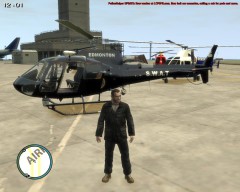
From the album: GTA IV/ LCPDFR Photos
This unit was made for EPS' SWAT Division, until a vote decided that the Annihilator should be the SWAT Unit. This replaced Tourmav A different helicopter is coming in the next few days to replace this one. -
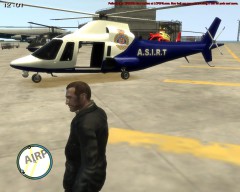
From the album: GTA IV/ LCPDFR Photos
This is the EPS Clan's A.S.I.R.T. Unit (Alberta Serious Incident Response Team) This replaces Polmav -
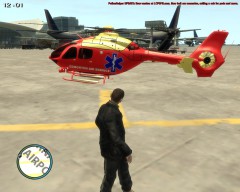
From the album: GTA IV/ LCPDFR Photos
EPS' EMS Division's EMS Helicopter. This replaces Maverick -
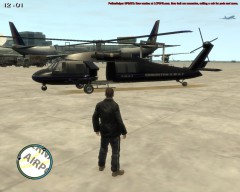
From the album: GTA IV/ LCPDFR Photos
EPS' Current SWAT Helicopter This one replaces no files, and uses the default Annihilator files. Files replaced to change the texture are: - annihaltor_decals - annihilator_bladesannihilator_blades_a -
Hi guys, I'm wondering if anyone has a template for the Annihilator. I'm looking to change the texture on it. If anyone has a template, or know where to download one, please link me to one Best, KRI ~ Posted using iPhone
-
Thanks! I've been trying to learn texturing, so I can texture my own vehicles, such as that helicopter. Who knows, some pics of some of my EPS Helicopters might be uploaded to my gallery. Note: All EPS vehicles are restricted to my EPS Clan only. No models will be redistributed Here's the actual link to that helicopter with the RCMP Texture: http://www.mediafire.com/download/7b3ccaupa47jauj/lone_RCMP_helo_generic.rar
-
Hi guys, I've been watching RCMP Clan YouTube videos, and am wondering what helicopter is seen in this video. If anyone knows what helicopter it is, please send me a link to the download for it.
-
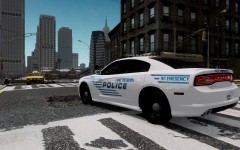 Oh, okay :P
 -
Emergency is spelt wrong Emergency not "Emegency"
-
Finally got to uploading DarthWound's map MOD. Pause Menu works great! Thanks! Best, KRI
-
Yea, that's happened to people before. For instance, my Ruiner is a Trans Am, and on someone else's screen it is a Camaro
-
Thanks I'll have to try the handling.dat and vehicles.img thing tomorrow I know all our mods are the same. Only different one might be that I have ELS V6 and he may have ELS V7
-
I reinstalled GTA IVA once, and it was a pain But the first time, I installed GTA IV then LCPDFR, it didn't do that
-
Hi guys, With my update on my Windows 8 multiplayer problem, I've been playing multiplayer for a bit. However, people on my screen jump all over the place. One minute they're next to my car, next minute they're half a block ahead of me. I was told by someone I play MP with, that the handling.dat files need to be the same for everyone, along with the vehicles.img Is this accurate?
-
I forgot to update this thread. The problem was not Windows 8 (64 - bit) and I don't have satellite Internet. I recently (about a week ago now) obtained a Static IP from my ISP, and set it up. Not the Static IP you have to set for your PC. This Static IP is obtained from your ISP. My multiplayer worked after that. Thank you to everyone who has helped me with Multiplayer issues! Best, KRI
-
Bump Any thoughts? Happens to me in Multiplayer as well

