
LostBoyLazarus
Friends of LSPDFR
-
Joined
-
Last visited
Everything posted by LostBoyLazarus
-
-
 Using OpenIV, I opened each file until I found the vest I wanted (I think b was the sheriff vest?) then made seven copies of that file and renamed them like they are in this image.
- 134 comments
- 33 reviews
-
-

- 2
-
-
What you need to remember is that LSPDFR is the framework that mods are placed into. In other words, when you download and install a mod that has conflicting keybinds with LSPDFR, that's not an LSPDFR issue. Further, it's not difficult to change the keybinds for either LSPDFR or a mod. If you need help getting your keybinds setup, post a help topic in the forums and ask. I'm running plenty of mods that had conflicting keybinds when I first downloaded them and now, after some manual tweaking, they're fine. I'm also a controller user so have also bound 90% of my mod's controls to it too. Also, when you say about how many features do we need; this is down to the user. LSPDFR comes "as is". What you choose to add to it via mods and plugins is up to you and you alone. For example, LSPDFR includes a police computer. You may opt to download Computer+ which greatly expands on the police computer but it also lets you use the default version as well. Then, you might choose to download Interaction+. This has a lite computer system built in. If you're using both mods, you'll now have three police computers that are separate from each other. So, as you can see, LSPDFR only provides you with one such feature - the rest come from mods/plugins that you - the user - chooses to add.
-
-
You can play as one of the three main characters already if you so choose. Yes, you can add/replace new vehicles.
-
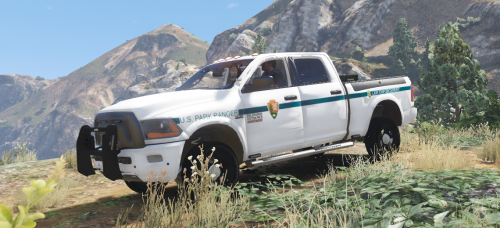 Seconding this. The wheels feel really small and round for the size of the truck and the doors are rather bumpy. Seems like a great model otherwise. Any plans to add a partition?
- 16 comments
- 5 reviews
-
-
- 1
-
-
-
-
Given that this mod works perfectly, I can only guess that you haven't installed it correctly?
- 134 comments
- 33 reviews
-
 Mine appears at the bottom left which is obscured by my mini-map. I guess that's why I didn't see it.
- 93 comments
- 18 reviews
-
Working fine for me on 0.4.1. The only thing I had issues with was the on-screen notifications. I added in the lines as instructed however it didn't work.
- 93 comments
- 18 reviews
-
-
 This is not caused by Interaction+. It happens on base LSPDFR. Not sure why though. You're better off posting this in the LSPDFR forum.
- 1,005 comments
- 68 reviews
-
Review left as well. Just wanted to say thank you again for such a beautiful mod.
- 134 comments
- 33 reviews
-
 @Disfyncial, as much as I want to promote my own mod, I'd feel bad if I didn't point out that I can see an issue with your file which will cause it to crash everyone's game. You've got two hashtags in places where there should only be white space. Proof-play your mod before uploading it to ensure this doesn't happen 🙂
 -
From the album: My LSPDFR Experience
© LostBoyLazarus
-
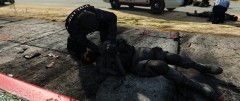
From the album: My LSPDFR Experience
© LostBoyLazarus
-
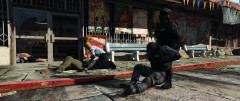
From the album: My LSPDFR Experience
© LostBoyLazarus
-
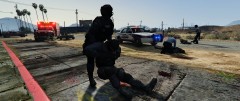
From the album: My LSPDFR Experience
© LostBoyLazarus
-
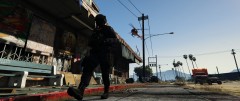
From the album: My LSPDFR Experience
© LostBoyLazarus
-
From the album: My LSPDFR Experience
© LostBoyLazarus
-
From the album: My LSPDFR Experience
© LostBoyLazarus
-
From the album: My LSPDFR Experience
© LostBoyLazarus
-
From the album: My LSPDFR Experience
© LostBoyLazarus
-
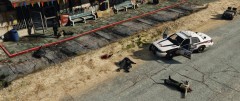
From the album: My LSPDFR Experience
© LostBoyLazarus