


trewq34
Members
-
Joined
-
Last visited
Everything posted by trewq34
-
Windows 7 Ultimate x64 and Arch Linux Dual Boot on my PC Android 4.4 KitKat on my phone Android 4.4 KitKat and Windows 8.1 x86 Dual Boot on my tablet CentOS 6 x64 on my primary web server ** Ubuntu Server 12 x64 on my secondary webserver ** (Sorry for the long list. I just have a lot...) ** Planning on getting rid of these two due to the cost.
-
You should do a join.me instead, that is if you've not already done it
-
If your ELS lights aren't bright enough, try this: http://www.lcpdfr.com/page/tutorials/index.action/_/script-data-file-modification-tutorials/how-to-make-your-els-lights-brighter-r61
-
-
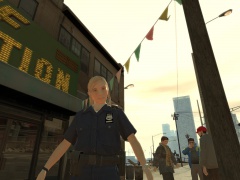 Let's name her after her "creator" and call her Sam
 -
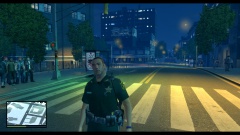 Holy Shit!... Damn that's looking amazing. Are you planning a release?
 -
It got suggested >here about an hour ago. Notice how that thread is in the correct section.
-
I think your computer is a tad too old to work with any of the newer cards. I suggest looking for videos on YouTube for "gaming computers" under your budget. This seems to be a decent one. You should definitely check it out!:
-
It's similar circumstances to your laptop. Both have integrated graphics which is just terrible to be honest. As unr3al said, you'd maybe be able to run it but it'd be really laggy. If you plan on running LCPDFR: 1.0+, then you'd need to reconsider the operating system on the desktop - 1.0 doesn't support XP. The RAM on the desktop falls far below what is required to run the game (1.5GB). I'd honestly recommend you upgrade to a better system to 'future-proof' your computer. Also, you said you were going to download the game, is that through Steam or another such-like service?
-
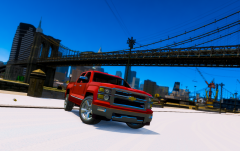 I'm sorry but GreenAid's comment has no hate in it. He is simply asking a rhetorical question to which the answer is obvious.
 -
Try reinstalling making sure both your save games folder and game folder are empty.
-
EDIT: I don't think that would cause the problem. Try reinstalling or replacing the file that you "messed up" with the backup that you made prior to modifying the game.
-
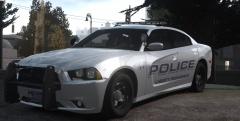 Great work! and ^ I completely agree. You should release this!
 -
We know as much as you. Why not ask the man himself?: Bxbugs123
-
Well if you're discontinuing them, could you send me a copy? and; Sure, check PMs.
-
Great. The more people there are, the better for the community. Also, whatever happened to those peds that you were working on? (featured in NB's videos)
-
This. For anyone wanting the link, here you go: http://www.gtainside.com/en/download.php?do=detail&cat=371&start=48&id=51860&orderBy=
-
Why can't you just upload these to the gallery. OT: Anyway, some nice screenshots there. Which ENB are you using?
-
Np and thanks :)
-
Again...remap them. Try this tutorial:
-
Remap the rambar to the emerglights.png that you're already using. It shouldn't need an emerglights.png texture though since it's not an emergency light.
-
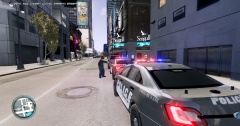 Do you have a link to these models? They look quite nice!
 -
-
I suppose I could. PM me and I'll send it to you.
-
I have them ripped. They can be downloaded (from the link below) and if someone wants to convert them, be my guest. I would have done, but I don't have much time these days. Link: http://trewq34.tk/GTA%20V%20Cop%20Peds.rar EDIT: don't bother with the .xtd or .xft etc files. I have the actual models in .obj format for you.

