


TreadRed
Members
-
Joined
-
Last visited
Everything posted by TreadRed
-
Yea my bad bad. You have to go into Grand Theft Auto V>lspdfr>Lspdfr.ini (ini file) and change it to false.
-
I think your issue is resolved here, first option
-
Dang, will have to wait for someone more experience to help
-
Can you confirm it set to false in the pause menu of gta?
-
ok in your grand theft auto folder go to lspdfr>lspdfr.ini (ini file) and open it, set it to false there.
-
Oh, go to pause menu, lspdfr settings and find and set preload all models to flase
-
you might wanna read up here https://www.lcpdfr.com/wiki/lspdfr/04/
-
Did you download that, is usually required for albos mods
-
Its not saying why it crashed, I see you have Ultimate Backup and Stop the Ped, what else you got?
-
Do you have a custom vehicle installed for slot police2?
-
You sure you don't have cars added? Your log is saying this after preloading, try disabling preloading. Launch game, go to pause settings, LSPDFR settings, and set to preload all models to off. [2/27/2019 8:24:16 PM.348] LSPD First Response: [TRACE] POLICE livery 0 name: NULL () [2/27/2019 8:24:16 PM.348] LSPD First Response: [TRACE] POLICE livery 1 name: NULL () [2/27/2019 8:24:16 PM.348] LSPD First Response: [TRACE] POLICE livery 2 name: NULL () [2/27/2019 8:24:16 PM.349] LSPD First Response: [TRACE] POLICE livery 3 name: NULL () [2/27/2019 8:24:16 PM.349] LSPD First Response: [TRACE] POLICE livery 4 name: NULL () [2/27/2019 8:24:16 PM.349] LSPD First Response: [TRACE] POLICE livery 5 name: NULL ()
-
Did you add a weapon recently? [2/27/2019 11:20:31 PM.321] LSPD First Response: Exception type: System.InvalidOperationException [2/27/2019 11:20:31 PM.321] LSPD First Response: Exception message: Cannot load an invalid weapon asset.
-
Start rage and click settings, go through each one of them, only thing should be checked is disable text version rendering, directx11 and forced windowed mode
-
you have to change the vehicle in the agency xml
-
To be honest I have no idea of the old or the new, all I know Is my Sandy shores guys are sporting los santos wear lol When I go through the clothes menu I see lssd and lspd, some swat stuff, bout it and I have to make like 500 button pushes to find the right under shirt, and the right arms. Arms just disappear. I hate everything about outfitting a my own ped, so the rest of the fleet is screwed lol
-
Did you edit something in the backup.xml file? Traffic policer not updated for 0.4, neither is police smart radio
-
I wish, ped editing is a headache, too much junk to dig through
-
cops ignore you setting
-
post the log please
-
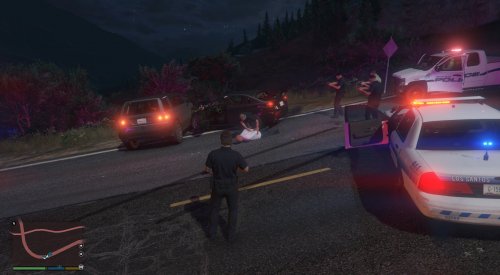 I was just speaking with EUP author and there is nothing specific for those departments, which is a little disheartening lol. With being able to have an agency for any area we want, we need some custom badges.
- 13 comments
- 1 review
-
Ok I just found out that there is no specific uniform badges made for other areas, are you making those or using what you got? Like what does Paleto Bay and Vespucci using their parent uniforms mean? lssd and lspd?
- 13 comments
- 1 review
-
I believe its saying you need to turn notifications on in gta5 settings. maybe specifically phone notification, but not positive, have a look and see if its off and if on helps
-
 Ok, all a great big headache for me thinking about it, I think Ill just make the file and use whatever peds are in by default lol. Cant have it all in a short period lol.
- 195 comments
- 24 reviews
-
-
You need to post the log bud


