


TreadRed
Members
-
Joined
-
Last visited
Everything posted by TreadRed
-
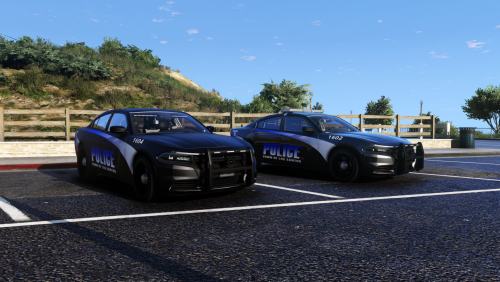
Either increasing the timeout or forced windowed mode fixed this.I know you guys are investigating the issue, I was just under the impression there is only 1 apartment, and my game is trying to load 2, thought this may help. appartments? maybe. [2/25/2019 7:39:33 PM.271] LSPD First Response: [TRACE] Thread Apartment #2 initialized [2/25/2019 7:39:33 PM.271] LSPD First Response: [TRACE] Thread Marker #2 initialized [2/25/2019 7:39:33 PM.274] LSPD First Response: [FATAL] Forced termination [2/25/2019 7:39:33 PM.279] LSPD First Response: [TRACE] Released 0 entities from DefaultContentManagerHey did you download Alboscommon.dll, he updated that too, Its in misc.gotchaOh sorry I see people are already updating now lol. Do you have a log file from where the callout wouldn't load?Im curious what this is about, my log shows the same thing, even then Im getting about 40fps. Still think something is interfering, doesn't make sense why it keeps rebinding.I know because they are not updated for lspdfr .4 lol. It sucks I know but Im sure some of the callout creators are working to get us more content.Its possible that Callout manager would work for some callouts and not others because it has not been updated. Everything is going to need to be updated that is not up to par with the new code. Maybe this will work, maybe that will work, maybe half of this or that will work, but it makes perfect sense that it doesn't work correctly because it has not been updated. If Callout manager is working for one callout and not another creators callout, then its that callout that needs updated. To be honest no one is going to know besides the creators.Yea, .4 was just released, if an outsiders mod doesn't work with it you will have to wait for the creator of it(the outsiders mod) to update it to work. Same with Callout manager, you will have to wait for an update.Ugh cant sleep Don't want anyone thing "NULL' is a thing so ill post updated screenshot, clearly have the wrong livery on lol.
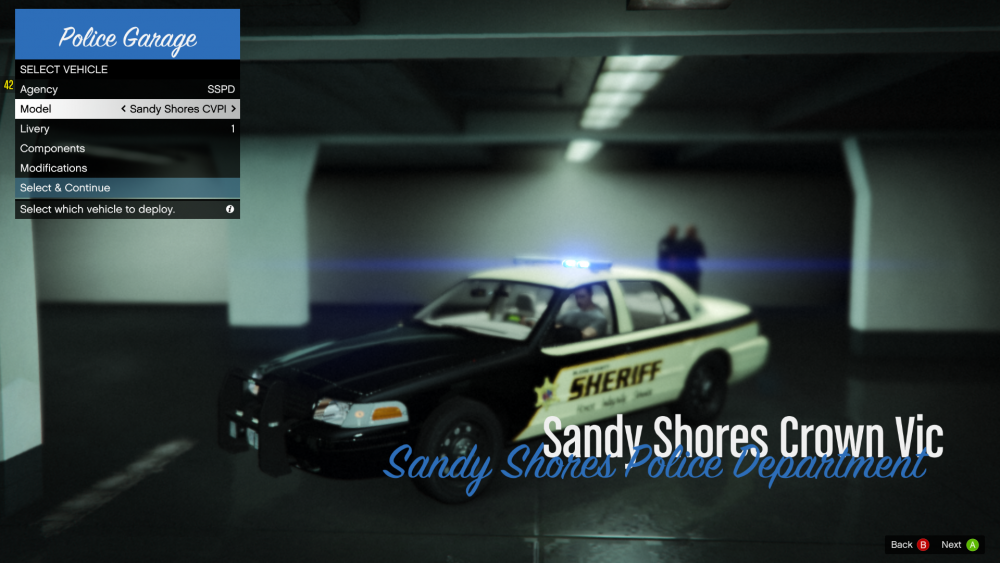 Just got my first Agency setup, is for Sandy Shores. Is setup in the backup and in duty selection, obviously. Think Ima gonna make a video tutorial when I get off tomorrow to help people out, and I can set this agency to patrol stab city. Pretty sure I can set stab city to have their own patrol cars and them cars report to Sandy PD, but I gotta go to bed now. Its some simple editing, Ill make a video tomorrow
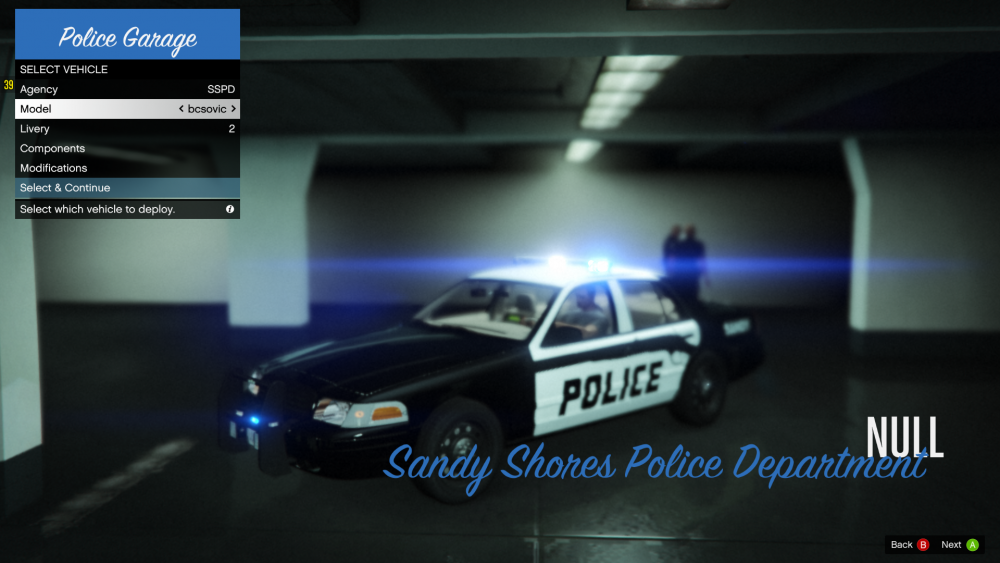 Mine threw the same log and crashed after downloading scripthook, reinstalled it and it worked. I also went into openiv and reinstalled the tools in the asimanager and restarted my computer, that fixed it for me, not sure if you even have els.This is absolutely amazing. I can fully customize the map however I please, want Sandy PD to patrol Stab City? no problem. Don't want default police patrolling your city, no problem. Fully customizable 🙂Heres a example of my addon cars replacing the default police that were there. The last patchday, you can DM me if you need more help. Can anyone experienced tell me if its a requirement to add a suffix when placing agencies in the custom file to override the default file, because if its not a requirement its not working, The original has to be edited.
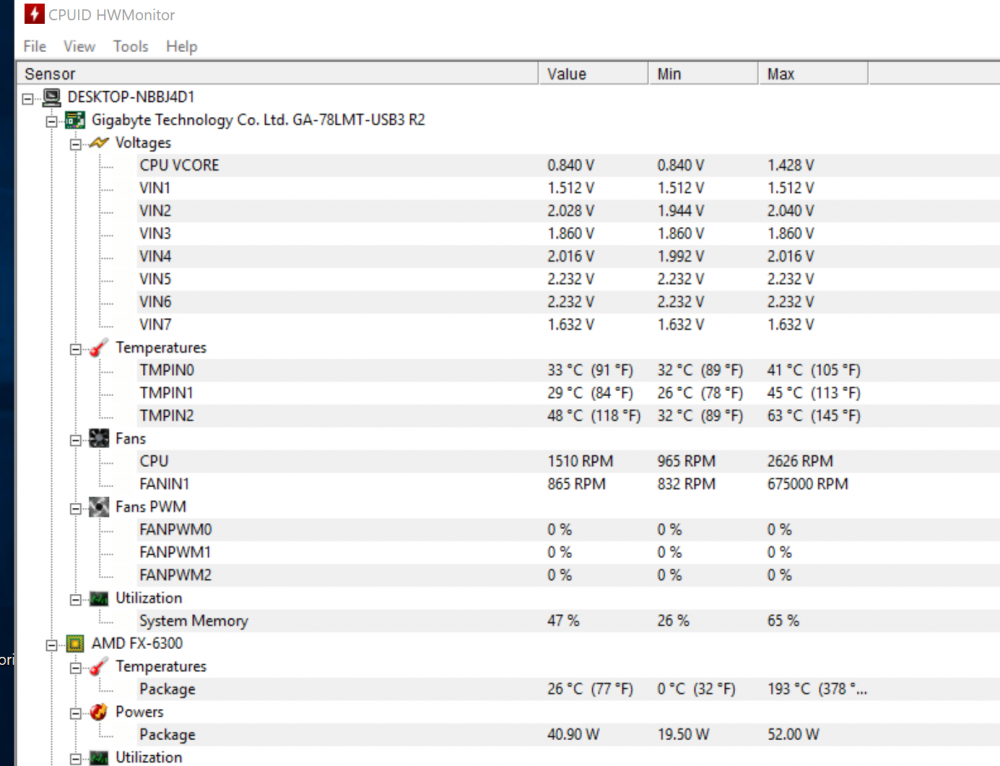
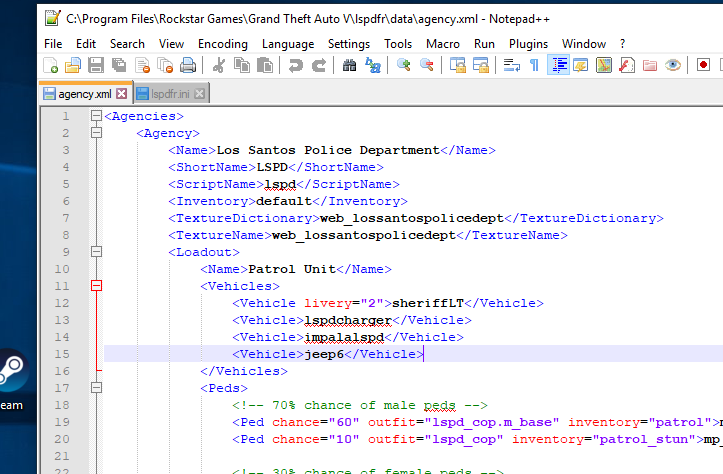 The custom folder is not working for me either, I just saved the original file into a different folder and edited the original one. Computer Plus is working for me, atleast the login menu pops up, I haven't made it farther. As far as Ultimate backup goes, once you edit the original agencies file with your vehicle models(addons or not) they will spawn accordingly, as the police stations, patrolling, etc.What error is appearing? or are you speaking of the issue? Do you have a mod install that assists with siren audio? Was a log produced from this game session? You can try: In OpenIV, go to ASI Manager and uninstall ASI Loader and OpenIV.ASI and then click install again to reinstall them. Then restart the PC, then try loading into the game again and see if that works.ok, Just when I am playing lspdfr TMPIN2 goes up to mid 60c's, Im kinda big on not frying my stuff. Everything else seems to stay below 60cCan you post the log from Grand Theft Auto V>LogsCan anyone help me out with what I am looking at using HWMonitor. I am getting confused. I would assume the CPU temp is the "package" temp, but I have read sometimes the CPU is under the motherboard. I know Core temp is whats important, do you know which is it? I also read some of these readings aren't even actual temperatures. I find this program confusing but everywhere I go says it is the best monitoring app? Additionally I am highly doubting whatever maxed at 378 degrees, haven't even been playing a game since that registered, surely is inaccurate.
 Oh and with Ultimate backup you can set the Park Ranger to spawn when your in parks, sandy shores cops to respond when your in sandy. You do that with the CUstom Regions folder, little more tricky, lmk if you need help with it one day.You need to get the original gameconfig.xml You need to OpenIV, go to update>update.rpf>common>data. Carefully go into that gameconfig.xml and copy it. Paste it into the gameconfig.xml in the same location but in the mods folder. Be careful you don't want to delete the original gameconfig file. That should get you back up and running, if not post a log. When you get back up and running and you crash after doing whatever, post the log from the crash, because the one you posted at the beginning isn't showing anything I can see Just to specific, your going to have to edit the original gameconfig, and highlight it all and copy it. click save don't delete it. go into the mods gameconfig and edit it, delete it, and paste the one you copied.





Account
Navigation
Search
Configure browser push notifications
Chrome (Android)
- Tap the lock icon next to the address bar.
- Tap Permissions → Notifications.
- Adjust your preference.
Chrome (Desktop)
- Click the padlock icon in the address bar.
- Select Site settings.
- Find Notifications and adjust your preference.
Safari (iOS 16.4+)
- Ensure the site is installed via Add to Home Screen.
- Open Settings App → Notifications.
- Find your app name and adjust your preference.
Safari (macOS)
- Go to Safari → Preferences.
- Click the Websites tab.
- Select Notifications in the sidebar.
- Find this website and adjust your preference.
Edge (Android)
- Tap the lock icon next to the address bar.
- Tap Permissions.
- Find Notifications and adjust your preference.
Edge (Desktop)
- Click the padlock icon in the address bar.
- Click Permissions for this site.
- Find Notifications and adjust your preference.
Firefox (Android)
- Go to Settings → Site permissions.
- Tap Notifications.
- Find this site in the list and adjust your preference.
Firefox (Desktop)
- Open Firefox Settings.
- Search for Notifications.
- Find this site in the list and adjust your preference.