




UnknownBastion
Community Team
-
Joined
-
Last visited
Everything posted by UnknownBastion
-
Please send the RPH Crash Log. Its a txt file found in the Main Directory called either RagePluginHook or RagePluginHook.log.
-
Rename mods to _mods and try again.
-
Re-install Callout Interface. You are missing files.
-
Please send the RPH Crash Log. The log you provided is the ScriptHookV.log. The one you want is a txt file named RagePluginHook or RagePluginHook.log.
-
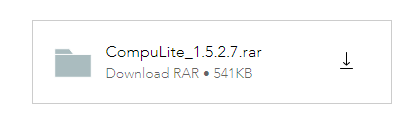
Just use Compulite. I use it and it works brilliant. Open the page, scroll down, click the button in the image below. If you don't want the ads, use an adblocker.
-
Yeah, either way, its most likely a mod that is causing conflict.
-
Is there an issue with downloading it?
-
Vehicles.meta: mods\update\update.rpf\common\data\levels\gta5 Carvariations.ymt: mods\update\update.rpf\x64\data Carvariations.meta: mods\update\x64\dlcpacks\mpchristmas2\dlc\common\data
-
Screenshot Main Directory.
-
Most likely is LSPDFR is having an issue with a vehicle you installed, most likely the one that Chris referenced. You can try removing that specific vehicle and seeing if the issue persists.
-
Rename mods to _mods and try again.
-
Send the RPH Crash Log. Its a txt file in the Main Directory either called RagePluginHook or RagePluginHook.log.
-
Rename mods to _mods and see if the same thing happens. In the future, just upload the RPH Crash Log. Do not copy to a pastebin.
-
Play just normal GTA V and get past the prologue missions until you can freeroam as Franklin. Once that is done, then you may attempt to launch RPH. If you are encountering the "slow systems" error, try adding the GTA V Main Directory to the exceptions list of your anti-virus. A simple Google search will teach you how to do that. Once that is done, re-install manual LSPDFR and restart your PC. If you are still experiencing the same issue, please consult the section regarding the error you were receiving in the RPH FAQ.
-
You need to update RageNativeUI. Download it here and drag the files into the Main Directory.
-
I wouldn't know, I'm not Moderation. I know that their Moderators have a lot going on outside the site so it may take a bit for the post to be approved.
-
It's status in Pending is dependent on Moderator availability. You will simply have to wait until one becomes available.
-
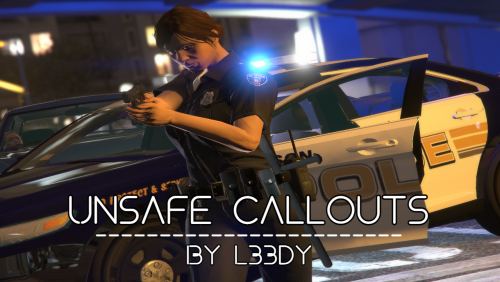 My guess is that English isn't their first language. Might help for them to get someone to revise the scripts that is. But either way, it's not the biggest issue. Additionally, like was said many times before, the Violation of Protective Order callout does not work. Though doubt it will get a fix seeing as all the comments are roughly a year old.
 -
Fascinating! I was unaware of this.
-
You can either attempt a re-install of that or just play the game.
-
No problem!
-
Try a fresh re-install of UB. See if the issues happen again.
-
You can try removing UB and seeing if that fixes the issue.
-
Add it back. Remove Vocal Dispatch. Try again.
-
Rename mods to _mods. If that works, either revert what you have recently added one by one and test after each removal. Or restart your mods folder.


