

Cyanotic
Members
-
Joined
-
Last visited
Everything posted by Cyanotic
-
Yeah, i checked the interaction menu after updating and the option isn't there?
-
Just updated but see no way in the interaction menu to show badge..?
-
 This was such an amazing mod. I’m so sad to see such a halt. I Understand the circumstances but still. This was one of my favorite new things in the game.
- 132 comments
- 26 reviews
-
It seems like it, yes.
-
It was, yes. I started RPH as administrator and it started working. I've been playing LSPDFR for years and never had to do that before. Idk what caused it.
-
 installed this pack now i get an access violation error and can't play. Doesn't make sense. I changed nothing else, however now I can't play LSPDFR at all.
- 36 comments
- 11 reviews
-
HELP PLEASE I've been playing forever and now all of the sudden I get this every time I try to start LSPDFR. crash.txt
-
 Will this do anything at all for controller users? I like the idea of the braking..
- 329 comments
- 24 reviews
-
-
-
 I REALLY dig that long tone. How do I make this work where it will be in place of the "B" button on my controller? I've edited sirens before but a lot has changed and I'm not quite sure of what I'm messing with.
- 6 comments
- 2 reviews
-
I saw in the patch notes that Callouts.DisableBigRadar was added. I can't seem to find out how to get this to work. I added it to the lspdfr.ini in the LSPDFR folder but nothing happened. What am i doing wrong?
-
-
-
This has quickly become a MUST HAVE mod. If you like immersion and being able to actually use 10 codes to utilize backup and communicate with dispatch then THIS MOD IS FOR YOU. Works amazingly and the author is quick to respond and constantly updating.
- 132 comments
- 26 reviews
-
There is currently an audio string already in LSDPFR somewhere that says "officers on the scene" that would be pretty awesome to have play when someone radios in to say "10-23". ..just for immersion purposes of course.
- 132 comments
- 26 reviews
-
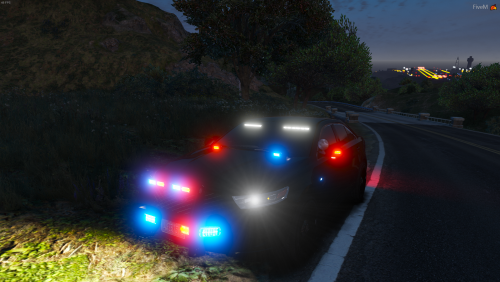 Just right click and edit the els xml with notepad, go down to PRML LightingFormat and under the forced patterns list where it says "OutOfVeh Enabled" make sure it says "false" next to it. That should make it to where your lights stay the same no matter if you're in the vehicle or not.
- 22 comments
- 7 reviews
-
-

- 1
-
-
-
-
-
 i use patchday 14 for all of my cars. Everything usually works without issue.
- 19 comments
- 3 reviews
-
-
- 1
-
-
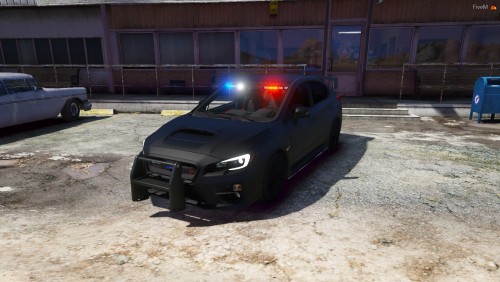
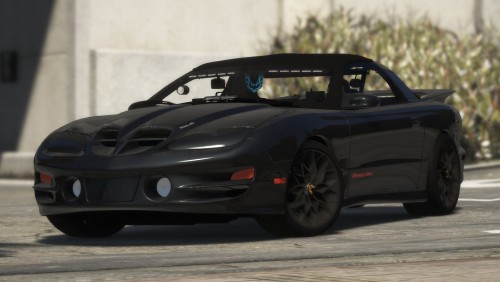 Lol I this is getting out of hand. I know the actual hood won't open, I've looked extensively at the model in OpenIV because i love it lol. I'm saying that whenever i select the hood or bonnet option in game the lights won't pop up. Nothing happens at all. If i select "open all doors" the lights will pop up but every door on the car is open. This is why I was asking about the ability to make the lights an arrow board feature so that we could use the alt+k ELS key bind to use the pop up headlights. Edit: I got it them to work with Alt+[ by changing the arrow board type in the vcf to "bonnet" but it just looks crazy when they open lol. They flip up through the hood. Maybe the spherical dummy necessary for them is large? I honestly don't know much about the modeling aspect of it all.
- 16 comments
- 6 reviews
-
Trainer V. I def don't want the actual hood to open. The lights opening on a key press/key combo press though would be the icing on the cake. I don't think this car will leave my game for quite some time. I just want to be able to pop up the lights. Specially if I'm using her as a highway patrol interceptor.
- 16 comments
- 6 reviews
-
for some reason when i choose bonnet or trunk neither will open. Is there any way to bind them to an arrow board feature so we can use alt+k with ELS to open the headlights? I must say this is the most badass undercover car I've seen in LSPDFR.
- 16 comments
- 6 reviews
-
so the headlights will or will not pop up?? I want to give a review on this car so bad but not until i know wtf i'm doing lol.
- 16 comments
- 6 reviews