
Cyanotic
Members
-
Joined
-
Last visited
Everything posted by Cyanotic
-
 lol yeah i went digging and found the files with the reflective texture and just made one a completely transparent texture and the other is the solid mustard color.
- 253 comments
- 53 reviews
-
-

- 1
-
-
-
 yes both plate and ped check work with vocal dispatch. Get behind car like normal " i need a plate check" or "requesting plate check" should work. It's how I do it. Some callouts won't work for accepting via vocal dispatch. You'll still get the usual "10-4" response from dispatch but the callout won't be accepted. Nothing wrong with your vocal dispatch just some aren't compatible.
- 587 comments
- 106 reviews
-
Oh absolutely. It's sitting nicely as my BCSO crime suppression unit and will remain there for quite some time I'm sure.
- 253 comments
- 53 reviews
-
@ITheUnknownOneI how did you manage to get 2 bobble head antenna on there when most people bitch about trying to put ONE on their car? You're the real MVP. lol
- 253 comments
- 53 reviews
-
after playing with this model i love it even more, just wish i could dim the bright white lights a bit. Other than that this thing is awesome.
- 253 comments
- 53 reviews
-
-
- 2
-
-
5 Stars. First model I've seen with runners that work properly and only activate at stg3. I don't usually use christmas trees but the bobble antennas and overall look of this car is awesome. Nice work!
- 253 comments
- 53 reviews
-
-
- 1
-
-
-
-
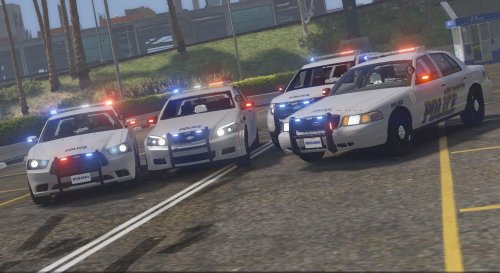 Too bad that antenna isnt a bobble head antenna on the charger. This pack looks great though!
- 13 comments
- 7 reviews
-
 Yep. Even tried uninstalling and reinstalling all asi manager stuff. It really doesn’t make any sense to me at all. Can’t figure out for the life of me why the original vests would show in game but the ytd file in openIV shows the texture I put there.
 -
Thank you. Like I said in the YouTube video though, unfortunately that’s exactly what I’ve been doing. I think there has to be something wrong with my eup or openIV idk what it could be though.
-
 Definitely just crashes on startup EDIT: seems to be working correctly after PC reboot.
- 101 comments
- 18 reviews
-
Ill def check it out. I honestly dont know what i could possibly doing wrong. Its really straight forward. I replace the textures in openIV then still end up with default vests in game every time. If you can solve this you"ll be a legend in my book lol
-
I really wish I knew what I was doing wrong. I have tried so many times to re texture these vests. No matter what I do the originals show up when I go to EUP to equip them. 😢
-
 Go here There is a file in that download called blue light templates that has like every blue light file you will ever need to change light colors.
- 8 comments
- 8 reviews
-
-
-
 Honestly I just kept messing with the component ID's and item id until it worked. The only way it would function properly is where you see the numbers like ( 7:7). You can tell where i stopped because after editing that set it started working for me. I assume that if you just copy and paste exactly what i have up there for your ped it should work. ...in theory that is.
- 560 comments
- 97 reviews
-
-
 where is the .ini? EDIT: lol never mind. I should learn to read.
 -
so after a week of messing with the XML file i got this to consistently work. <Item FuncHolster="true" FuncIntim="true"> <Model>MP_M_FREEMODE_01</Model> <FuncIntimMeshes> <Item> <Component>7:7</Component> <Drawable>7:6</Drawable> </Item> <Item> <Component>7:7</Component> <Drawable>7:6</Drawable> </Item> </FuncIntimMeshes> <Weapons> <Item WeaponSet="Pistols"> <Component>7:7</Component> <Holstered>7:7</Holstered> <Unholstered>7:6</Unholstered> </Item> <Item WeaponSet="Pistols"> <Component>7:7</Component> <Holstered>7:7</Holstered> <Unholstered>7:6</Unholstered> </Item> <Item WeaponSet="Pistols"> <Component>7</Component> <Holstered>1</Holstered> <Unholstered>3</Unholstered> </Item> <Item WeaponSet="Pistols"> <Component>7</Component> <Holstered>6</Holstered> <Unholstered>5</Unholstered> </Item> <Item WeaponSet="Pistols"> <Component>7</Component> <Holstered>110</Holstered> <Unholstered>111</Unholstered> </Item> <Item WeaponSet="Pistols"> <Component>7</Component> <Holstered>119</Holstered> <Unholstered>120</Unholstered> </Item> <Item WeaponSet="Pistols"> <Component>7</Component> <Holstered>42</Holstered> <Unholstered>43</Unholstered> </Item> <Item WeaponSet="Pistols"> <Component>8</Component> <Holstered>16</Holstered> <Unholstered>18</Unholstered> </Item>
- 560 comments
- 97 reviews
-
So now that it's an xml file instead of an ini no one seems to have a good fix for the gun not actually holstering anymore.. :(
- 560 comments
- 97 reviews
-
-
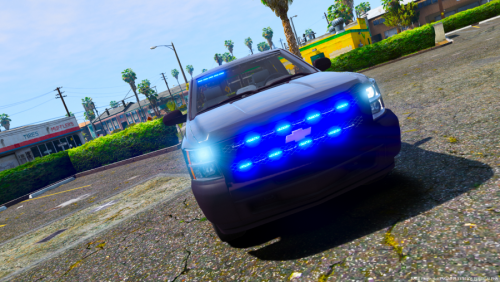 This car would be awesome if the lights were fixed for the stg 2. Only one side works.
- 17 comments
- 6 reviews