jb431
Members
-
Joined
-
Last visited
Everything posted by jb431
-
 Any chance you could look at this pack? I tried the FPIU, but the light on the quarter panel and front blinker keeps ending up yellow.
- 269 comments
- 17 reviews
-
 Can you zip them so each skin doesn't have to be downloaded individually?
 -
.thumb.png.527451909aaec993e789084e6333ab1f.png) Saw many of the same issues with the Caprice as @Giordano. I don't think the issue was the color of the lights, it was referring to the description that said says 100% blue. The reds are cool, but they're listed as amber in the VCF and the blues don't allow environmental lighting. It's missing tags, and the takedowns were super offset from the sides of the vehicle.
Saw many of the same issues with the Caprice as @Giordano. I don't think the issue was the color of the lights, it was referring to the description that said says 100% blue. The reds are cool, but they're listed as amber in the VCF and the blues don't allow environmental lighting. It's missing tags, and the takedowns were super offset from the sides of the vehicle.- 6 comments
- 4 reviews
-
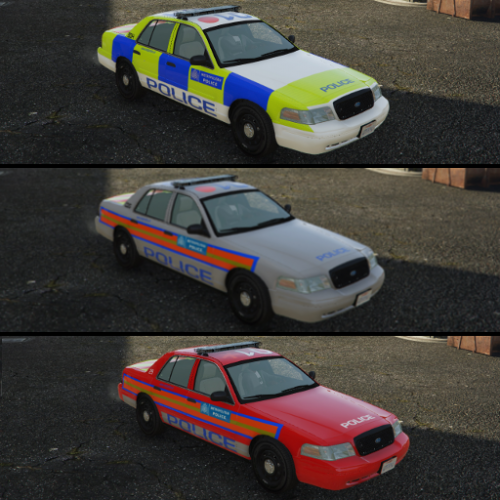 The lights only flash at stage 3 and don't change even if you alter the ELS flash pattern. The light brightness is not uniform across the lightbar and they are very dim in the middle, and one of the lights in the grill stays on even when the emergency lights aren't active, sometimes it's the one on the left, other times it's the right. Might be how the model is configured, each model I've seen lists the emergency equipment as extras, this lists them as siren2, siren5, etc. Liveries looked pretty good though.
- 4 comments
- 1 review
-
-
-
 I'm not sure which mod if it's not in the base LSPDFR. Maybe arrest manager or stop the ped?
- 1,005 comments
- 68 reviews
-
I think you hold shift, or there is a mod that does that if you hold shift.
- 1,005 comments
- 68 reviews
-
 Any chance there might be a spray holder with a top, or more traditional mag pouches added?
- 124 comments
- 37 reviews
-
 Not 100% sure, but I think they impact the brightness, size, etc of different effects of the lights and how they appear from different distances, etc. Not sure about the siren categories though. If the intensity, etc make the siren louder than I need to adjust that. Is the siren intensity and radius in the visualsettings.dat file? I couldn't find it.
- 110 comments
- 23 reviews
-
 Anyone know of a setting that will stop all of the court cases from popping up on screen every time you go on duty? I even delete each court case from the menu, but whenever I log back on they are all there again and go through the same pop up sequence.
- 1,178 comments
- 137 reviews
-
Yea, it seems no matter what agency I select the call radius is always centered around my players position.
-
I knew there were two, Blaine and Los Santos, just didn’t know why they listed an LSCS and an LSSD in addition to BCSO.
-
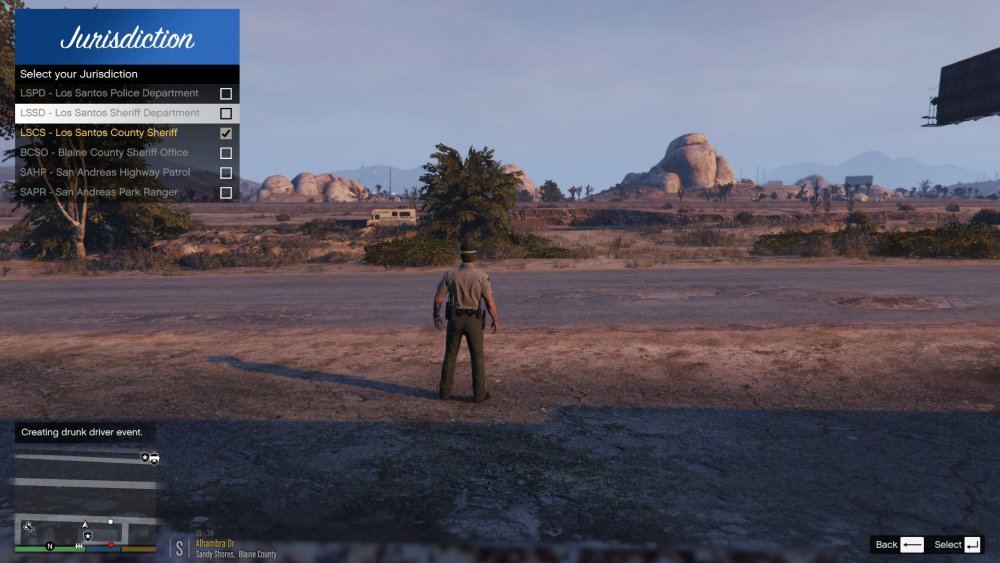
When choosing which agency to use in game there is an option to pick Los Santos County Sheriff or Los Santos Sheriff Department, does anyone know what the difference is, or if there is no difference?
-
-
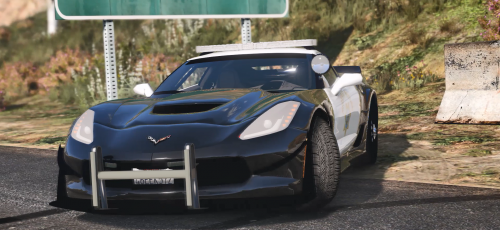 Wow, someone really loves spotlights. Thanks for the time taken to create the model.
 -
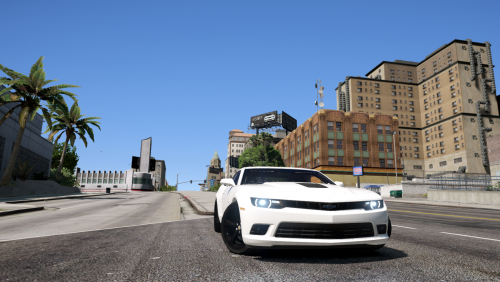 I have used the Gauntlet or Dominator before without issues on other cars. I would probably try the Gauntlet with this one since they have similar body styles.
- 13 comments
- 3 reviews
-
 Did you change the meta, or use the trainer? I have always just changed the tint meta line and it worked. Try installing it in a different police slot.
- 62 comments
- 44 reviews
-
You have to remove the tint. You can use the in game trainer or change the tint line in the vehicle meta. If you change the tint in the vehicle meta it should be <diffuseTint value="0x00FFFFFF" />
- 62 comments
- 44 reviews
-
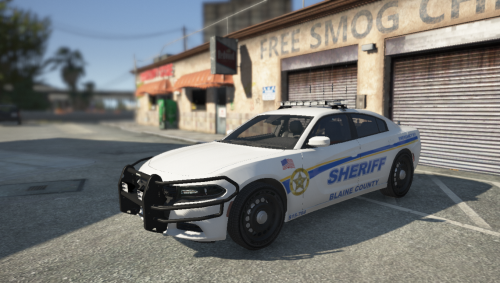 After the reinstall the line that was sticking out from the model disappeared.
- 26 comments
- 6 reviews
-
@StraightGlitcheZ No, there were no other cars if I recall correctly. I will download again and try it fresh. Not fivem either. Is there an issue with the screenshot, or something displayed that might be affecting the game?
- 26 comments
- 6 reviews
-
-
 Can you pass on what texture needs to be adjusted so the white lights at the rear aren't excessively bright? Thank You
- 253 comments
- 53 reviews
-
Weird issue with shadows during night time stops, etc. The side of the belt facing the headlights, etc is still dark, but the side facing away turns a gray/silver color.
- 124 comments
- 37 reviews
-
 I don't think so. It's always been like that as far as I know, and this mod hasn't been getting updates.
- 3,646 comments
- 306 reviews

.thumb.png.527451909aaec993e789084e6333ab1f.png)