


Kalleboston
Members
-
Joined
-
Last visited
Everything posted by Kalleboston
-
I know what you mean :D I try to keep it relatively simple. Custom cars spawning in maybe 6 jurisdictions. And highway patrol of course. I prefer lore friendly skins and setups. There are so many different skins out there that I usually play for 2-3 weeks and update the skins if I find another pack that fits. Do you use CustomBackup and/or Law Enforcement Jurisdiction Script?
-
-
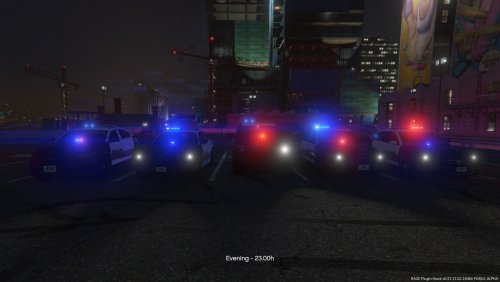 Okay, Then it's really strange to include all the files in the .RAR (.ytd;.yft for all vehicles) It got me fooled, sorry.
- 13 comments
- 4 reviews
-
-
Great! The first step I recommend you is to rename your mods-folder to something like _mods and then start the game to see if you get the same crash or not. If it does crash, you know it has to do with something in your mods folder.
-
You need to attach ragepluginhook.log Try that and you will get more responses :)
-
@GunnDawg Because they all use the default slot names and the creator has probably thought about the handling and such. That’s my guess :)
-
@GunnDawg lots of things. What kind of ped driving, handling, window tint, dirt level, why kind of car it is ie emergency or regular car. I can go on forever. Its a really important file. One faulty line can make the game crash instantly. I bet kallus can explain it better :)
-
 It’s quite easy if you’re using CustomBackup. I made an entry in the backups xml that spawns a random CHP unit. If you are interested I can send you that entry in a pm.
- 952 comments
- 158 reviews
-
That’s different. It’ll be fun to skin! But not super beautiful to look at.
-
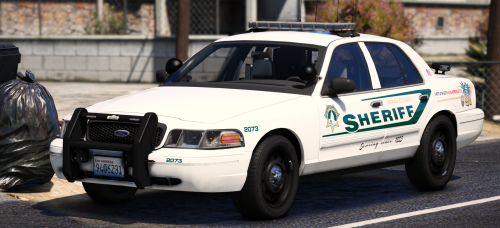 Yea, you can just rename it. Remember to rename the .xml file too and copy it to its location.
- 7 comments
- 10 reviews
-
 Put it in the right place. Check the file structure in the rar archive and compare.
- 546 comments
- 103 reviews
-
Looking good! But want to suggest a clean, minimalistic lighting version of the cvpi.check this out, I love this car. https://www.modding-forum.com/downloads/file/43-2006-fictional-lspd-ford-crown-victoria-p71-street-appearance-package/
-
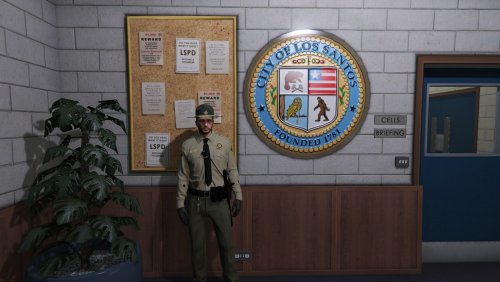 I've been looking for something like this. For me who dont have a lot of time to fiddle around with outfits, it is perfect. It saves me lots of time choosing the presets compared to find them in the list. Thanks for the upload!
- 6 comments
- 3 reviews
-
-
-
-
 @CarlSkotch have you changed colors in the .xml file in pack_default\? (Where you put your vcf files)
- 147 comments
- 65 reviews
-
 Sure they do. Look for ‘bradm sahp pack” or something. I installed it yesterday and it looks sweet.
- 206 comments
- 94 reviews
-
-

- 1
-
-
-
@DS Young change ”manual” to ”auto” in the XML file for your vehicle.
-
Try also the ‘wash’ command @OwenAlexander99 .
-
@STARTairsoft780 sure, it can be done with this mod. It takes some work though. But it works good when set up. I’ve got cars with different liveries set up to patrol around sandy shores/paleto/metro los santos.
-
 Sure. @Kilyin ha the answer to the type of vehicle and peds. And if you want to disable the first responders you find those settings in the betterems.ini in the plugins\lspdfr\ folder. Good luck :)
- 781 comments
- 85 reviews
-
Yea. You can change the vehicle of the first responders in the .ini file. Or you can disable first responders so that only ambulances or fire trucks responds.
- 781 comments
- 85 reviews




