


viperwolf
Members
-
Joined
-
Last visited
Everything posted by viperwolf
-
 re download it for a fresh copy, then try dragging file to desktop, then into directory. You probably already know this, sometimes the drag and drop from zip files dont load correctly. Most of the mods Ive used the headlights/alley/scene lights are the H key on keyboard.
- 2,655 comments
- 234 reviews
-
 Someone else had this issue somewhere in lspdfr, I dont remember where though. I think the reason was their ELS was corrupted. They reinstalled and everything worked again.
- 951 comments
- 158 reviews
-
 Thank you very much for this 4k pack. Im sure it will be very appreciated by everyone. Great Job!
- 16 comments
- 9 reviews
-
-

- 1
-
-
I think you have to change that in the xml, i hope someone with better knowledge will chime in. there should be 3 areas warning, primary and secondary. WRNL LightingFormat="leds" > <PresetPatterns> <Lstg3 Enabled="false" Pattern="0" /> </PresetPatterns> <ForcedPatterns> <MainHorn Enabled="false" Pattern="0" /> <SrnTone1 Enabled="false" Pattern="0" /> <SrnTone2 Enabled="false" Pattern="0" /> <SrnTone3 Enabled="false" Pattern="0" /> <SrnTone4 Enabled="false" Pattern="0" /> <PanicMde Enabled="false" Pattern="0" /> <OutOfVeh Enabled="false" Pattern="0" /> </ForcedPatterns> <ScanPatternCustomPool Enabled="false" Sequential="true" > <-------------------I think this is the area you need to change. Im probably wrong though. <Pattern>0</Pattern> <Pattern>0</Pattern> <Pattern>0</Pattern> </ScanPatternCustomPool>
- 2,655 comments
- 234 reviews
-
-
Im not sure how ELS would just stop working right. RHP did not update and ELS has not updated. So it has to be something outside of those effecting it. Can you think of the last thing you updated or installed? Im just guessing ofcourse, nothing has changed in ELS sense Jan 10. my vehicles are in patchday14 aswell. Maybe a file or vehicle you installed has overwritten an API/Dll or something to an older version? This is my set up POLICE - 2015 Ford Taurus (JJDawkens) POLICE2 - 2015 Dodge Charger (TheHurks) POLICE3- 2016 FPIU w/HQ Interior (TheHurks) POLICE4 - 2011 CVPI (TheHurks) POLICEOLD - 2016 Ford Explorer (TheHurks) POLICEOLD2 - 2015 Dodge Charger ST (TheHurks) POLICET - 2016 Chevy Express 3500 Van (JJDawkens) FBI - Dodge Hellcat (JJdawkens) FBI2 - 2015 Tahoe (TheHurks) SHERIFF- 2015 Dodge Charger (TheHurks) SHERIFF2 - 2015 Tahoe (TheHurks) PRANGER - 2017 Ford Raptor TOWTRUCK - Ford F550 AMBULANCE - 2015 Ford F550 Ambulance. I change these all the time.
- 2,655 comments
- 234 reviews
-
have you tried different vehicles, maybe its the vehicles xml? Im not sure just trying to give an idea. ELS is working for me. If you want, ill download that exact vehicle and install in the same place you have it. Ill need to know the download source.
- 2,655 comments
- 234 reviews
-
-
-
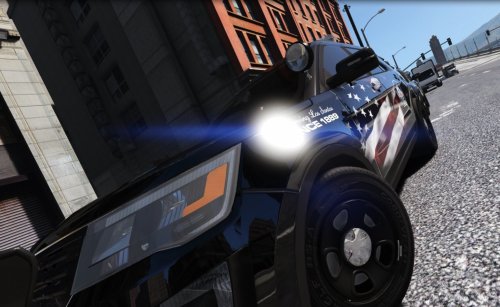 Thank you for this skin, I hope you will include more vehicles in the future. great Job!
- 12 comments
- 10 reviews
-
I was asking about vehicles, bc i use JJdawkins and thehurks. I swap them things out like crazy, everywhere. I even experimented by mixing JJ and hurks xmls. I sitll have no issues, i know that OIV had a recent update to v2.905 i think. However, thinking about it, I recently uninstalled and reinstalled ELS.
- 2,655 comments
- 234 reviews
-
what cars are you guys swapping around, it may be focused on the same units somehow
- 2,655 comments
- 234 reviews
-
When you er in game and set up a car, how do you save that set up? I cannot find anything about this in the docs. Do i have to write down the number light code for warning/primary/secondary then put those in the xml? I thought there was a simple way to save it in game. <WRNL LightingFormat="leds" > <PresetPatterns> <Lstg3 Enabled="false" Pattern="0" /> (so do i just change the 0 to the number i want?) </PresetPatterns> <ForcedPatterns> <MainHorn Enabled="false" Pattern="0" /> <SrnTone1 Enabled="false" Pattern="0" /> <SrnTone2 Enabled="false" Pattern="0" /> <SrnTone3 Enabled="false" Pattern="0" /> <SrnTone4 Enabled="false" Pattern="0" /> <PanicMde Enabled="false" Pattern="0" /> <OutOfVeh Enabled="false" Pattern="0" /> </ForcedPatterns> <ScanPatternCustomPool Enabled="false" Sequential="true" > <Pattern>0</Pattern> <Pattern>0</Pattern> <Pattern>0</Pattern> </ScanPatternCustomPool> What happens to the secondary and primary when i go to stage 3 warning?
- 2,655 comments
- 234 reviews
-
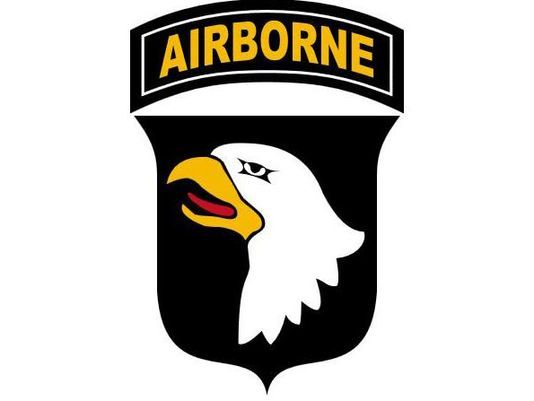
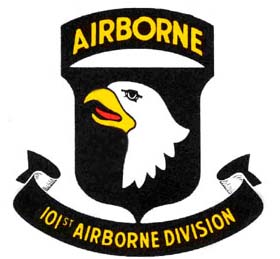
Would someone be interested in doing a 101st Airborne skin theme for the TheHurks CHP Mega pack? Im not a believer in receiving for nothing, more on that later. If the pack is just to much, Ill take it for thehurks 2016 FPIU HQ model.
-
Like i said im not a modder, I thought maybe you could just copy the same models/pack and change the xml to non CHP. The only other thing i can say is you did a great job with this. I want to make a donation to you, for this work. I sent you a PM about the donation, please take a look. Thanks for the hard work! EDIT: So i went back and read the entire ELS docs again, and i was getting confused. My ELS was not doing the functions it claimed. After reading, i watched a few YT tutorials and I knew something was not right. So i uninstalled/reinstalled ELS and now it actually works. I must have messed a file up somewhere, anyway, i changed the CHP formats to leds and i can make the lights work. "For my personal taste" So i just reinstalled most of the units, and loving them. The constant emergency burn/red is actually kinda cool. Dont forget to check you PM
- 951 comments
- 158 reviews
-
Hurk great job with this pack, really good work. I learned something from this pack, California, you have some boring light patterns lol. I guess you have to live in there to appreciate it. Anyway, i installed most of the models and they are a great piece of work. I cannot say that enough Hurk, really, i mean that. Maybe, so everyone would stop flipping out over opinions like mine. You could copy the same pack, but non CHP exclusive. Im not a modder and have no idea if that is alot of work. If it is, just leave it, but maybe its just changing the ELS XMLs? Like for me, i went back changed the CHP to leds, not much of a noticeable difference. Ill be the first to admit, im not sure i did the right thing with it. Anyway, I know that we all appreciate the quality of work you do with these models. thank you for that. BTW your 2016 FPIU pack w/HQ interior is my absolute favorite vehicle mod.
- 951 comments
- 158 reviews
-
 This is a great mod with the right features. YOu have the ability to lock on your ped or vehicle. So you can concentrate on other things. I like driving down alleys in the dark, spotlighting the area for peds. Thank you for this mod Alex and thank you for the upcoming update.
- 473 comments
- 73 reviews
-
Thats the good stuff right there, thank you for getting this to work! really looking forward to it!
- 473 comments
- 73 reviews
-
Be sure you are facing a wall so you can see the light. At first i was looking at the spotlight on the car, and it looks like its not working. the mod still works, Im using now. Alex may be updating this soon with a nice fix. he found a way to.............well its not my place to say :)
- 473 comments
- 73 reviews
-
-
- 1
-
-
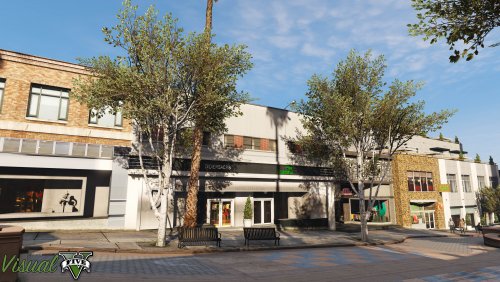 Can i just run the installer again and it will overwrite the oldest version? Then just add the Radiance V compatibility again ,I did not see anything in the readme about uninstalling old version. Is there a way you can add an update notification in GTA, I ran across the update by accident. I know, full of noob questions. :) Thank you for the new update, i know everyone appreciates the work.
- 42 comments
- 19 reviews
-
thank you Alex, been using your spotlight. really enjoy it.
-
Looking forward to this, Good luck and thank you for pursuing it.
-
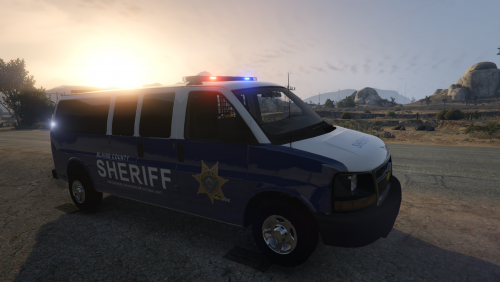 The pack(1 transport vehicle Chevy express 3500) is not deleted, you can download it right now from the link WIZZ provided.
- 11 comments
- 1 review
-
This is a good Blue Sheriff Skin, Looks great when the transporter shows up. Thank you for this.
- 11 comments
- 1 review
-
I hope you dont mind, I linked your skin to JJDawkens chevy express. several people where looking for it and requesting it. I think it will get more attention. Im going to install this so i can give you a proper review :)
- 11 comments
- 1 review
-
-
- 2
-


