


viperwolf
Members
-
Joined
-
Last visited
Everything posted by viperwolf
-
 has it ever worked for you? Are you using other mods? Did you run albos troubleshooter mod?
- 1,915 comments
- 242 reviews
-
 I dont think them driving off has anything to do with ELS, I could be wrong.
- 2,655 comments
- 234 reviews
-
-
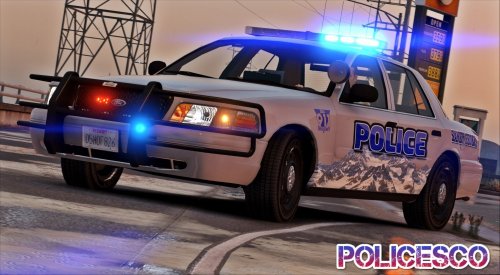 So I have replaced my entire fleet with Policeco models, bc they are great. I have a problem with this model and the Los santos Fire Dept. 2008 Tahoe. They both have the tinted lights, i cannot figure out why. the 2008 Tahoe has a meta file but that did not work, can someone please help figure this out? Thank you EDIT: for anyone else that runs into this, Just find the <diffuseTint value= "###########" /> and change it to this <diffuseTint value= "0x00FFFFFF" /> It should work, you may have to clean your car first. I have not tried this with the tahoe but im going to now. UPDATE: It works
- 32 comments
- 14 reviews
-
 If you look in the lspdfr+ ini close to the bottom you will see where you can change the currency. However im not sure if that effects Computer+
- 1,742 comments
- 172 reviews
-
you need to install radiance V for bright lights yeah sometimes its just a quirky thing, glad its working now. One thing to keep in mind, sometimes when you download an older mod that has older files. If you let it overwrite everything, it could make your files out of date. Not sure if that made sense.
- 2,655 comments
- 234 reviews
-
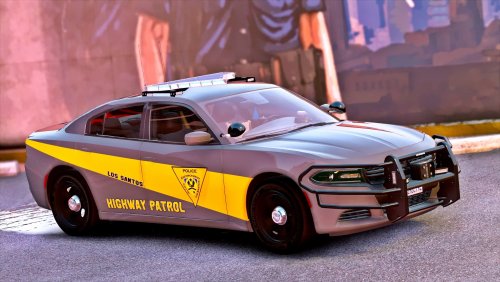 Your vehicles are really good, I started exchanging my entire police force with them.
- 35 comments
- 37 reviews
-
-
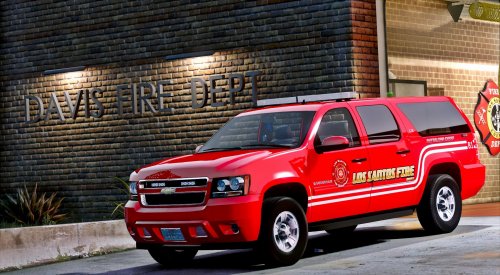 I keep getting the tinted lights, I installed the supplied FBI2 meta twice. why is this not working? this is very easy to do, i dont understand what is wrong with it. EDIT: Found the solution and changed the Tint value in the meta.
- 29 comments
- 10 reviews
-
are you sure you have the ELS asi and Advancedhook installed in the main GTA directory? Maybe try to uninstall then reinstall ASI loader and OpenIV.ASI in the ASI Manager. Restart PC.
- 2,655 comments
- 234 reviews
-
Im not very good at trouble shooting, but it looks like spike strips mod caused the crash. Remove it and play a little, if everything works try a reinstall. Things just mess up sometimes. I think everyone's game crashes once in a while, just nature of the beast.
- 1,742 comments
- 172 reviews
-
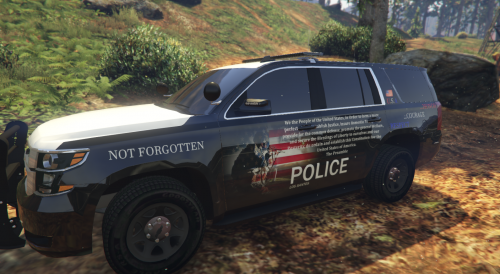 Thank you for the nice message, its appreciated very much.
 -
#:\Program Files (x86)\Steam\steamapps\common\Grand Theft Auto V (if you have steam) The two .dll files go into your GTA V main directory, same location as the RAGEPLUGINHOOK. Then locate the plugins folder and just follow the path same with lspdfr. (You should be able to just drag the plugins and lspdfr folder and it will install itself in the correct locations) Replace whatever comes up, Albo included all the updated files.
- 1,915 comments
- 242 reviews
-
 I believe you er right, I downloaded all 3 and compared dates. The top was dated the 3rd, and the second(middle) was dated the 5th @159am, and 3rd(bottom) was dated around 3pm.
- 17 comments
- 12 reviews
-
-
Thank you for the update, was wondering how long the approval was going to take. There are 3 DL files, which is the newest one?
- 17 comments
- 12 reviews
-
 Just left a review for this, Albo you need to check your PMs. I sent two in the past regarding a donation before i tried this mod. I should have tried this one first, but knowing the standard way is probably a good thing.
- 266 comments
- 36 reviews
-
Absolutely great Mod, this is the way you need to install everything. Once you follow his tutorial vids a few times, it will be second nature. I just added a replacement vehicle as an addon and it worked perfect. Make sure to look at his tutorial 10,11,12, are key. Thank You for this, it really makes things easier in GTA V modding. Download this mod, it will make your life easier!
- 266 comments
- 36 reviews
-
-

- 2
-
-
My respect to the Emergency services of London. True heroes are the ones that will still work to save lives even when other forces(GOVN) work against them.
-
I could be wrong about this, which is a high possibility :) It will only work if the addons have the same meta/xml (im not sure what exact files it is) like police 1,2,3,4 sheriff etc............ Bc if you use, say the LGuard vehicle, c+ does not recognize it and you are unable to blip people also. I know the blipping is not part of C+, im just saying what i else i experienced. Im sure that all the Police add ons have these files already. Now here lately, i get a random red car pulling up and going full assault sometimes. Im not sure what mod started causing this to be honest. @JohnFukinMcClane Did C+ work before?
- 1,742 comments
- 172 reviews
-
Well said!
-
Its unfortunate bc there are so many beautiful things to see there. So much history to explore and admire, but they are ruining it for everyone.
-
Im sorry to hear this, it will continue to happen until the liberal brainwashed are removed from govn. Im not sure how the citizens feel in those countries, but i see alot of them complaining on forums. The US was heading in the same direction with Clintons and Obama, hopefully Trump will continue to rip us from the globalist direction. Putin hates globalist-Trump hates globalist: seems a common unity should be formed. Human Rights Organization needs to be torn down and replaced, NATO needs to be replaced, or at lease Cleaned out. Its easy for people to complain about killing terrorist, until they are the ones being affected. It seems common sense has left the world. Ofcourse this is just my opinion on things.
-
This will be one of those mods you have to install everytime you do a clean install of GTA. Very Good Mod!
- 17 comments
- 12 reviews
-
-
- 1
-
-
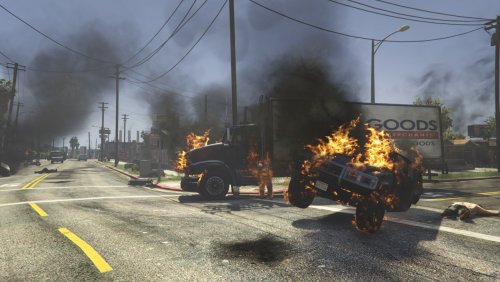
Would you be able to make the fire spread more when on building and grass? Im not a modder and have no idea what that takes, but im enjoying your mod! thank you for the work with this.
- 17 comments
- 12 reviews

