viperwolf
Members
-
Joined
-
Last visited
Everything posted by viperwolf
-
-
 Use the uninstaller, revamp, and go back through the manual uninstall process to make sure. Then reinstall, a small mistake was made somewhere, could of been just a file messed up.
- 2,341 comments
- 236 reviews
-
I manual installed mine and it did not overwrite my existing characters. Only a custom vest i installed was replaced. I have both the Law and the addon Rescue installed. For everyone having trouble installing, Just follow the read exactly like it says, step by step. Preparation: -mods/update/update.rpf/common/data Find this xml file "dlclist.xml" -open/edit dlclist.xml and scroll down until you find this "<Item>dlcpacks:\eup\</Item>" DELETE this line. Then go to: -mods/update/x64/dlcpacks/ and delete the eup folder Install -mods/update/update.rpf Open the update.rpf folder that is in the rar you downloaded you will seee the x64 folder and the dlc_patch Just drag and drop each folder so it can install. It will be the same for serve and rescue addon. The menu is a simple root directory drop.
- 2,341 comments
- 236 reviews
-
-

- 1
-
-
-
-
Im guessing the menu was updated also, it seems to need approval. EDIT: Its up now.
- 2,341 comments
- 236 reviews
-
-
 Everything is not updated, bc this a very new update. RHP just released an update for the game, but scripthookV has not. Also, to mod the game you will need openiv, which has hit a road block right now. look into Albos tutorial and it will explain everything for installing the lspdfr.
- 1,915 comments
- 242 reviews
-
-
- 1
-
-
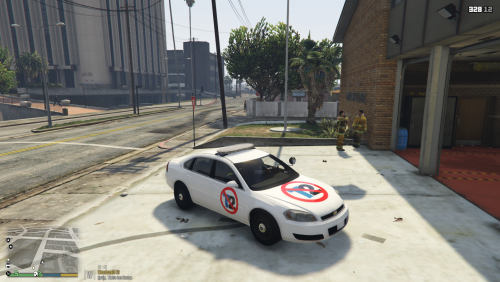 This is pretty funnycar skin lol. I was shaken up at first to, but i would wait things out a little. The more i read and search, and listen to other opinions, the more i see something is not adding up. Found this reading/looking around, if you want to disable Openiv update for now. credits to the guy that found this
- 11 comments
- 11 reviews
-
-
- 2
-
-
except that coastal callouts is being worked on regardless of the situation
-
Nevermind, i see your already in there. :)
-
So do we have to keep GTA from updating, Or does that matter? Steam updates auto is why im asking BTW thank you for your continued work, we are really looking forward to this mod Is it ok if i quote you in Albos discord?
-
everything will be DO NOT DELETE YOUR OPENIV Taketwo is responsible for this according to the reports. Found this, it works for now.
-
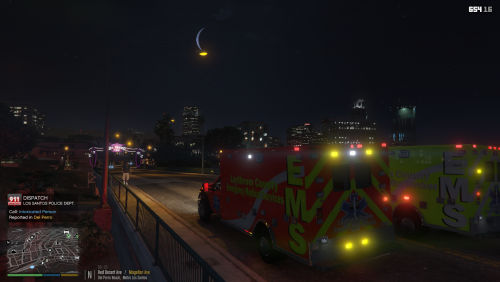 Not sure why, but this will not install properly for me. I can see the skin texture in the YTD but it will not show on the YFT
 -
 How many ELS vehicles do you have installed? Are they all acting the same way? Ive seen many times already, when people add files, they always replace the old. Sometimes the new files are older, therefore outdating things. And yes if it is a bad xml, then it will fix the problem for that vehicle only, but if all your vehicles lights are messed up, then a ELS file got messed up.
- 2,655 comments
- 234 reviews
-
I was editing my post :) That may be a lspdfr thing with the keys, so many are conflicting so its hard to find a balance. Do you not like the stock location of " \ "
- 2,655 comments
- 234 reviews
-
Did you use the correct key number? I think i read somewhere, some of the keys cannot be changed. Im not 100% sure on that though. " \ " is the stock key for blackout mode, which the key # is 220. On some vehicles you can just cycle through with H to get the blackout.
- 2,655 comments
- 234 reviews
-
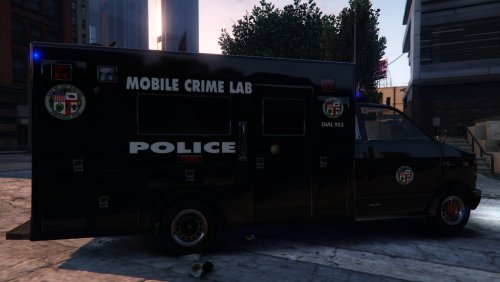 This still works if anyone is interested, I have it responding as my coroner through Police Radio. Just remember that you have to change the coroner vehicle in Arrest manager now. Also i had to ad AMBULANCE in the <audioNameHash>AMBULANCE</audioNameHash> for the sounds. The only problem i have is the interior texture does not look right, its all white, Im not sure why.
- 16 comments
- 2 reviews
-
-
-
 The police3 handling works ok with it, you should try that. It will start to flip in certain situations, but i think any vehicle would in those circumstances to be honest.
- 427 comments
- 75 reviews
-
-
 Like badass mentioned, would be great to integrate. Love your callouts, and looking forward to anything you have in the future. thanks again for the update
- 221 comments
- 63 reviews
-
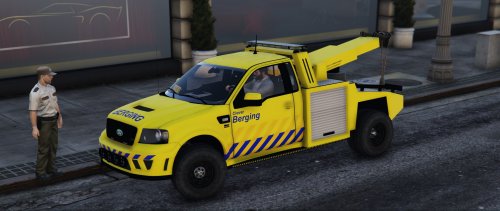 I know this is a very very late response, as i just downloaded this truck. You can go into arrest manager and find TOWTRUCK, just add a 2 so it will look like TOWTRUCK2. It will call that particular truck for now on. Ive used it many times.
- 29 comments
- 6 reviews
-