


FCV96
Members
-
Joined
-
Last visited
Everything posted by FCV96
-
-
-
-
You sir, have won the internet as far as I'm concerned. Though I would have preferred the shorter version and ELS, any E-Series/Econoline in GTA IV is -greatly- appreciated. ^_^
-
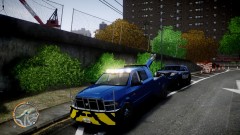 The bars at the top of the bumper are common in real-life; they help a driver to navigate a smaller street by allowing him to see how large his truck is in relation to how much space there is on the road.
 -
-
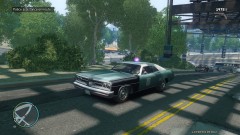
From the album: LCPDFR Escapades
The old Green/Black/White color scheme of the NYPD/LCPD was quite intriguing to me - it is certainly interesting if I do say so myself. I'm currently using BOVRILwares' excellent Vintage Police Cruiser in my NOOSE slot; it makes for a great addition to the game IMO, especially when gunning for a vintage look and feel like I am. Car: -
-
-
ELS-H's E-1R or E-1L modes replicate these types of older beacons rather well IMO.
-
Good point; completely slipped my mind there. A shame we don't have a proper E-Series van though; they are simply more ubiquitous than their Chevrolet Express counterparts at the moment.
-
-
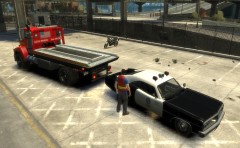 That police car is most impressive! :D
 -
-
-
-
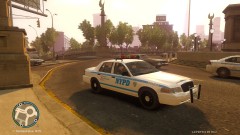
From the album: LCPDFR Escapades
RIP, old friend. You will no doubt be taken out of service in the near future completely, though you will certainly live on in our memories, photos, and copies of GTA IV. :D -
Very nice; saw them on the Admiral and knew they would look great on other cars.
- 16 comments
- 8 reviews
-
Thanks, Strike. Perhaps one day that pack will come to fruition, but until then you've given us more than we could ever ask for. :D
-
I can definitely attest to that! Does anyone have a link for the model and/or a classic light blue NYPD skin? :D
-
^ Now all we need is a white texture for that Bronco and we're set! xD
-
![Los Angeles Police Departement Ford Crown Victoria Pack [REL]](//s3-gallery.int-cdn.lcpdfrusercontent.com/gallery/album_544/sml_gallery_6074_544_647626.png) Great looking cars!
Great looking cars! -
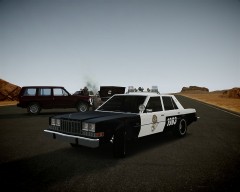 Gotta love the Diplomat; now if only we could have one in the NYPD style with their aerodynic. :D
 -
I must say that I am quite surprised that a proper Ford E-Series van has not been done already. It is in use with almost every public agency, including most police departments, around the US.
-


![Los Angeles Police Departement Ford Crown Victoria Pack [REL]](http://s3-gallery.int-cdn.lcpdfrusercontent.com/gallery/album_544/sml_gallery_6074_544_647626.png)
