




AlconH
Members
-
Joined
-
Last visited
Everything posted by AlconH
-
Well if you look for those two files in your EFLC folder, I'll be able to tell you.
-
I think the actions were justified. You've got to remember that the officers have to make split second decisions. He's got an agitated dog running towards him, I know i'd most likely shoot it. Of course, this is just my opinion, you may or may not disagree and that's fair enough.
-
Okay, head to your Grand Theft Auto IV folder, and look for the two following files: dsound.dll xlive.dll Tell me which of the two are present. Also try installing this, even if you think you already have, the diagnostics tool doesn't check to see if you have the correct version: https://www.microsoft.com/en-gb/download/details.aspx?id=17718
-
For #3 + #6, this tutorial shows you how to have more than one functional copy of GTA IV installed. That way you can have one clean with no mods for multiplayer or with a clan mods installed, and another for single player with your own preferred mods. http://lcresponders.com/index.php?/topic/427-how-to-have-multiple-copies-of-gta-iv-installed/page__hl__tutorial That's also the website of a clan that i'm apart of too. You may want to check them out. EDIT - 01/01/13 I don't know who gave me the - rep for this post, nor do I understand why. The OP mentioned the possibility of joining a clan and playing multiplayer, so I offered a way to keep their mods whilst doing this. I honestly don't see a problem in this, but the n someone obviously does. I'd appreciate it if you'd let me know why you gave me -1 so I can attempt to please you in my future posts. Kindest Regards -Tom
-
That happens to me all the time too. I have no idea what causes it. I'm thinking it's one of the taxi bug fixes I have installed.
-
Very Nice!
-
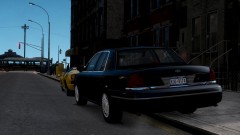 ^^^^^^^^^ I use that one too. It's very nice!
 -
You can use the iexpress tool found in windows.
-
-
@LMS, fantastic work. I agree, just keep them in the drivers seat, and leave the animations off.
-
@NickieB, if the light is showing out of game, then there is no problem with teamspeak. Check that you haven't muted yourself on the switch on the mic.
-
Is the blue light lighting up next to your name when you press the key?
-
No problem.
-
http://gtapolicemods.com/downloads.php?do=file&id=799
-
Bet that resulted in a lot of paperwork lol :P
-
it's always best to use vanilla vehicles for MP.
-
Very Nice! +1
-
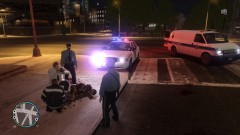 Loved the caption till you used "etc".
 -
Have you installed this: http://www.rockstargames.com/support/IV/PC/GFWLupdate/ Also, make sure you are running the game as an admin.
-
Merry Christmas buddy, welcome to LCPDFR.
-
Aren't grandparents awesome? :P Merry Christmas mate.
-
£440 ($709.94) Clothes Chocolates Watch DAB radio alarm clock Books 4-Pack of Carlsberg Export (Gotta love my nan :P)
-
lol, that's pretty epic!
-
http://www.lcpdfr.com/page/tutorials/index.action/_/vehicle-modification-tutorial/how-to-map-and-make-templates-for-gta-iv-models-r1
-
You've disabled embedding.


