




AlconH
Members
-
Joined
-
Last visited
Everything posted by AlconH
-
 Since it's NON-ELS, it wouldn't make much difference would it?
 -
The dxdiag report should be sufficient.
-
-
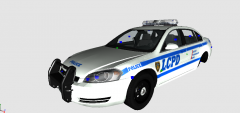
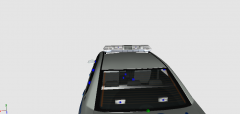 LCPD Impala - Non ELS - MX7000
-
LCPD Impala - Non ELS - MX7000
-
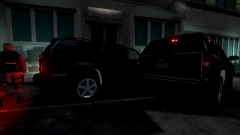 [WIP] Flashpoint Chevrolet Suburban
-
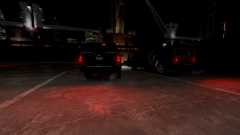 [WIP] Flashpoint Chevrolet Suburban
-
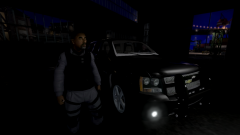 [WIP] Flashpoint Chevrolet Suburban
-
 [WIP] Flashpoint Chevrolet Suburban
-
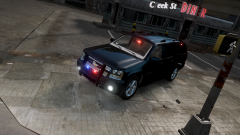 [WIP] Flashpoint Chevrolet Suburban
-
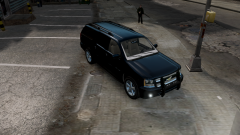 [WIP] Flashpoint Chevrolet Suburban
-
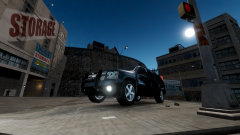 [WIP] Flashpoint Chevrolet Suburban
-
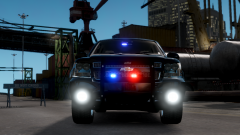 [WIP] Flashpoint Chevrolet Suburban
-
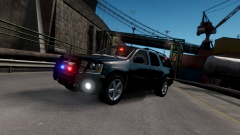 [WIP] Flashpoint Chevrolet Suburban
-
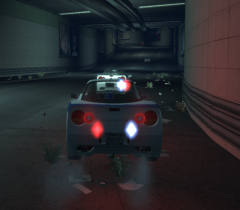 Unmarked Coquette
-
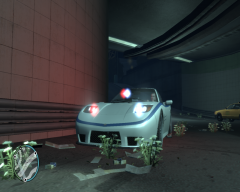 Unmarked Coquette
-
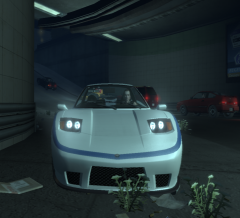 Unmarked Coquette
-
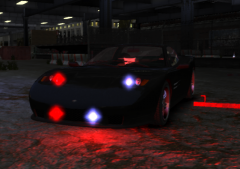 Unmarked Coquette Police Interceptor
-
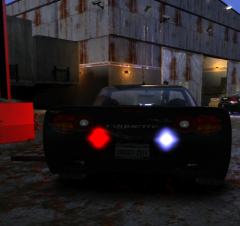 Unmarked Coquette Police Interceptor
-
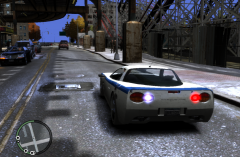 Unmarked Coquette police interceptor
-
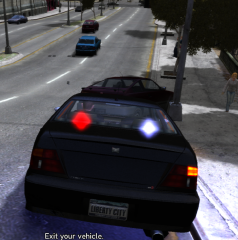 Unmarked Police Chavos
-
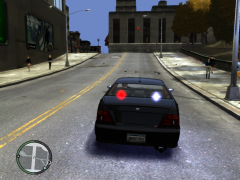 Unmarked Police Chavos
-
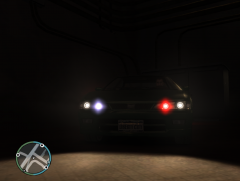 Unmarked Police Chavos....
-
-
From the album: My WIP Projects...
-
From the album: My WIP Projects...
-
-
Google + Utorrent = Minecraft!
-
@Stripe, I haven't technically paid for mine either, however don't want to be seen promoting piracy :P Remember. Piracy is BAD.
-
You could get a pre-paid visa card or use a paypal giftcard.
-
-
-
Well my PC has a GTX 560Ti manually overclocked a bit, for a comparison of mine and your cards see this http://www.anandtech.com/bench/Product/538?vs=547 I also have double your amount of RAM, however your processor speed is a bit higher than mine. I get around 45-50 FPS with the ENB installed so I think your most important parts that would need upgrading is your Graphics card and the Ram, however the latter is less important.
-
@GTAIVPoliceman, that's the same one that I posted.
-
This one is rather good -
-
There's the internal radar camera which you could use.. It's the Decatur Genesis I http://gtapolicemods.com/downloads.php?do=file&id=1871
-
I don't understand. Are you asking for support, as shown here: Or are you telling people how to fix the problem as you have written here?
-
I think I may have a list somewhere however it's been a while since I've done any scripting. I'll get back to you on this.
-
I've found this too. Before, I used to make requests which no-one listened to, but now I can just make my own exactly how I want them.
-
Meh, just let it die.
-
Same here, I'll play the story on the xbox until it comes out on PC.
-
I believe that there is a setting in the .ini that you have to change for it to see the liveries. Give me a second to check what it is. EDIT: I believe that it's this: VehicleLivery=1 //Trainer mapped Livery Try changing the value from 1 to 0.
-
No worries my friend, glad you guys are finding this useful.
-
Looking at his other videos, none of them have any decent music. I want to mute them all.
-
-
A few people have been asking for the vehicle.ide flags and what they do so I compiled a list below. I think I have them all, but please feel free to add any that I may have missed. isvan - vehicle has van style rear doors. livery - If the car has multiple different textures, it will randomize between them. noboot - you won't see the car parked at the side of the road with a ped looking inside the trunk/hood. onlyduringofficehours - the car will only spawn during office hours and not at night. truckenginefx - truck engine. truckexhaustfx - more dust when changing gears . truckfirefx - Larger flames when vehicle catches fire. avoidturns - if the car is big, like bus, it will avoid sharp turns bangerexhaustfx - dirty smoke big - the car is big (Duuhhhrrrr) delivery - it's a delivery car so only spawns in the daytime. ext_all - spawns with all extras. ext_conv - Convertable, this means that the driver can jump in the car without opening door. ext_gang - spawns all extras simultaneously that are named extra_5 and above. ext_rare - spawning with extras will be rare. ext_requi - extra required, will always spawn with an extra. ext_strong - This flag means that the extras won't come off easily when you crash the vehicle. Without this, they come off in light crashes. ext_sunroof - switches the component at the top. ext_taxi - will cycle through extras named extra_5 and above. ext_script - has extra decorations on it which is activated with an external script (Useful with ELS, AI cars don't drive around with lights randomly on) Regards -Tom H

