




AlconH
Members
-
Joined
-
Last visited
Everything posted by AlconH
-
You're most likely pressing the keys to change it accidentally. Which slots do you have modded?
-
Are you using ELS?
-
The cars in front of me don't do anything at all when I use mine... :(
-
-
Support is no longer offered for this release. Search the forums for a solution, since I know for a fact that I have solved hundreds of these errors.
-
Nice!
-
Are you running the game as an admin? Also, as Tzr2 stated, try moving/deleting your gamesave. If you've saved on duty, then this will happen.
-
It's stored on my website which is down atm, so as soon as the site's backup will re-appear. Thanks for letting me know though.
-
Yes, it's unfortunately down at the moment. We are awaiting a reply from our host, but should be back online shortly.
-
Just re-install LCPDFR over the top again.
-
Have you tried pressing "P"? It's the key for definition and pressing it will make the screen switch between sharp and blurred.
-
NAY! I went back to 7.
-
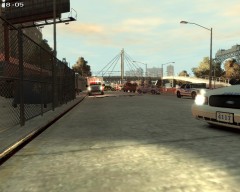 Yes it is. It's my own UK highway agency skin.
 -
-
What Fonts do the NYPD use for car decals such as the unit numbers? Thanks -Tom
-
You should always re-build. It's what stops alot of errors.
-
Okay, so what exactly is your problem?
-
No problem mate.
-
Find the following line in the trainer.ini and change the value - VehicleLivery=1 //Trainer mapped Livery
-
You need to enable "TrainerMappedLiveries" in the .ini
-
Be sure to click "Apply Here" at the top of the site as well though.
-
EkalB is pretty good.
-
Here you go:
-
Thanks! I'll try it now.
-
No problem mate.

