




AlconH
Members
-
Joined
-
Last visited
Everything posted by AlconH
-
Have you got ELS installed? Is it enabled for that slot? Are you even using the ELS key to try and turn them on?
-
Yes, it sounds crackly to me as well, nice video though.
-
Chill out!, I wasn't "Acting Like A Moderator" I was offering advice to save him trouble from the CT later on, now the OP is aware of what double posting is and won't go around the forums constantly doing it and then get in trouble with the moderators.
-
Keep the scripthook and asi loaders that are provided with LCPDFR as these are the correct versions for LCPDFR to work correctly.
-
Hmmm... thought that may be the case. I don't think there is anything you can do to change it...
-
-
Head to this location - C:Program FilesRockstar GamesGrand Theft Auto IVcommon, note this may be slightly different for you. Right click the "Data" folder, and then select "Properties", ensure that the read-only box is empty and then click "Apply" and then "OK". When you go to install LCPDFR, right click it and then select "Run As Administrator"
-
Check the Firstresponse.ini (GTA ROOT/scripts)
-
Could you just move the two trainer files to another location, just to ensure it is not a conflict issue? You can move them back once we're sure the problem is not caused by SNT.
-
I think 4GB of ram is fine for GTA IV, I currently use 8GB, but my old rig ran fine great on 2GB. And yes, the error means that a DirectX9 compatible card is required to play which, by the sounds of things, you do not. What graphics card do you currently have?
-
Damn, that's very nice :)
-
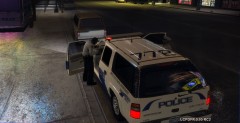 Nice :)
 -
Hmmm.... don't really use Intel tbh, always chosen AMD. No real reason why, it's just what I've always chosen. I may look into building another rig with a intel processor when I get some cash together. Money's a bit tight at the moment and other things kind of take priority :)
-
Please remove any mods you have installed (except LCPDFR). We can't help you until you do so as we don't know what it is that is causing the problems. Also, are you using a legit copy of the game?
-
You may be able to change your display name to Callum but keep your username as what it is now. http://www.lcpdfr.com/index.php?app=core&module=usercp&tab=core&area=displayname
-
Oh, Nice one :)
-
No problem. Enjoy!
-
Or if you are using the xliveless asi loader, you can use a 100% gamesave.
-
Yes the same for car skins, except you select the original car skin which you wish to replace.
-
Please don't thread hijack, in future, if you are having problems create a topic in the support section. It is necessary to upgrade to 1.0.7.0 as stated in the stickies. If you had created a topic, you also would have been told this during the troubleshooter.
-
Hey Harper, there is a website that you can visit which tells you whether you have the virus or not. It's quicker than the pdf instructions. English Version = http://www.dns-ok.us/ If you've been affected by the virus, the background of the image will be red.
-
That's probably because this is a forum for a GTA IV modification.
-
What if the unregistered members were removed from the live feed, so that only registered members showed up. If the anonymous actions still counted to the overall counts, but are hidden.
-
I had the Athlon II X2, as well as an ATI Radeon HD2600 pro, 2GB RAM and running XP I managed to get 20FPS on average on low/medium settings, but had no spare cash to build a decent PC. I built a new PC at Christmas when I had a bit of cash, with a AMD Phenom II X4 960T Black edition, unlocked to 6 cores, as well as the MSI GTX 560 Ti, which is overclocked slightly. And 8GB Corsair vengeance RAM and Windows 7 64-Bit.. I now get 45 FPS average on all high settings... I was very happy :)
-
Please update to the latest version of GTA IV - 1.0.7.0 Download link is in my signature.


