


(1)(1).png.e989199bea7ac60c357778906642b0cc.png)

Narobic
Members
-
Joined
-
Last visited
Everything posted by Narobic
-
Awesome! I'm going to wait for more people :)
-
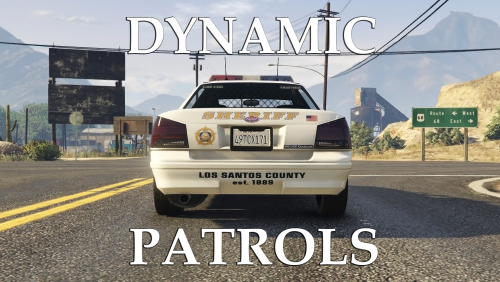 So you want to make the SAHP addons spawn on the sides of the highway? I could work on a custom one for you. PM me (If forgot to quote you @firebuff101 So you didn't get a notification. Sorry :/)
- 57 comments
- 8 reviews
-
-

- 1
-
-
 Hi there! I don't know much about programming but I thought I'd give some suggestions to make this better. 1) Cars shouldn't stop right when your lights go on, they should wait a few seconds 2) Cars on the opposite lanes of traffic shouldn't do anything except stop. Moving to the side makes them go into your lane. 3) If a car is in the intersection, it shouldn't stop but rather speed up through the intersection. 4) There should be an option where cars only move to the right unless you're on their right (in which case they stop) This is how it's supposed to be in real life. Again, I've never programmed so I don't know how much of this is possible but I thought I'd share my input either way. I love the mod, keep up the great work!
- 528 comments
- 42 reviews
-
Hi all! I'm looking for some beta testers to test out one of my modifications called 'Dynamic Patrols' I'm looking for four (4) people who are willing to dedicate some time to making sure that everything is working. Reporting bugs, providing input, and all around helping me with mod development. Just comment below and I'll add you to the chat. Thanks in advance! What is Dynamic Patrols? You can see more here: This is not a plugin
-
-
Sorry, my bad. I didn't mean to say keys. I meant buttons. I know how to do it, thanks for the info, though.
-
Hmmmm, I haven't looked into changing the keys much... I'll have a look at it, though!
-
Would it be possible to remove the stop traffic function? Sometimes I need EMS or backup units and they can't get there because the demonstration & attacked police station callouts block traffic from moving. It would also be nice if the barriers actually stopped cars when the mod doesn't stop traffic... (Similar to Police Radio) and lastly, the swat units on the attacked police station callout attack my guards and police partner (darkmyre's mod) These little things make the demonstration & attacked police station callouts no fun to do... Other than that the mod is great.
-
-
I'll look into it when I get back home 👍
-
This looks cool! You should add a video showcase so people know what they're getting Also, you pasted a .mp4 in the description. idk if this was an accident or not but I thought I'd let you know.
-
Is it possible to add in a sort of "Pursuit Backup Limiter" where we can set a maximum number of ambient units to join?
I'm sorry to hear this. I have tested it both with mods installed and a clean GTAV slate. They spawn very rarely, but they do spawn. Did you install both files?
- 57 comments
- 8 reviews
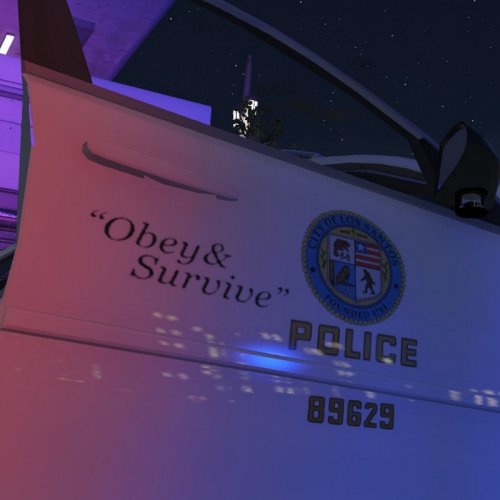 Thanks for letting me know about this. I realized that the .dds files got corrupt when I was transferring them over to the .rar file. Should be working now. :D
- 11 comments
- 4 reviews
My bad. I mixed up two popgroups.ymt. One with and one without police4 spawning on the highways. I just updated it and it should work now.- 57 comments
- 8 reviews
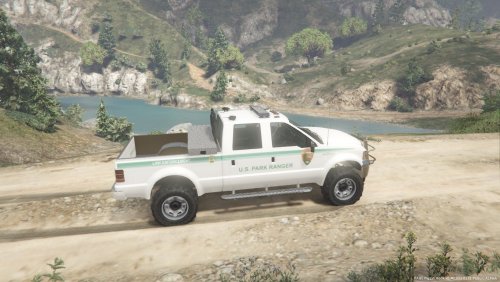 I love it! Works great! There are just a few weird things that really need to be changed for this to earn a high rating: There is a weird black square that appears over the vehicle The lights flash under the vehicle (usually it's underground but when the car flips over you can see it) The extras REALLY need to be default rather than needing to be added on through third party. At least have the lightbar always on there. The slicktop version just looks terrible and doesn't look like a police car. I tried to edit this for myself but I guess you have it locked from editing on Zmodeler3
- 7 comments
- 2 reviews
 I get this a lot, actually. Most people don't understand why I do 8k for some of my textures. I rarely do 8k, however, certain textures are set up to have a small decal that is then blown up when applied to the vehicle. For example: On this file you have to write "HIGHWAY PATROL" (on the back of the vehicle) using a small font. When applied to the vehicle it blows up the text and it looks pixelated. Using an 8k file, it prevents that pixelation. The only time OpenIV rejects 8k files is when you add more than one. That's why I provided a 4k & 2k file. Thank you for the input and I hope that made sense :)
- 7 comments
- 2 reviews
This is perfect. Thanks! I'll get to work once I clear up some more mods on my list
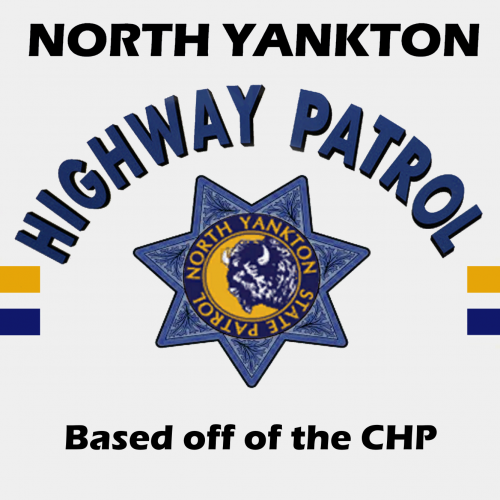
The North Yankton State Patrol logo is the in-game logo from the North Yankton vehicles- 7 comments
- 2 reviews
This texture is HEAVILY based off of the California Highway Patrol (CHP) Instructions in README This is NOT a model. Just a texture for a model by @Thehurk You can find the model here: Important Information: This mod was made to fit my game. Please take this into consideration before rating. Please rate the mod for what it is, and not what it should be. Thank you. Input is greatly appreciated in the comments section. Thank you!- 7 comments
- 2 reviews
-
-
- 1
-
 I discovered why the vehicles don't disappear when the trucks take them away. Entity persistence keeps them. Is there anyway to increase the distance before the towtrucks disappear? Or take away persistence of the towed vehicle?
- 1,915 comments
- 242 reviews
Now I'm confused. I think we're on two separate pages lol Can you list the exact functions you want removed with your set instead of just the buttons.


