


(1)(1).png.e989199bea7ac60c357778906642b0cc.png)

Narobic
Members
-
Joined
-
Last visited
Everything posted by Narobic
-
-
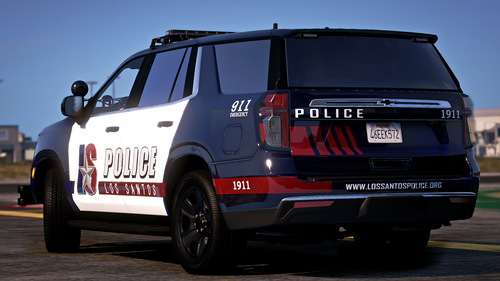 wait... this goes hard af
 -
-
-
 Stay blessed my friend! Thank you for enjoying my plugin 🙂
 -
I see... I can assure you that it was something else doing that
-
Could you elaborate on what you mean?
-
-
-
-
-
 I'll have to find a video of it to send to you later when I get home; but yes it does the same thing when the callout is far away too
- 89 comments
- 2 reviews
-
It's at 13:30 of my most recent video https://youtu.be/c5YOlviFVn4?si=tVWGPADCOzfTn8DE
- 89 comments
- 2 reviews
-
 This is made exclusively for StopThePed: Stop The Ped (v4.9.5.2) I wanted the menus for StopThePed to sound more natural. I got the idea from @BlueLine Vibes but wasn't 100% satisfied with his version so I decided to make my own. Please check out his at the link below and feel free to pick whichever one fits your playstyle best! https://www.patreon.com/posts/134588886?collection=128832 I may expand to include text files for other mods in the future, however BlueLineVibes has the best one I've seen for UltimateBackup so I highly suggest you check that out! (same link as above) Most of the menus are demonstrated in this video:
 -
-
 Just another small mod for a quality of life feature. I'm always forgetting the name of the subjects I'm out with so I decided to develop a little plugin that will help remind me Just walk up to any ped and press "U" to show their name/birthday on screen for 10 seconds! A fun side effect is that it will work on police units too, so your partner and other units on scene have their own names! When you first launch the game and go on duty it will create a .ini file that allows you to customize the values for: -Key that displays the ID information -Time the ID information is shown on screen -Distance the plugin will scan for the nearest ped This mod was made by myself with the assistance of ChatGPT for guidance and formatting. Please don't upload anywhere else, but feel free to use the code for your own plugins! See a demonstration here:
 -
 No problem! I'll delete it from the post here soon so I don't take downloads away from you. Just download it from here before I do
- 22 comments
- 2 reviews
-
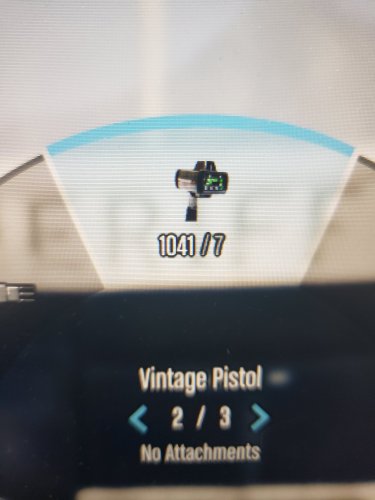
I made this version a while back. I primarily use the LidarGun with the marksman pistol but this texture can be resized to pretty much any gun. lmk if you like it! Feel free to use it
- 22 comments
- 2 reviews
-
-

- 2
-
-
I noticed that in your demo it says the unit numbers for the attached units, however when I'm playing it plays the normal backup response audio. How do I get it to sound like the demo?
- 89 comments
- 2 reviews
-
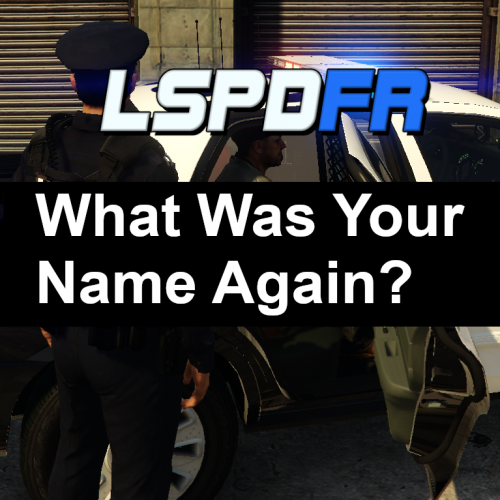 This desperately needs a version that shows the name when I press a keybind so I can ask at any time. Also, please add an INI that allows me to remove the question before popping up the name... I just want the name 🙂
 -
I just redownloaded it from the website, put the file right in to my plugins folder and it was working fine. Lets start here: Select "Load all plugins at startip" instead of manually checking each one if that doesn't work, deselect every plugin and only leave TimeTravel selected if that doesn't work, redownload from here and delete the plugin from your folder instead of overwriting it if that doesn't work, try a clean gtav install with only RPH and TimeTravel You can also reply here with an RPH log immediately after you spawn in so I can check to see if it's loading. I'm running GTAV version 3411, which version are you running?
-
 Perfect! Exactly what i was looking for! Thank you 🙂 https://youtu.be/fxjL4rgMKog?si=Ie6ghV_R7762q9ua
- 8 comments
- 3 reviews
-
Do you have TimeTravel set to load on startup in the RPH settings? For some reason, the version uploaded here didn't have the TimeTravel-on-load feature. I'm publishing an update right now that should work. Thank you for pointing this out
-
Dream come true right here! It's a very simple plugin but adds some naturally dynamic variety to people like me who just hop on and play (like your current series) 🙏
-
Hey y'all! Here is a simple mod that randomizes the time when your game loads In version 1.0.1 there is no console command; the mod will unload after it randomizes the time. If you want to manually randomize the time, simply load the plugin again. Leaving a mod like this always loaded screws with your game performance so this prevents that. This mod was made by myself with the assistance of ChatGPT for guidance and formatting. Please don't upload anywhere else, but feel free to use the code for your own plugins!





