




PieRGud
Members
-
Joined
-
Last visited
Everything posted by PieRGud
-
 No problem. FYI, Michael doesn't have any empty holster variants so while it will play the animation, there will still be a pistol in the holster.
- 560 comments
- 97 reviews
-
Replace the player_zero entry with: [Ped:PLAYER_ZERO] FuncHolster=True FuncIntim=True FuncIntimMesh=8:8,9:4,9:6 8:8=8:8 9:4=9:4 9:6=9:6 Make sure Michael's wearing some sort of holster and he'll play the animations.
- 560 comments
- 97 reviews
-
-

- 1
-
-
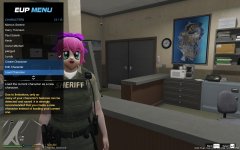 Ah I see. In Alex's photo it was done using scripts rather than attaching the model to the ped itself. GIMS Evo can't come any faster, huh? :P
 -
@rekram You can spawn the taser prop in-game and attach it to peds. No need to make another .ydr. Just install that X26 taser as you normally would.
-
-
-
 @PgUp Just forgot to take down that message. It's been there for a while. I don't know when EUP is going to be updated, but it should be soon.
- 2,346 comments
- 236 reviews
-
From the album: Random Stuffs
-
Use RAGENativeUI 1.4.1. New update broke it. An EUP update should be coming soon.
-
 Apologies. Try searching again, it doesn't happen all the time. This has been fixed in the next version which should be coming shortly.
- 1,743 comments
- 172 reviews
-
-
- 1
-
-
-
I am planning too, but no promises! I'll try my best to implement it.
-
I don't quite understand. Are you asking if the auto-fill name/license plate is available outside a traffic stop? If so, then no, not at the moment.
-
Yes.
-
Can you send me your log file?
-
@knusperhirsch Voice resets when changing to another model. Use a trainer to give yourself a voice or forceduty in the RPH console after changing to a new model.
- 2,346 comments
- 236 reviews
-
-
- 1
-
-
@Naith It's there to prevent your game from having an infinite loading screen on death. GTAV doesn't like it when you try to respawn with an NPC model. That said, the whole "second life" thing is caused by something else, not EUP. The only time EUP will show you a notification is when you have an outdated RPH or RAGENativeUI.
- 2,346 comments
- 236 reviews
-
-
Please check the main post.
-
-
Sure. But what do you mean by "cover all the different agencies in one background"? Like a generic computer background?
- 1,743 comments
- 172 reviews
-
@Mush75 The fix for the mouse issue has been on the main post of the Computer+ topic since Monday. The searching crash is also mentioned there. @Runt Apologies - it seems like it's a bug with RPH. Should (hopefully) be fixed in the next version of RPH.
- 1,743 comments
- 172 reviews
-
Yeah, I can see how that's confusing. I'll be sure to edit that part.
-
@frailcolin I'm planning on doing something like this. Logging on the computer will likely stay the same, however. @Asahammer Please check the main post.
-
Drei

