



PieRGud
Members
-
Joined
-
Last visited
Everything posted by PieRGud
-
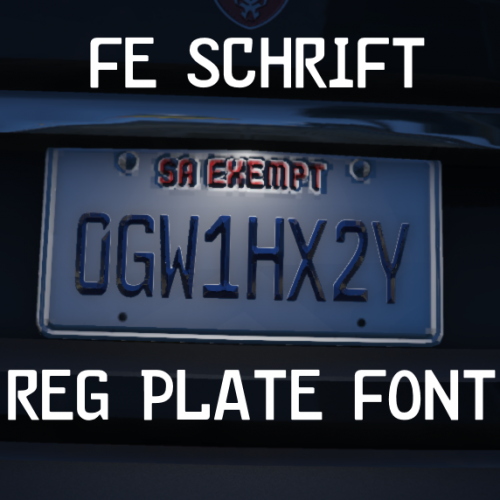 Finally I can discern 0's from O's. Awesome job!
 -
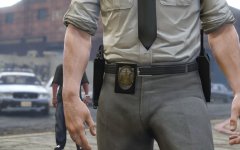 IIRC that's the plan.
 -
-
-
 Open CopHolster.ini and add/replace this at the end: [Ped:MP_M_FREEMODE_01] FuncHolster=True FuncIntim=True FuncIntimMesh=7:8,7:7,7:6,9:13 7:8=7:8 7:7=7:7 7:6=7:6 9:13=9:13 [Ped:MP_F_FREEMODE_01] FuncHolster=True FuncIntim=True FuncIntimMesh=7:8,7:7 7:8=7:8 7:7=7:7 Sorry for the confusion. I'll (eventually) update Cop Holster to include these lines.
- 2,341 comments
- 236 reviews
-
From the pinned comment on the RDE download page: http://www.mediafire.com/download/jw7jw6jb7iu1vw8/gameconfig.xml This goes in update\update.rpf\common\data.
-
Make sure you loaded the plugin by typing LoadPlugin EUPClothingMenu.dll in the RPH console. If you have another support request in the future, please take the time to read and post in the support thread.
- 2,341 comments
- 236 reviews
-
 [Ped:MP_F_FREEMODE_01] FuncHolster=True FuncIntim=True FuncIntimMesh=7:8,7:7 7:8=7:8 7:7=7:7
- 560 comments
- 97 reviews
-
Try making your character first and then typing ForceDuty into the RPH console. LSPDFR should then give you a voice by default. Alternatively, the voice menu in Simple Trainer should work without any problems.
-
Please read the FAQ.
-
Sure. Just copy the appropriate textures from update\x64\dlcpacks\eup\dlc.rpf\x64\models\cdimages\eup_componentpeds.rpf to update\x64\dlcpacks\eupme\dlc.rpf\x64\models\cdimages\eupme_componentpeds.rpf and edit them.
-
Huh. That's odd but also not surprising considering I didn't implement the cameras all that well, which is what's causing your crash. I'll be sure to fix that in the next update. Apologies for that. :(
- 2,341 comments
- 236 reviews
-
-

- 1
-
-
There is an error in the structuring of your dlclist.xml. Notice the entry before the eup line. The </Item> is missing the >. Add that and it should work.
-
-
-
If you unload and load the plugin many times in a single game, it will result in this issue. That's probably not what you did, but that's the only way I know of to get that crash. So, I guess the plugin somehow isn't loading properly. Does this happen every time you start up the game?
- 2,341 comments
- 236 reviews
-
Yeah I noticed like literally right after Alex updated the download. ._.
- 2,341 comments
- 236 reviews
-
-
- 1
-
-
Did you add the eup line to your dlclist.xml?
-
If the package installer isn't working correctly for you, rename the .oiv that came with the download to .zip and do a manual install. Make sure to also add the eup line to your dlclist.xml.
-
-
-
@Brainrain Replace your gameconfig.xml in update.rpf\common\data with this one.
-
Can you copy and paste or post a plain text file of your error (not a rcr)?
-
It installs as its own DLC. You can rename the .oiv to .zip and you'll see all the files in the content folder.
- 2,341 comments
- 236 reviews
-
That question has been answered a few pages back. Alex tried something like that but the evil forces were just too strong. Weird. Just load a save I guess. Or if you have a trainer, teleport to someplace on the map. Really weird! All kinds of mods mess with files, so it's hard to say. Just load a character and change the walk style through Simple Trainer (or an equivalent). Rename the .oiv to .zip, open it, and go to the content folder.


