Vampyre
Members
-
Joined
-
Last visited
Everything posted by Vampyre
-
 Great job and +1 for the support! All our thoughts are with the Officer's families, not just in Dallas but around the country as they risk their lives in the wake of the failings of others.
- 12 comments
- 7 reviews
-
-

- 1
-
-
-
-
@Carrythxd I had some time to mess around with this myself and I was able to get a vehicle added and sirens work on the first try. It might just be something with how you're doing it since you're using the dlc from another pack rather than a fresh dlc. I followed this guide http://gtaxscripting.blogspot.nl/2015/08/gta-v-pc-add-vehicles-idea-no-replace.html?utm_source=BP_recent and it worked for me. A note that I learned is you don't actually have to use the handling.meta in the pack if you don't have custom handling for the vehicle you're adding. As long as your HandlingID is a vanilla car it will use the vanilla handling lines. Let me know if that works for you or if you have more trouble, I'd be happy to try adding any of the vehicles you have problems with.
-
Try uninstalling SC, removing all traces including AppData/ProgramData files then reboot and try it again? Have you tried installing SC from the retail disc and downloading the latest? I've only heard of this issue with Steam and I have Steam myself.
-
Hm, Steam or Retail?
-
 I'm really sad this is dying too. I offered to keep it going but I haven't heard anything back from Straysify yet
- 211 comments
- 28 reviews
-
-
- 1
-
-
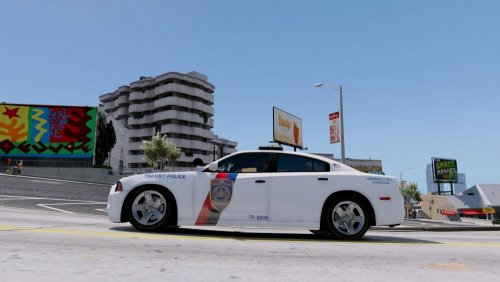 I tried twice, but like I said maybe it's just on the site. Try and download it yourself and let me know if it works, I'd like to try it out as well.
- 11 comments
- 2 reviews
-
I don't know if there's an issue on the site or just with the file, but the FPIU skin is corrupted and does not show the full skin, you can't even use the file it won't let you replace it. Overall, t's a good start, but if you compare to the FPI real thing there are lots of things that are off. The alignment, position and color of most things are not right. It's better to take your time and not rush, then release something perfect. Just because you get a request doesn't mean you have to make it a rush job. Most people would prefer something that looks great over something that just fulfills what they asked for.
- 11 comments
- 2 reviews
-
-
 @Stealth22 Found something else, not a crash this time though! It's more of a miss handling of a suspect fleeing. The suspect managed to get very very far away from me and it looks like GTA despawned him. LSPDFR or C3C handled it properly and prevented a crash but I think you might be able to either make it so he doesn't despawn, because I could have caught him if he didn't I knew where he was just wasn't getting there fast enough, or make a clean "Suspect got away." handler. Just a thought, here's the log of the event:
- 422 comments
- 73 reviews
-
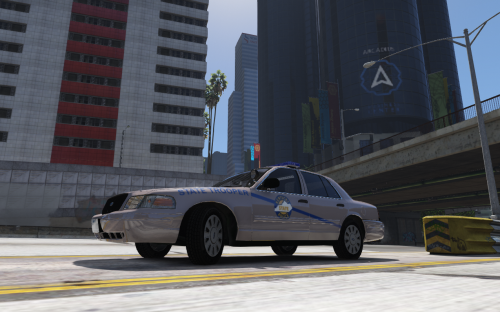 Nice job! It's really close to the real thing. There are a few things that are off or wrong, all should be fixable so I'm only taking one star off for them. State Trooper on the front should follow the upper curve of the fender, it's not too hard to do. The KSP Logo is obviously not the right color of blue, this can be fixed as well and shouldn't be hard. On the rear, and I see this way too often... It should say State Police not State Trooper. Most of the SP vehicles from the 50 States do this. Reference Image To make the skin look cleaner, you should make them in 4K and even if you want to downscale it to 2K after it will look much better than if you made it originally in 2K. Sorry for being so critical. I just do these myself as well and I'm always as close to 100% accurate and clean as I possibly can be.
- 1 comment
- 3 reviews
-
-
- 2
-
-
I would honestly highly suggest you spend your money better and build it yourself; HOWEVER, if you insist on a prebuilt... http://amzn.to/29jH76T or http://amzn.to/2949uD1 For the first one just get a GPU after and install, its a Full ATX so anything should fit right in it. For the second one I would recommend spending the extra money after and getting an SSD after and installing it yourself, it comes with a GTX 960 most likely 2GB.
-
-
-
Not with the same template unfortunately. Gump's comes with an all blue option, but its a different template. If you keep the skin to yourself I can quickly adjust it to his template for you and mail it to you though.
-
Just a reminder. Not everyone looks so just figured I'd mention it.
-
Just FYI, a skin pack exists already. It includes the 2015 Charger though, not the 2014.
-
It will either be really hard to do this or take a really long time. I haven't seen any Delray models from any year yet, so unless someone knows a similar vehicle that might have a model already then convert it to being a Delray, then again convert it into a police car.... You can try asking @Lundy he makes a lot of awesome classic police vehicles, maybe he may be able to help or at least let you know if its possible/something similar exists.
-
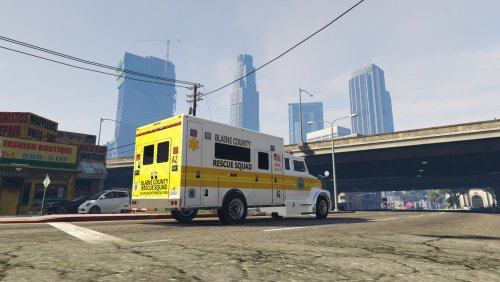 Exactly why I commented this and didn't write you a review yet. I don't want to comment on things in a review that you might change in the future. Maybe it's just the size of the rig, but it looks like the cab should be wider. The height and length look fine, it just looks odd being the same width as the rig itself. Especially when judging off other actual rigs, just like the one you linked. Which speaking of, if you figure out a way to use the front of a Guardian Truck that would look very close, and many rigs do actually use an F650. Again, just providing some feedback. I look forward to future versions!
- 26 comments
- 1 review
-
-
- 2
-
-
It looks good-ish.... but why.... I mean I could see this being a Heavy Rescue Truck, but the cab should be much bigger to look right and to be useful given the size of the engine carrying.
- 26 comments
- 1 review
-
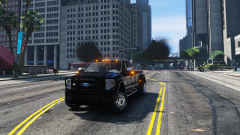 Looks great! We need more trucks!
 -
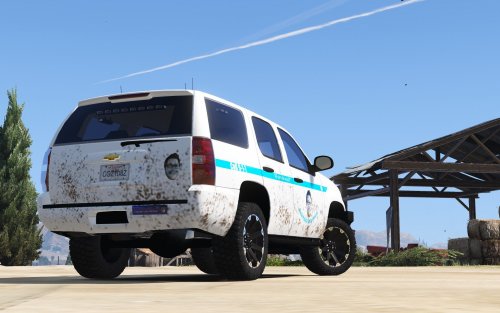 Oh that's legit... you were clearly Zachin' it in that. I'm not sure about the "All of the woad" since that's kind Jeff's thing, "Totally Legit" probably would have been more Zach.
- 4 comments
- 5 reviews
-
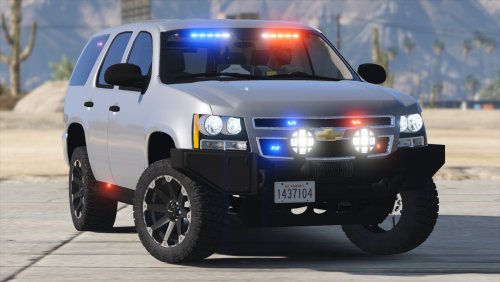 !!!!! I love you right now! This was one of my requests! It looks amazing, great job!
- 36 comments
- 15 reviews
-
-
- 2
-
-
Yeah, I have that one as well. PNWParksFan hasn't recompiled with RPH 0.40 yet so both that and CalloutsV will cause the dependency message, they both still work fine from what I've experienced so far.