


Vampyre
-
Joined
-
Last visited
Everything posted by Vampyre
-
The below image is of a Dallas County TX Sheriff Charger, likely 2015+ and there is some text above "sheriff" that I can't find any source with a better image. If anyone on here is local and knows what it says or has seen a better image with the text please let me know. The image is a still from this video which is equally low quality.

-
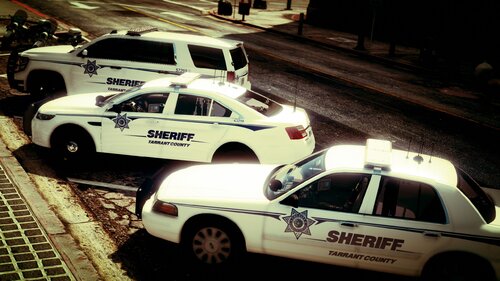 Here we have multiple textures replicating (as close as possible) the Tarrant County Texas Sheriffs Office vehicles. There are a few color issues and the textures are not reflective (yet). I will be looking to find vehicles that have reflective layers to test adding reflective textures in the future if possible. This skin pack is exclusive to LCPDFR/LSPDFR. Please do NOT upload anywhere else or represent this work as your own. If you would like another vehicle or vehicle pack added please send me a message. I am actively working on this pack and will be adding more vehicles. The below vehicles are known to work with this pack. 2011 Ford Crown Victoria Police Interceptor CVPI 2013 Chevy Tahoe 2015 Chevy Tahoe 2016 Ford Taurus FPIS All from the below packs (but may work on other packs) More to come!
 -
![[WIP] Dallas County Sheriffs](//s3-gallery.int-cdn.lcpdfrusercontent.com/monthly_2020_03/small.20200311202108_1.jpg.daaf2851ce9734e16ccdd9c720f3777d.jpg)
From the album: Vampyre's [WIP] Gallery and Screenshots
-
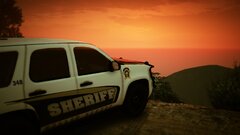
From the album: Vamp's Action Shots
-
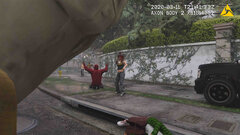
From the album: Vamp's Action Shots
-
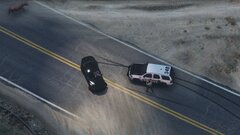
From the album: Vamp's Action Shots
-
From the album: Vamp's Action Shots
-
From the album: Vamp's Action Shots
-
![[WIP] Tarrant County TX Sheriffs](//s3-gallery.int-cdn.lcpdfrusercontent.com/monthly_2020_03/small.20200310211957_1.jpg.fcb3477d572a4bfa1a1f221544b9f2d3.jpg)
From the album: Vampyre's [WIP] Gallery and Screenshots
-
![[WIP] Tarrant County TX Sheriffs](//s3-gallery.int-cdn.lcpdfrusercontent.com/monthly_2020_03/small.20200310211826_1.jpg.8df8e656ef703152ecc33d556b74d5d7.jpg)
From the album: Vampyre's [WIP] Gallery and Screenshots
-
![[WIP] Tarrant County TX Sheriffs](//s3-gallery.int-cdn.lcpdfrusercontent.com/monthly_2020_03/small.20200310211153_1.jpg.ee4d910160d78be4be68a8ca29949442.jpg)
From the album: Vampyre's [WIP] Gallery and Screenshots
-
![[WIP] Tarrant County TX Sheriffs](//s3-gallery.int-cdn.lcpdfrusercontent.com/monthly_2020_03/small.20200310211058_1.jpg.4e5f8a488a92a0f4f714242189b50b61.jpg)
From the album: Vampyre's [WIP] Gallery and Screenshots
-
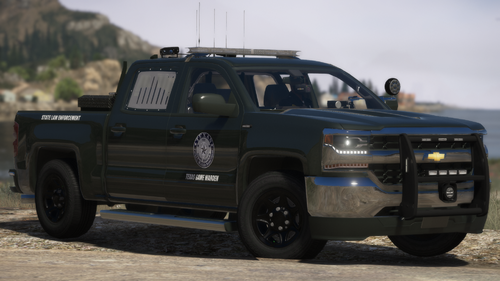 @nikelgaming Overall looks good, but font and logo aren't accurate for the newer design. These below are more accurate, there are some things that are slightly off but only someone really looking will know what's wrong. (There's embedded Text in the image but it's white so you can't see it until saved or opened in new tab.)
 -
@zigzag109 I saw your comments on c13's pack as well and since no one else seems to have commented any issues I'm inclined to also say it has to be something on your end maybe a previous visuals modification or something. I would recommend trying these two things first: 1. Open up the models in OpenIV that are having issues in game and see if there are any similar issues (I doubt there will be but that will rule out any direct modeling issues with game files) 2. Rename your "mods" folder to "mods temp" or something similar so the game does not load any other modifications you've made. Start the game up to make sure that it's not loading any modded vehicles etc. that were in there. If the game loaded correctly without any modifications then create a new "mods" folder and place only a single vehicle that was having issues before into the correct place in mods, replacement vehicle will be easiest. Open the game and check that the model works, if I am correct it should load and look fine now. Finally if #2 went well and the model now looks correct, slowly start rebuilding your "mods" by adding back files a few at a time and loading up the game every few additions until either everything is back and looks normal or you encounter the issue again. This will help you figure out what modification might be the source of the problem. (Hopefully) If you do the above and vehicles still are not loading textures correctly in the same way then you may have accidentally modified the base files of the game at some point and will have to do an integrity check on the game to revert the game back to defaults.
-
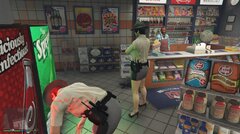 If mini-skirts are going to be regulation for female officers, male officers should be able to wear kilts!
 -
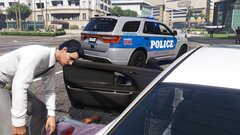
From the album: Vampyre's [WIP] Gallery and Screenshots
I'm going through my KPD Pack again and doing updates for newer vehicles and adding some fictional vehicles. If you have any requests send me a message or comment on the KPD pack. Update release should be within the month. -
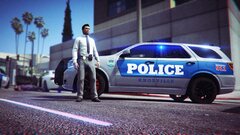
From the album: Vampyre's [WIP] Gallery and Screenshots
I'm going through my KPD Pack again and doing updates for newer vehicles and adding some fictional vehicles. If you have any requests send me a message or comment on the KPD pack. Update release should be within the month. -
This may require more information to pin down exactly what's going wrong here. 1. Is it happening with a specific pack of vehicles i.e. only c13's Olathe Pack? 2. Are the affected vehicles all replacing the vanilla vehicles (POLICE1, 2, etc.), add-on vehicles, or both? 3. Did this happen to vehicles that were working fine and looked normal after you did something with your game or did you add vehicles and they immediately spawned like this?
-
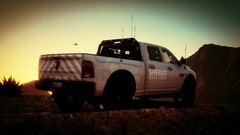 Depends on the vehicle and how it was made. Steve6645's RAM in the picture comes with a transparent layer for a skin so it can be made marked or unmarked. Not all vehicles are made in this fashion. If you see something_sign_1 or similar in the vehicle's .ytd file then it's likely textured for a skin whether it was released marked or unmarked. If there's no layer for a skin built into the file and the author released it as solely unmarked then there's no way to add markings.
 -
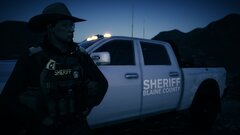
From the album: Vamp's Action Shots
-
From the album: Vamp's Action Shots
-
From the album: Vamp's Action Shots
-
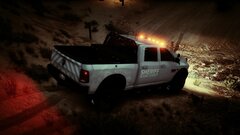
From the album: Vamp's Action Shots
-
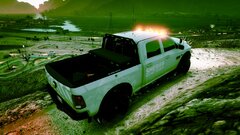
From the album: Vamp's Action Shots
-
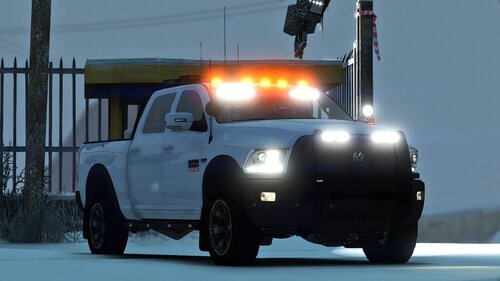 Great work! You hit it out of the park with every little detail even down to the coffee cup and ticket book tucked away in the cab. Only thing I would love to see in the future is a reflective texture layer. 11/10 even without it!
- 33 comments
- 10 reviews



![[WIP] Dallas County Sheriffs](http://s3-gallery.int-cdn.lcpdfrusercontent.com/monthly_2020_03/small.20200311202108_1.jpg.daaf2851ce9734e16ccdd9c720f3777d.jpg)
![[WIP] Tarrant County TX Sheriffs](http://s3-gallery.int-cdn.lcpdfrusercontent.com/monthly_2020_03/small.20200310211957_1.jpg.fcb3477d572a4bfa1a1f221544b9f2d3.jpg)
![[WIP] Tarrant County TX Sheriffs](http://s3-gallery.int-cdn.lcpdfrusercontent.com/monthly_2020_03/small.20200310211826_1.jpg.8df8e656ef703152ecc33d556b74d5d7.jpg)
![[WIP] Tarrant County TX Sheriffs](http://s3-gallery.int-cdn.lcpdfrusercontent.com/monthly_2020_03/small.20200310211153_1.jpg.ee4d910160d78be4be68a8ca29949442.jpg)
![[WIP] Tarrant County TX Sheriffs](http://s3-gallery.int-cdn.lcpdfrusercontent.com/monthly_2020_03/small.20200310211058_1.jpg.4e5f8a488a92a0f4f714242189b50b61.jpg)
