Vampyre
Members
-
Joined
-
Last visited
Everything posted by Vampyre
-
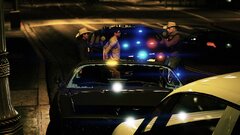
From the album: Vamp's Action Shots
-
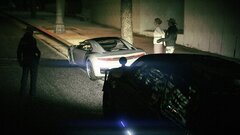
From the album: Vamp's Action Shots
-
-
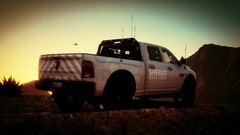 @rambo6554 I haven't released it yet, it will be out Soon™
 -
-
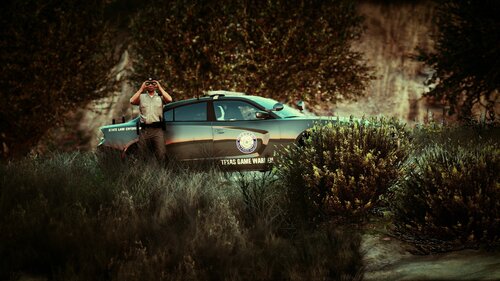 "NOTE: The textures are transparent so you can use whatever color you'd like behind them. I used Midnight Silver in the pictures." Use a trainer to set whatever color you'd like to use.
- 10 comments
- 1 review
-
If you're using StopThePed to arrest people the normal LSPDFR transport probably can't detect that someone was arrested by an external plugin since StopThePed uses its own arrest function not the built in one. (I'm not sure if it requires UltimateBackup to be installed but if you press "G" next to the suspect there should be a transport option in that menu). Getting things working stable and having all the functions you might want can be a bit of a safety dance, just try to stay away from outdated plugins until you know your game is stable, then you can try things that might be out of date but could still work.
-
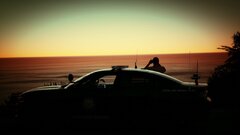
From the album: Vamp's Action Shots
-
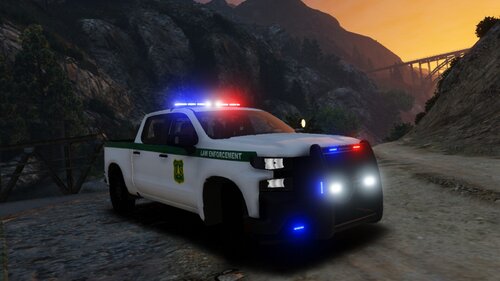
Put together a quick Texas Game Warden pack for some recently released vehicles. Let me know what y'all think, if you want me to expand this to more vehicles, etc. NOTE: The textures are transparent so you can use whatever color you'd like behind them. I used Midnight Silver in the pictures. This skin pack is exclusive to LCPDFR/LSPDFR. Please do NOT upload anywhere else or represent this work as your own. If you would like another vehicle or vehicle pack added please send me a message. I am actively working on this pack and will be adding more vehicles. The below vehicles are known to work with this pack. Vehicle Link(s)
- 10 comments
- 1 review
-
-

- 3
-
-
1. What're your PC specs 2. Has this always been an issue since you started playing LSPDFR? 3. Is the game crashing or is LSPDFR crashing, or both? Side Note: Albo's mods are all outdated and unstable, while functionally they do mostly still work they can lead to LSPDFR and game crashes. It's best to use Bejoljo's plugins here: Home | Bejo Ijo LSPDFR Plugins. As far as I'm aware there's no direct replacement for PoliceSmartRadio but if you really want to use it I have found it to still be mostly stable as it mostly calls on LSPDFR functions or other plugins.
-
You might want a bigger SSD to install GTA V and LSPDFR on to make things run faster and smoother but other than that I don't see any issues with your set up, it should run everything just fine on medium-high settings. Just for reference my GTA V folder with mods is nearly 100 GB and it can get MUCH bigger depending on how far you go with modifications.
-
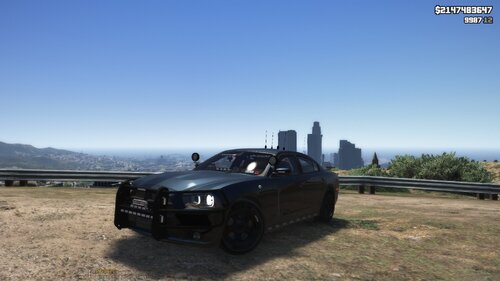 If you're going for a single color or transparent layer it also doesn't have to be the same size as the template. If the layer you're replacing has matching dimensions like this does then you can just do a 128x128 image and it will just stretch the color or transparency and shouldn't affect anything (you could use a 1 pixel image but 128x128 is easier to see what it is in preview).
- 6 comments
- 1 review
-
-
- 1
-
-
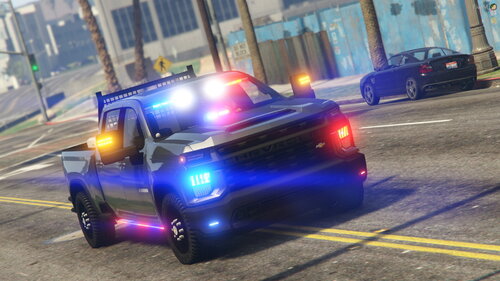 Looks awesome! Love that you made the Rack, Toolbox and Quad extras! 🤩 Two notes if updating in the future: Make the Cones and Rifle also an extra (Extra 9 is unused), fix the ride height if you look at pictures of the real 2020 Silverado 2500 HD it's several inches higher. Neither is terrible, but would make this even more awesome. GREAT WORK!
- 49 comments
- 9 reviews
-
@julio27734 and anyone else who needs the ELS file try this. I haven't optimized it yet to make it look perfect but this will make all the lights work until either the mod is updated with the ELS file or I get a chance to tweak it. (I'll update my post here when I get it how I'd want it) police4.xml
- 49 comments
- 9 reviews
-
So people don't have to download a nearly 90MB file just for the Template here's a standard size JPG. Same resolution, same detail, just smaller file.
- 49 comments
- 9 reviews
-
-
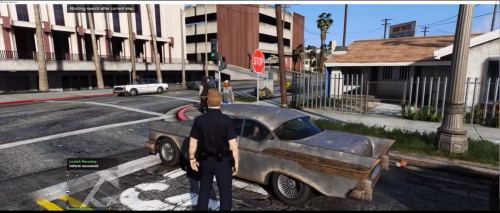 @OJdoesIt Update is great! However, one small issue is every "stolen" vehicle is actually being driven by the registered owner i.e. it's not actually stolen. So far doesn't seem to be a percentage issue as I've not gotten any vehicle driven by anything other than the RO so it must be a bug or oversight. If this was an oversight or bug I would suggest still leaving in the possibility that the RO is actually driving, it does happen IRL that a vehicle is reported stolen and recovered or found by the owner but they forget to report it as recovered to Lojack/Tracking Company.
- 25 comments
- 10 reviews
-
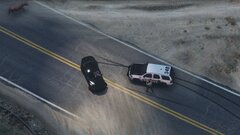 Used Director Mode to get right underneath the Chopper above. Glad you like it 👍
 -
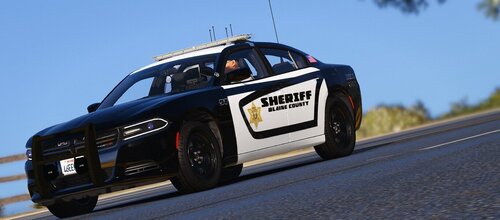 You probably have your settings on low-medium, try bumping visual settings as high as possible. Lower any settings to do with distance like distance scaling in advanced so you can get the best possible close range visuals. Also if you've reduced your game resolution lower than what your monitor can handle make sure to kick that up as high as you can as well so you end up with a higher resolution screenshot. If all that fails and your computer just can't handle taking high quality screenshots just find someone on here to team up with, many people will be happy to take screenshots for you.
 -
@Isaac 121 Best way to take screenshots is use the GTA V clipping system to make a clip then in the game menu go to Director Mode to edit the clip. In Director Mode you can move the camera around using Free Mode to get the best angle and can apply filters to make it look better or different. Once you have that perfect angle press H to hide the HUD and snap your picture (F12 default on Steam). Here's a video that explains it if you need one: https://www.youtube.com/watch?v=t-e_4xTTZtQ
-
I'm looking to do a revamp of all the local departments in EUP replacing them with Dallas-Fort Worth area LEA's. Does anyone have/know-of any documentation on the locations of clothes per the EUP Presets or would be willing to help with their own knowledge to build said documentation for the community?
-
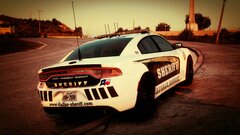
From the album: Vampyre's [WIP] Gallery and Screenshots
-
This is an old thread you responded to but here's a 2016 Explorer like in the pictures above.
-
@Will Awesome, thanks for the assistance! I wasn't able to get a good shot to zoom in on with the video but you got a really clear one! Thanks again.
-
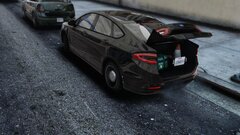 Spooky license plate and lights lol