


Joe C Wilson
Members
-
Joined
Everything posted by Joe C Wilson
-
 Thank you, everyone, for 100,000 downloads on EUP Backup Configurations! Please let me know if you have any suggestions for the mod or if you need to report a bug. Thank you!
- 944 comments
- 23 reviews
-
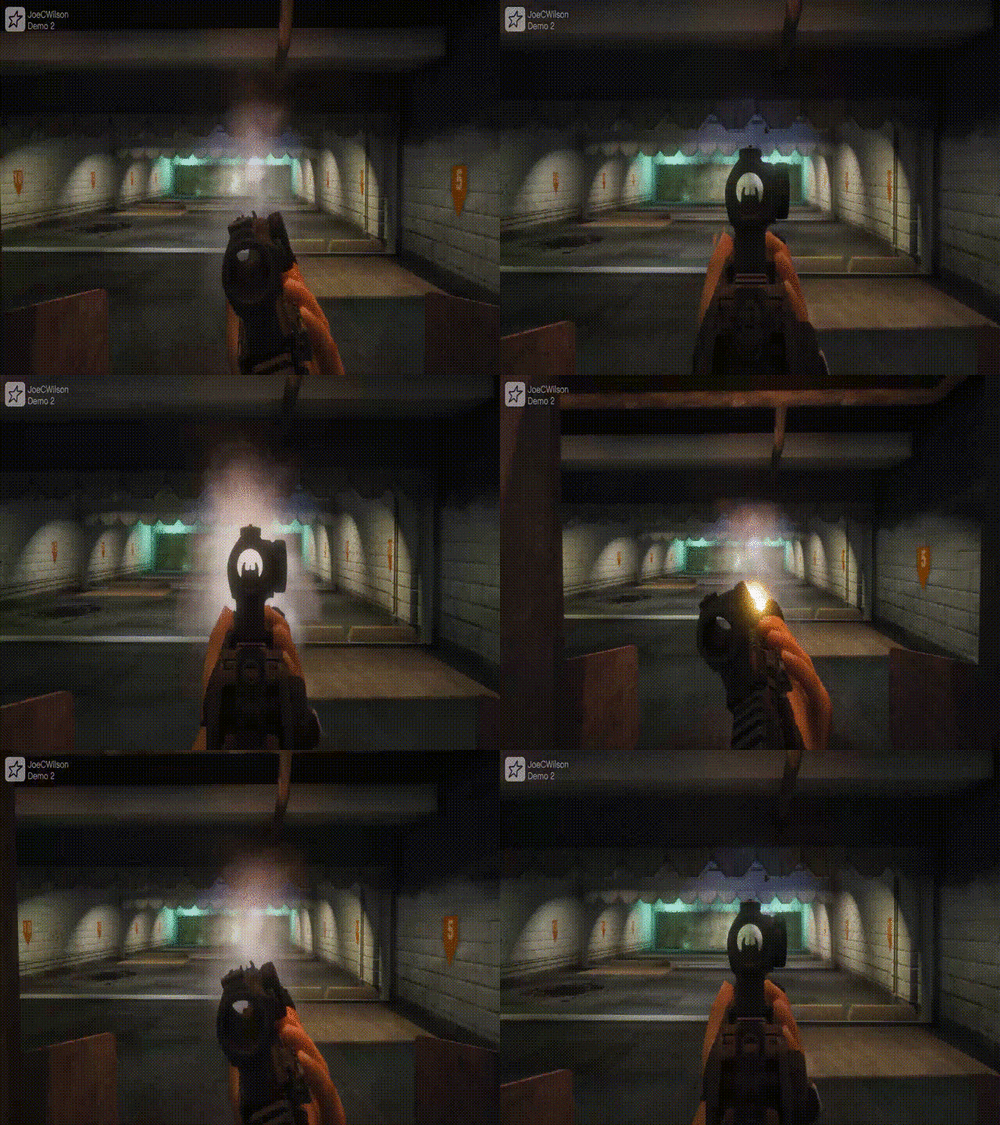 Pistol and Taser both have them unless the new update broke them. I haven't updated GTA 5 yet so I can't confirm if the update caused it.
- 56 comments
- 2 reviews
-
Tactical Grip doesn't use animation sets. They use RNG and LT offsets in weapons.meta.
- 56 comments
- 2 reviews
-
I don't have 1.1 anymore. That version used some settings from Realistic Weapon Play which breaks ammo and has issues like shooting two bullets with semi-auto weapons. Why do you need 1.1 when the latest one works fine?
- 56 comments
- 2 reviews
-
Drag and drop all the files into the mods\update\update.rpf\common\data\ai folder. I was playing LSPDFR the other day for the first time since installing my metas, and halfway through the patrol, the animations broke. I don't know if it's a plugin or what, but something is overriding my settings. I have to figure out what it is.
- 56 comments
- 2 reviews
-
GTA 5 LSPDFR #53 - Attacked Police Convoy | LSSD '16 Explorer via @YouTube
-
-
I re-added the ability to shoot the assault rifle, carbine rifle, and advanced rifle in vehicles. Sorry for the inconvenience. This should be the last update for a while. Also, do not forget to set Ambient.DisablePlayerFlashlightOverride = true to false in the lspdfr ini.
- 56 comments
- 2 reviews
-
If your ADS in first person is broken when running LSPDFR you must set Ambient.DisablePlayerFlashlightOverride = true to false.
- 56 comments
- 2 reviews
-
You could, but it sucks because you don't get to use the version of EUP that you paid for. But if you're looking for a config that does both, feel free to see if my configs suit you.
-
Have you tried surrounding the front of the vehicle with your patrol car upon a successful pit? Most of the time suspects keep driving if the game detects a clear pathway in front of them. However, if you box a vehicle, they usually surrender with their hands up.
-
I keep forgetting Tom doesn't add default backup. You'd have to install EUPFR and edit it yourself. No one has a config for 9.5 EUP, but installing this would fix the functionality of it not working properly. Then you'd have to edit your settings since this is meant for EUP 9.3.
-
There should be a bcso eup xml in the custom data folder that has the names of the uniforms. Also, badge props are optional.
-
Edit. I just checked, and there are no backup configurations for 9.5 or higher on lcpdfr that contain the agency eup file. You could use my file, and edit it yourself. Here's the BCSO section I wrote for my modification, but you'd have to make sure the uniform names in <peds> are the corresponding names to what you use in-game as my settings contain the 9.3 version of EUP. I also have badge props configured in here as well, if you use them.
-
What file did you download? Can you link it?
-
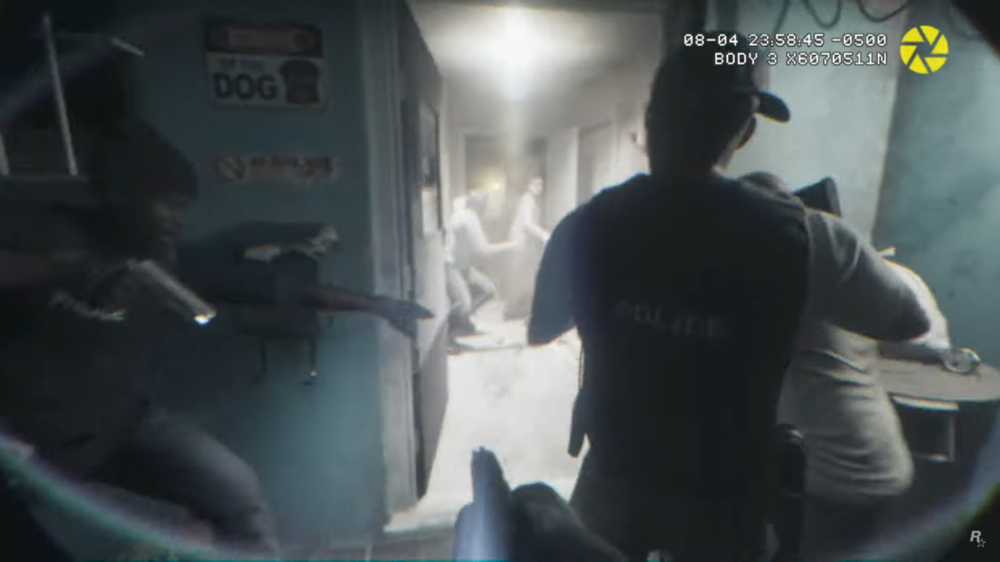
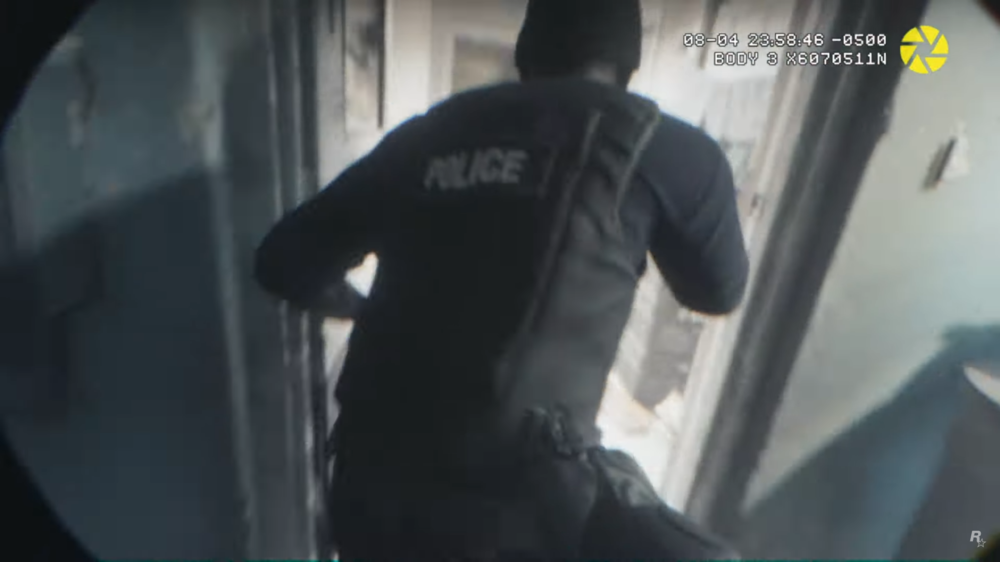
It looks like the police department is getting a revamp of some new equipment like body cameras and an improvement of animations for a more tactical feel. It feels like GTA VI is focusing more on realism for the police. I would assume we can use this later on for door breaches and breach and clear situations, but I can only imagine the capability of what the VI engine will bring.
-
You would need to locate the agency eup xml file inside of the custom data folder and find the bcso section in there.
-
I am making a cinematic video soon, showcasing what this mod does. I know the gifs are small, but the website can't attach gifs more than 4 MB in size. As always, if you come across any bugs, or want to give me feedback, please let me know! Thank you!
- 56 comments
- 2 reviews
-
-

- 1
-
-
I accidentally enabled the suppressor for the AR in 1.2. This will now be removed in the hot-fix version, but flashlights, grips, and scopes will remain. Sorry for the inconvenience.
- 56 comments
- 2 reviews
-
Coming in 1.2 will be a revamped version of the modification. Realistic Weapon Play-related settings will be removed due to issues found within the modification. This includes ammo bugs for the Precision Rifle and Unholy Hellbringer. However, FOV, Semi-Auto, and other useful settings from Realistic Weapon Play will be re-added manually to avoid bugs in the future. What's to come in the 1.2 update? Added Ability To Shoot The Assault Rifle, Carbine Rifle, and Advanced Rifle From Vehicles Added Idle/Running Animations To Pump Shotgun/Taser Added Tactical Grip Animations To Pump Shotgun/Taser Added FOV To Pistol, Combat Pistol, Taser, Assault Rifle, Carbine Rifle, Advanced Rifle, Pump Shotgun, and SMG Added Semi-Auto To Assault Rifle, Carbine Rifle, and Advanced Rifle Added Flashlight, Grip, and Scope To Rifles, and SMGs When Spawning Added Flashlight To Pistol, Combat Pistol, and Pump Shotgun When Spawning
- 56 comments
- 2 reviews
-
I was able to get the taser animations working, but the cover animations (holding pistol in both hands) won't work without the full modification. I'll do some testing in the future, and see if I could get it working. I also plan to remove the settings from Realistic Weapon Play due to bugs such as no ammo in certain weapons, but I plan to keep the fov, and the semi-auto settings, etc. Now is just a matter of doing them manually.
- 56 comments
- 2 reviews
-
Okay, I could try adding the stealth pistol and rifle cover animations into the mod. If you don't mind sending me a line from the pistol and rifle settings, I could try experimenting with it. I also am planning on adding the ability to shoot rifles from vehicles, and some other bug fixes I found using Realistic Weapon Play in the next update.
- 56 comments
- 2 reviews
-
Does it change it for all character models? NPC Cover Animations only affects default police and or MP ped models.
- 56 comments
- 2 reviews
-
-
That has to do with the Realistic Weapon Play mod. I'll see if I can change it in the next update. It's from Tactical Grip. Install that first, then all the files from this mod. https://www.gta5-mods.com/weapons/tactical-grip Also, this is a preview of what the idle and running animations for the firearms look like. Demo 3.mp4 Demo 4.mp4 Thanks for downloading! If you have any suggestions, let me know! Yes. This only changes the default weapons I think.
- 56 comments
- 2 reviews
-
-
- 2
-


