


Reddington
Members
-
Joined
Everything posted by Reddington
-
That thing could use multiple car wash visits, lol.
-
This...is....BEAUTIFUL! I cannot stop laughing.
-
Your edited visualsettings.dat should be going to mods / update / update / common / data.
-
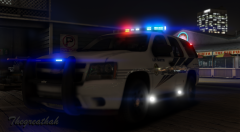 I'm looking forward to this. :D Love the older Tahoes.
 -
While a lot of people do like having real vehicles, there are also a lot who like lore friendly mods as well. Go ahead and and upload your pack. :) Even if you don't get a ton of downloads, the people who did download your pack will be grateful you did. :)
-
Strange. We'll have to see what Cyan says.
-
Even I'm currently experiencing that 40 minute download, which is highly unusual, as even the LSPDFR download is under a minute for me. I suspect the issue is that a lot of people are trying to download that LSPD pack at once. [Edit at 23:30] While it said 40 minute download, it ended up downloading in about roughly five minutes. I'd try downloading again and letting it go. It may not actually take that long.
-
Move your mods folder onto your desktop. Now load into the game. Once in game, quit, and put your mods folder back.
-
In the visualsettings, change these: car.defaultlight.day.emissive.on 400.00 car.defaultlight.night.emissive.on 280.00 To car.defaultlight.day.emissive.on 6000.00 car.defaultlight.night.emissive.on 1500.00
-
Please extract your visualsettings.dat to your desktop. Then attach it as a document to your next post.
-
Unfortunately I don't. I've never edited the gameconfig.
-
No problem.
-
I can't get over that massive camera. Did they steal it from an old department store? XD
-
Nope, not a typo. :) Mine is set to that during the day and my lights aren't too bright. Granted, some people might prefer them to be slightly less bright, but I think they look perfect. If you're not happy with how they look at night, you can change the night option to 1500.00. You're welcome.
-
It looks like your light setting during the day is a bit on the low side. In the visualsettings, look for "car.defaultlight.emissive.on". There will be a day and night option. For the day option, change it to 6000.00.
-
I take a lot of screenshots as well, which is why I limit myself to either two or four picture uploads a day. If you want to upload to the gallery, please do, we'd all love to see. :) Just limit yourself, lol.
-
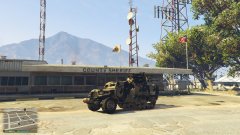 Usual Tuesday patro. In that? Trevor must be the Sheriff.
 -
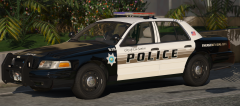 I owe you a drink.
 -
Based off what I've seen thus far, the pack that is soon to be released might just be my favorite anyway. :P
-
*sighs* Here we go again. *makes room in game*
-
Chances are you did not install the ELS VCF correctly.
-
There's only one way to get them in the vehicle with you, and it doesn't always work. In your trainer, open the bodyguard task menu. Change their task to "look at player", and set the task to all bodyguards. Again, this may or may not work. The trainer AI are very derpy. The Youtube videos where you see it working fine wasn't done in one take. I guarantee you the Youtubers went through a decent length setting it up.
-
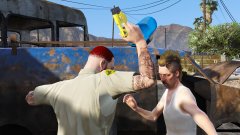
From the album: Red's LSPDFR chaos
-
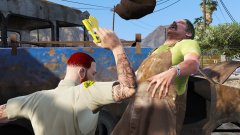
From the album: Red's LSPDFR chaos
-
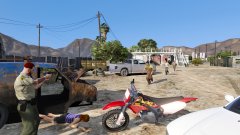
From the album: Red's LSPDFR chaos


