


Reddington
Members
-
Joined
Everything posted by Reddington
-
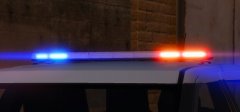 The takedowns are sexy! Love the light bar.
 -
Have you configured the ELS VCF properly to work with non-ELS vehicles? This topic has been moved to the appropriate forum. Please post in the correct location in the future.
-
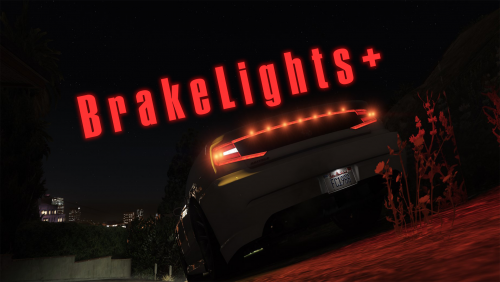 I absolutely love this mod, especially having vehicle actions on the controller. However, now that I've used it, I understand why the other vehicle action mods don't incorporate controller keybinds. There's just not enough buttons, and things overlap and it just makes things a bit difficult. If you can work around the keybind issue and utilize this mod, it's well worth it.
- 43 comments
- 13 reviews
-
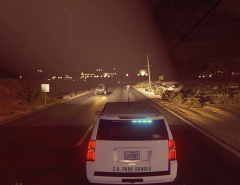 Slick tops = sexy.
 -
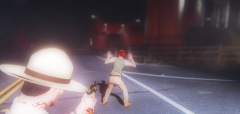 Typical of his messed up family.
 -
Cletus is in trouble again, it seems.
-
To clarify, is this for GTA IV or V?
-
-
Sorry, sharing files such as vehicles.meta is not allowed. However, you can go into the vanilla update folder (the same path you described above, just not in the mods folder) and extract the vehicles.meta from there, then go back into the mods-->update path, click edit mode, drag the vehicles.meta from your desktop to overwrite the vehicles.meta you added. Click "edit mode" again and you should be fine to load back in.
-
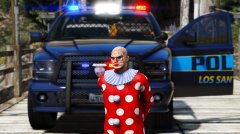 The clowns are planning a hostile takeover.
 -
That is so strange. I know if you have too many addon cars in one dlc it breaks entirely, but I have a large amount of them in one dlc and they all work fine.
-
The only thing I can advise is trying a different folder like mpchristmas2 (this is where all mine are). Do you have any other scripts/plugins which might interfere?
-
This topic has been moved to the appropriate forum. Please post in the correct location in the future.
-
Everything in your meta and carvariations looks fine. Do you have a proper VCF for the cars? and where are the cars installed? where are the meta and carvar installed?
-
Attach your updated meta, please.
-
Just to be sure, you did re-add the meta into OpenIV while edit mode is enabled, right? I regularly add in standalone cars to my game and have never had issue. Did you also give it a sirensetting in the carvariations?
-
This makes sense. If you change the audionamhash to firetruk, you may get the firetruk engine sound, but you don't get the siren because ELS overrides the meta. Interesting a vehicle with no sound can still be assigned a working siren.
-
True, but if you look in his metas, he doesn't have a proper audionamehash.
-
In the vehicles.meta, you don't have an audionamehash for them, which I told you about in your previous thread. You need to have: <audioNameHash>Police</audioNameHash You can use Police, Police2, Police3, Sheriff, Sheriff2, FBI, FBI2, PRANGER or RIOT as name hashes.
-
From what I'm seeing in your video, traffic is responding/pulling over for your siren. The trucks aren't, but they never do for anyone.
-
Every day it's something new, every day it's the same thing we previously heard about, and every day it gets worse.
-
As long as the modded files are in the very latest patchday, it'll work flawlessly. Make sure you're using a mods folder.
-
Then either A) You forgot to include a +hi.ytd, or incorrectly named one of the files. B) There is another SHERIFF .ytd somewhere interfering. Go through your patchdays and see if there's another modded sheriff someone.
-
-
Do me a favor, please. Go back to the download page for this vehicle and grab the .ytd. Replace your current sheriff.ytd for this one. Next, go in game and verify if the vehicle spawns right.


