


Reddington
Members
-
Joined
Everything posted by Reddington
-
This topic has been moved to the appropriate forum. Please post in the correct location in the future.
-
Please also include a screenshot of the main GTA V directory.
-
Please make sure you installed the ELS VCF to the pack_Default folder.
-
Hi there, please verify for me, what happens? When you press J, do you hear the beeps? or no? This topic has been moved to the appropriate forum. Please post in the correct location in the future.
-
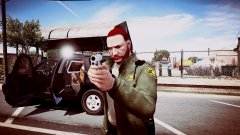
From the album: Red's LSPDFR chaos
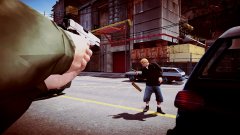
From the album: Red's LSPDFR chaos
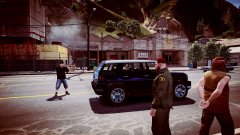
From the album: Red's LSPDFR chaos
I'm not entirely sure how this works, honestly. I previously would see some police vehicles driving naturally, but it was rare. Try using this mod, it injects more police vehicles into traffic. Do note, however, back up your original file just in case you're not happy with this mod. https://www.gta5-mods.com/misc/cops-back-on-the-beatThis was a website issue that has now been resolved. If you're still having trouble, please post in the website issues section. If you feel this topic has been closed in error, please report this post.This topic has been moved to the appropriate forum. Please post in the correct location in the future.You're most welcome. :) Glad you got it.How many LSPDFR mods are you running?In the .ytd viewer, either click "add file" or just drag and drop the 5th texture, it;ll be fine. It's not with the vehicles.meta, it's with the carvariations. You will need to add a new carvariations line in mpchristmas2 for your police slots, or whichever slots have these vehicles. You can use this stock carvariations. Here is a color guide - http://imgur.com/a/F4PtkThat shouldn't make any difference. I have multiple dlcpacks filled with add-on vehicles and my game works fine. Hell, I previously had almost all my add-on vehicles as responding backup units, still no issue. The only time I ever have game memory errors is with the high poly vehicles.Yes, a vehicle can have more than 5 liveries. Per the car colors, that is controlled in the carvariations. However, you will only be able to change the color if the texture is transparent. If it's not transparent, whatever color the car is will be permanent. One way to test if the skin if transparent is to open the vehicle color menu in your trainer and try changing the color.Do me a favor and try loading into the game via GTA 5.exe. Once in game spawn a modded car and drive around for a while with it. Does the same thing happen?The gameconfig is rarely the issue as long as your game and gameconfig are up to date. The one I linked is up to date and I've been using it without issue. How many modded vehicles do you have?I just wanted to say, I really like the Adam's county texture. I think I'll be giving it a try. :)At this time it appears to be a site-wide issue. @Cyan is being a lazy turd and is in bed, so this issue won't be resolved for a little while.When you're stage 3 on ELS, what happens? This topic has been moved to the appropriate forum. Please post in the correct location in the future.That could be related to a mod you added. Usually this is a result of high poly modded vehicles.Out of curiosity, are you getting this error at all?An updated/most recent gameconfig. Check the link in my signature. This topic has been moved to the appropriate forum. Please post in the correct location in the future.




