


Reddington
Members
-
Joined
Everything posted by Reddington
-
Hi Adam. For convenience, it's better to stick with the already active topic for this issue. I'm gonna go ahead and close this, you're free to bump that topic once every 24 hours it goes without a response. If you feel this topic has been closed in error, please report this post.
-
-
I'm not sure about the vehicle skins disappearing, but the vehicles not spawning is a problem with the texture. I've had this happen a few times, no tsure what causes it. Try reverting back to the original ytd or texture.
-
I could be wrong, but I think the push bars on those models were built onto the model itself. If it doesn't have a push bar, it wasn't built with one. Check your trainer and verify if it has one.
-
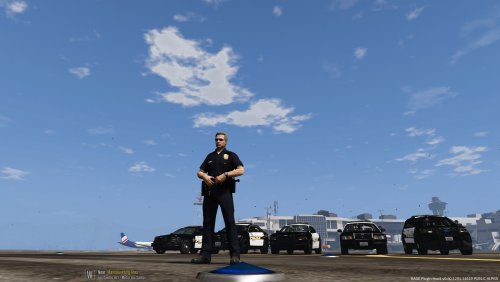 Just so you know, textures will work the same for ELS and non ELS. There's no such thing as "ELS specific textures". :)
- 14 comments
- 2 reviews
-
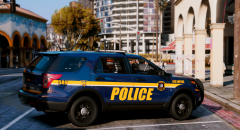 @Sinnisa Wow, WOW! This texture looks AMAZING! I want this for all cars. :P
 -
Your topic has been moved to LCPDFR Support Requests. Please post in the correct location in the future.
-
No. The meta is vehicles.meta. It's located (in OpenIV) mods-->update-->update-->common-->data-->levels-->gta 5.
-
You're welcome.
-
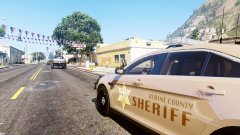
From the album: Red's LSPDFR chaos
-
From the album: Red's LSPDFR chaos
-
No, if you have a trainer you can go into the vehicle components menu and add it yourself. To force the vehicle to spawn with an extra, go into the vehicles.meta for the car and find this line: <requiredExtras / > You're going to want to change this, and here's how you'd do it: <requiredExtras>EXTRA_1</requiredExtras> Change the "1" to whatever your push bar is.
-
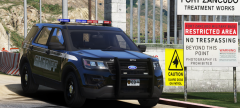 This looks so sexy.
 -
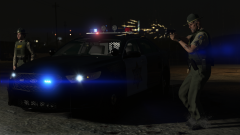 Sad that the ram bars are gone, but still looks gorgeous!
 -
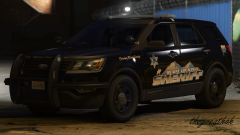 Ohhh, this looks hawt.
 -
Can you take a screenshot of the ad on LCPDFR before it redirects? Can you also add the URL it sends you to in a spoiler? Just to verify as well, do you only get this ad on LCPDFR.com?
-
You use the very newest patchday, which is the one with the highest number. So don't use patchday3 or 4, use patchday 16. or whatever number is highest.
-
If they can't even use computer+, it means the game is not recognizing them as law enforcement vehicles. Double check everything relating to these cars. There's most likely one small thing you're overseeing. I install a lot of standalone cars, so they can be used as law enforcement vehicles.
-
I didn't look through every single meta or carvariations entry, but from the ones I saw everything looks normal. The only thing I can think of is that you're not right behind the vehicle. Since you're using ELS cars, you have to be stage 3 lighting to pull them over.
-
I don't know a lot about how ELS works, but it should work. I recently installed a firetruck that used the horns_firetruck_warning value and the horn was fine. The only thing I can think of is that the vehicles folder is too big. I'd try testing around by deleting some sounds you'd never use, like the clown horn. Ultimately, though, ELS is very minimal on what you can do with the audio.
-
Can you please attach the VCF for the car you're trying to change?
-
Did you also check to see if any other sounds were working? Sirens, other airhorns, vehicle sounds?
-
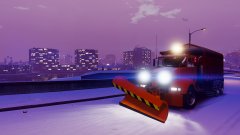
From the album: Red's LSPDFR chaos
-
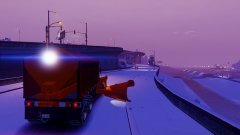
From the album: Red's LSPDFR chaos
-
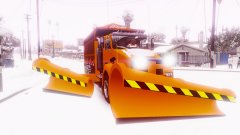
From the album: Red's LSPDFR chaos



