


Reddington
Members
-
Joined
Everything posted by Reddington
-
What is mpgunrunning.asi? Did you install anything recently?
-
It means everything was fine with the files. Since you're on windows 10, lets see if this is the problem - If it's not, it could be your anti-virus blocking GTA. Try setting GTA V either as an exception or temeporarily disabling your anti-virus while running GTA.
-
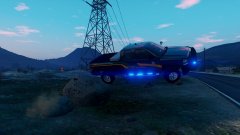 It was fun up until I got a concussion.
 -
From the album: Red's LSPDFR chaos
-
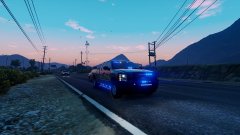
From the album: Red's LSPDFR chaos
-
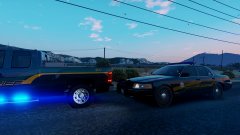
From the album: Red's LSPDFR chaos
-
You're welcome! :)
-
and in this case, the taser helped to add a little extra insult to his injury, even if unintended.
-
To be clear, you are starting the game via RagePluginHook, right? If yes, Go to the RagePluginHook Settings ---> Game settings ---> Command line switches check "Force Windowed mode" and "Force DirectX11" then save and launch. You can change back to full screen once in game.
-
Tasing is at 5:40 for those who want to skip. Couple takeaways: Notice how quickly shit turned. At the start the man was friendly and laughing a bit, then when the cuffs came out his personality and mindset changed dramatically. People don't seem to realize that the handcuffs and the thought of being in them and/or arrested really has a negative impact on someone, especially the guilty. I hope landing hard on his head taught him a valuable lesson about running from the cops. Female officer was not as forceful or demanding as she really should've been. She sounds severely out of shape. From the video, it doesn't appear she ran that far, nor for that long. So why is she so winded? Granted, it could also be her nerves, but her breathing doesn't normalize for the rest of the video.
-
This topic has been moved to the appropriate forum. Please post in the correct location in the future.
-
Apologies for the delay, I wasn't notified of your reply. Unfortunately no, replacing in x64e won't work, and you can just ignore it. Patchday17 is your only spot for now. :)
-
This implies a problem with your game. Try verifying integrity of game cache.
-
Your topic has been moved to GTA V Support, this is not LSPDFR related. Please post in the correct location in the future.
-
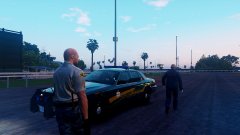 Thanks! :)
 -
From the album: Red's LSPDFR chaos
-
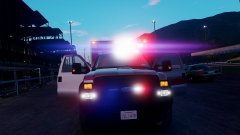
From the album: Red's LSPDFR chaos
-
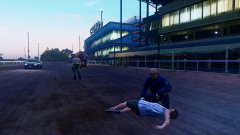
From the album: Red's LSPDFR chaos
-
The patchday doesn't have to have the replacement vehicles. You can place the replacement cars in patchday17 and it'll work fine. Your topic has been moved to GTA V Support, this is not LSPDFR related. Please post in the correct location in the future.
-
This topic has been moved to the appropriate forum. Please post in the correct location in the future.
-
-
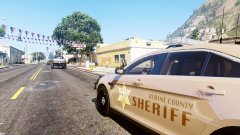 If only the department had a sheriff Sandking. ;)
 -
Is there any vehicle sound either such as the engine? If not, the vehicles folder might be too large. Try reverting back to the vanilla AMBULANCE_WARNING Your topic has been moved to GTA V Support, this is not LSPDFR related. Please post in the correct location in the future.
-
The visualsettings.dat that you'll be getting is in the mods folder, which is where you should've installed the visualsettings.dat that came with RadianceV.
-
Is this related to vehicle development, or is this a general issue?


