


Reddington
Members
-
Joined
Everything posted by Reddington
-
Check the visualsettings.dat file, and look for "car.default", you'll come to car.defaultlight.emissives.on (or something similar), and there will be a day and a night option. What are these values set to? This topic has been moved to the appropriate forum. Please post in the correct location in the future.
-
You're welcome, glad you got it resolved. :)
-
Are you able to launch via the GTA V.exe? Give it a try, please.
-
Have you made any changes to your game recently?
-
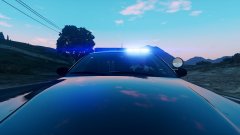
From the album: Red's LSPDFR chaos
-
That is the extent of my car development knowledge. Someone else should be by with another suggestion.
-
Could be dirt or window tint. In your trainer, first try removing the tint. Go into the vehicle mod options-->tint. Set it to pure black, then back to none. Any changes? If it's not window tint, open your trainer and clean the vehicle. Did that fix it?
-
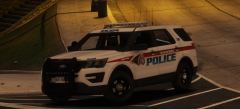 Fulllllll pack! and I second Harrison's comment.
 -
Is this for GTA V or IV? Also check the box "Force directx11". You can do both of these in the Rage settings.
-
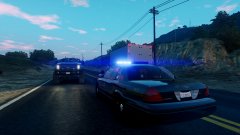
From the album: Red's LSPDFR chaos
-
This topic has been moved to the appropriate forum. Please post in the correct location in the future.
-
The only person who would know is BxBugs himself. You can try asking on whatever social media he uses, but West Coast Wookie most likely is spot on. If you feel this topic has been closed in error, please report this post.
-
His CHP pack is meant to be 100% accurate to the real life CHP counterpart, and I don't believe they have takedowns on their cars. Plus, when you're out of the vehicle his lights steady burn. The takedowns would ruin that. This topic has been moved to the appropriate forum. Please post in the correct location in the future.
-
You're welcome.
-
Do you have RDE installed?
-
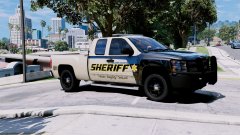 IThanks in advance. I always have issues with 4k textures.
 -
If you can, try to take a screenshot or record it.
-
No idea what is causing it, but it's obviously one particular script where the keybind has INS as the 'off' button. Check all your scripts that have a configurable file and look for that keybind,
-
Good luck!
-
I like it as well! Is there any chance you might add 2k variants to this texture pack, or no?
-
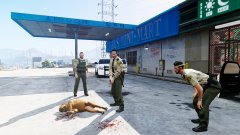
From the album: Red's LSPDFR chaos
-
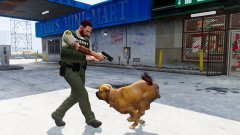
From the album: Red's LSPDFR chaos
-
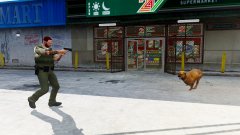
From the album: Red's LSPDFR chaos
-
Just to add, if you mean add them as standalone/add-on, I have a pinned topic in this section telling you how to do so.
-
I'm confused, because you said you installed them as standalone cars. They should not be spawning as default police cars if they are standalone. Did you use TheHurk's add-on download link he provided? That link leads you to an OIV installer, which automatically installs his CHP pack as a brand new dlc, and all the cars are already named as standalones. Remember, you still need to install the ELS VCFs for the cars manually. If not, how did you install them?


