


Reddington
Members
-
Joined
Everything posted by Reddington
-
Your topic has been moved to GTA V Support, this is not LSPDFR related. Please post in the correct location in the future.
-
Your topic has been moved to GTA V Support, this is not LSPDFR related. Please post in the correct location in the future.
-
You're welcome. In the past, patchday3 worked, which is why files say to use it. However, it no longer works. Only the latest does.
-
Patchday8 is not the correct patchday. Use the very newest/latest, which is the highest number patchday.
-
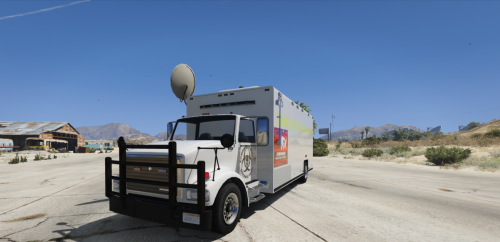 I think this goes without say, the yellow text on the side makes eyes bleed. :P I get what you're going for, but I'd either change the color from yellow, or add a shadow or a stroke to the text just so it's not this blinding yellow.
 -
OpenIV accepts .ytd files. What you're seeing, the crossed out black circle, it only happens when you're not in editing mode. The circle tells you that nothing is being added. Please triple check you are actually in editing mode.
-
Can you link me to the file you're trying to add?
-
If it won't let you, then chances are you're not actually in edit mode. Did you click the "edit mode" button and confirm? Your topic has been moved to GTA V Support, this is not LSPDFR related. Please post in the correct location in the future.
-
Your topic has been moved to GTA V Support, this is not LSPDFR related. Please post in the correct location in the future.
-
This topic has been moved to the appropriate forum. Please post in the correct location in the future.
-
This topic has been moved to the appropriate forum. Please post in the correct location in the future.
-
This topic has been moved to the appropriate forum. Please post in the correct location in the future.This topic has been moved to the appropriate forum. Please post in the correct location in the future.
 Moderator notice: All replies from and relating to Walter's post have been removed. You're more than welcome to suggest something, but don't tell them what they should or shouldn't do. Furthermore, refrain from personal attacks.Have you recently added anything new or changed anything?Do what? You said your mods folder doesn't have anything in it, right? Go into your latest patchday and click "edit mode". You should see an option to create that path in the mods folder. Do it.That's your problem. The mods folder protects your vanilla files. You see, if you go into the patchdays and click "edit mode", you'll see an option to create that path in the mods folder. Go ahead and do this, please. Then add in the replacement files there.Take a screenshot of the contents of your dlcpacks folder in the mods folder, as well as the vehicle files inside your patchday. You are using a mods folder, right?Check your vanilla dlcpacks (not in the mods folder). Do you see patchday17? If so, copy that to the mods folder.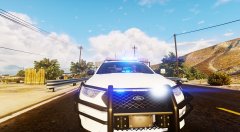
From the album: Red's LSPDFR chaos
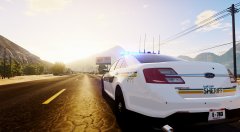
From the album: Red's LSPDFR chaos
The unmarked truck is sexy. I WANT IT.I don't know if it'll work on the current version (I'd still give it a try), but this is the one I use - https://www.gta5-mods.com/scripts/simple-fuel This topic has been moved to the appropriate forum. Please post in the correct location in the future.



