


Reddington
Members
-
Joined
Everything posted by Reddington
-
This has been an on and off issue for a while - cover photos will work for a while, then break, then work again. From what I was told, we're labeling it as an IPS bug. No clue if there's something on the back end that can be changed to fix it.
-
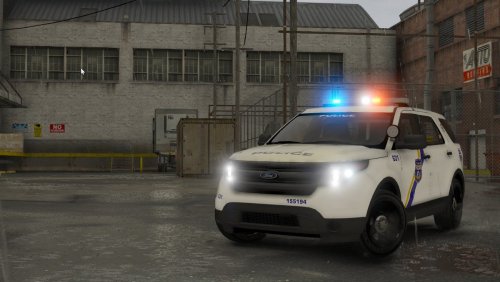 Since the Silverado and Expedition has piped your interest, you could create a separate folder in your download title "Concept cars", or something that reiterates they aren't cars used in Philly, but are ideas that you wanted to try out.
- 47 comments
- 13 reviews
-
-

- 2
-
-
Awesome, look forward to it! I know this pack is meant to be based off Philly, but are you considering a Silverado at all?
- 47 comments
- 13 reviews
-
Never mind, I went ahead and reinstalled all of the Tahoes. Really glad you added an Explorer, this pack has a lot of variety.
- 47 comments
- 13 reviews
-
-
- 1
-
-
For the one linked in my signature, it was updated January 18th of this year, so I believe it should be fine.
-
For the most part, the modified gameconfig just allows you to have more standalone cars. There are other options in it, such as ped and traffic amount, but I never touch those. The game config linked in my signature does include multiple options ranging from less traffic, less peds, or less traffic and less peds or it has more peds, more traffic or more peds and more traffic. Whatever you're wanting.
-
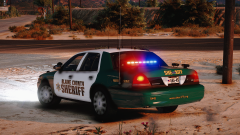 THAT TEXTURE, THAT SLICKTOP. I WANT!
 -
-
This topic has been moved to the appropriate forum. Please post in the correct location in the future.
-
This topic has been moved to the appropriate forum. Please post in the correct location in the future.
-
From the album: Red's LSPDFR chaos
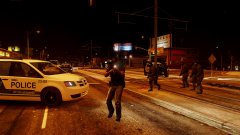
From the album: Red's LSPDFR chaos
If you want to install a standalone firetruck, you have to add a working meta and carvar. You can take the meta line from the vanilla firetruk and use it for your standalone firetruck, you just need to rename it. Check my tutorial I linked above.
From the album: Random Games
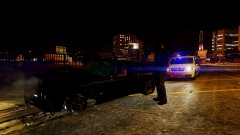 The Sabre Turbo has a special place in my heart. It's a beast.
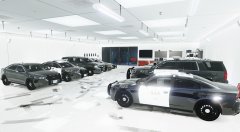 Rockstar "logic": Give them police cars? Add new police cars or any form of law enforcement? No no, this is a criminal only game, hence why we regularly shit on the modding community who only mod single player and not our bread and butter GTA Online. /rant
From the album: Red's LSPDFR chaos
From the album: Red's LSPDFR chaos
I've yet to have any issues as a result of doing it, and changing them to 500 fixes the lack of LODs from the author.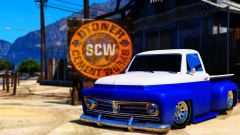 Ey, nowhere did I say I didn't like the pictures. :P DOWN WITH LORE!You're welcome!I honestly am not sure. All of my emergency vehicles and standalone emergency vehicles have all LODs on 500, and I haven't noticed any huge tank in frames or other issues. However, I say I'm not sure because I don't know how mid to lower end PCs will handle it. Before you change every vehicle, change the LODs for one of the cars that has the problems, then launch the game and test for yourself to see if LODs are the problem.



