


Reddington
Members
-
Joined
Everything posted by Reddington
-

From the album: Red's LSPDFR chaos
-

From the album: Red's LSPDFR chaos
-
Then what are you referring to with Do you mean 0.4 of LSPDFR?
-
I think you mean GTA 5, not 4. As has been stated, 0.4 is not going to be replacing EUP at all! EUP will still be a mod you can use, and in my opinion, a must have. Your topic has been moved to GTA V Support, this is not LSPDFR related. Please post in the correct location in the future.
-
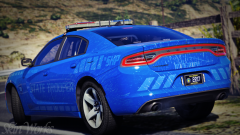 "It's a cop!" "No, you idiot. It's a blueberry. Get your eyes checked."
 -
You're using the bodyguards from trainerv, right? Go into bodyguard task menu, change it to 'look at player', and set to all. This might not always work, though. It's just part of the trainer. Your topic has been moved to GTA V Support, this is not LSPDFR related. Please post in the correct location in the future.
-
The best place to ask is the fivem community, as I've seen plenty of servers using one. If you feel this topic has been closed in error, please report this post.
-
Your topic has been moved to GTA V Support, this is not LSPDFR related. Please post in the correct location in the future.
-
Lol. Trump could give a shit less about what foreign countries do as long as they stay out of America. Funny to think Kim barks and barks nonstop, but really, he's on a short leas by China.
-
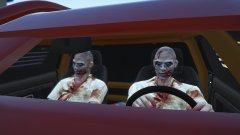
From the album: Red's LSPDFR chaos
-

From the album: Red's LSPDFR chaos
-
After reading "In Order To Live", I'm convinced Kim has an ulterior motive and some plan in motion. There's always a chance that this ball of toxic gasses has come to his senses, but I doubt it.
-
Your topic has been moved to GTA V Support, this is not LSPDFR related. Please post in the correct location in the future.
-
Do you have any modded weapons?
-
I strongly, strongly advise against letting other people have access to your PC, especially strangers. It doesn't matter how nice they seem, or even if they were a community moderator, it's still very risky. It's also against our guidelines to offer monetary payments. I recommend you watch some tutorials and try modding yourself. If you need help, please create a topic and ask. Doing it yourself is a lot better than having someone else do it, and a situation arises where something no longer works, and you come to us asking for help. At that point, we can't offer help if you have no idea what exactly was done to your directory. If you feel this topic has been closed in error, please report this post.Go into the properties of dinput8. If anything says blocked, unblock it. Next, make sure it's not in read only mode. [Edit] Also, have you tried loading into normal GTA V (via GTA V.exe) with dinput8 in? Same thing happen?I'm sorry to say, but if all of those are not working, you've done a lot wrong. Read all of the readmes and read the file page to see if you missed anything. Trainers require ScriptHookV. Your topic has been moved to GTA V Support, this is not LSPDFR related. Please post in the correct location in the future.
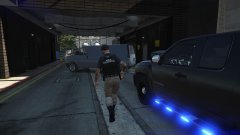
From the album: Red's LSPDFR chaos
 THANK YOU! I had started doing this myself, but there were a few textures that gave me trouble. Nice to have my all blue fleet again.
- 6 comments
- 6 reviews
-
-

- 1
-
This topic has been moved to the appropriate forum. Please post in the correct location in the future.Hello Marcus, and welcome! The best advice I can give is to read the read-mes that come with the mods. They all spell out what you need to do. There are also plenty of LSPDFR installation tutorials, whether it be by Jeff Favignano or First30Minutes. This stuff will seem very difficult at first to learn, but I promise it's not all that hard. If you require more help, please do ask us. :)



Account
Navigation
Search
Configure browser push notifications
Chrome (Android)
- Tap the lock icon next to the address bar.
- Tap Permissions → Notifications.
- Adjust your preference.
Chrome (Desktop)
- Click the padlock icon in the address bar.
- Select Site settings.
- Find Notifications and adjust your preference.
Safari (iOS 16.4+)
- Ensure the site is installed via Add to Home Screen.
- Open Settings App → Notifications.
- Find your app name and adjust your preference.
Safari (macOS)
- Go to Safari → Preferences.
- Click the Websites tab.
- Select Notifications in the sidebar.
- Find this website and adjust your preference.
Edge (Android)
- Tap the lock icon next to the address bar.
- Tap Permissions.
- Find Notifications and adjust your preference.
Edge (Desktop)
- Click the padlock icon in the address bar.
- Click Permissions for this site.
- Find Notifications and adjust your preference.
Firefox (Android)
- Go to Settings → Site permissions.
- Tap Notifications.
- Find this site in the list and adjust your preference.
Firefox (Desktop)
- Open Firefox Settings.
- Search for Notifications.
- Find this site in the list and adjust your preference.