


Reddington
Members
-
Joined
Everything posted by Reddington
-
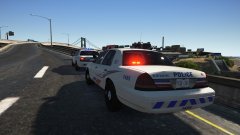
From the album: Red's LSPDFR chaos
-
I want to clarify on Senior's post a bit, there are a number of .OIV installers, but most of the cars in the vehicle downloads are manual. I wouldn't say "a majority". I highly, highly advise continuing to try installing manually and taking your time. If you rely on .OIV installers only, you're only limiting yourself to a few packs.You're using NVR, and NVR installs a dlcpack named NVR_EMISSIVES. Go into this dlc and delete sheriff.ytd, pranger.ytd, and firetruk.ytd. This topic has been moved to the appropriate forum. Please post in the correct location in the future.This topic has been moved to the appropriate forum. Please post in the correct location in the future.
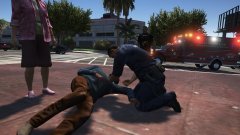
From the album: Red's LSPDFR chaos
You can also open the config file and either remove the keybinding, or disable all keybindings there. Either or works.Unfortunately no. However, before you replace every single vehicle, go and grab a random police vehicle from the downloads and install it. Verify if the headlights are working or not. It still could be a meta issue.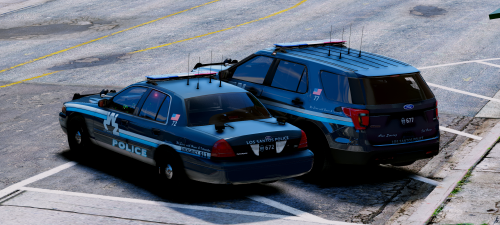 This man knows how to deliver! The models are gorgeous, and like the main pack, lights are wonderful.
- 9 comments
- 19 reviews
So it doesn't matter what slot, the lights don't work right? I'd consider a different pack, then. I did use his a long time ago, but I don't remember if I had the problem or not.Have you tried using a completely different car, not from Hah's pack to test and see if it's a meta/carvar issue or a vehicle issue?There isn't a general option. It comes down to the individual model and what the author configured.This topic has been moved to the appropriate forum. Please post in the correct location in the future.Oh. LOL, that makes it crazier. I usually ignore image captions. XD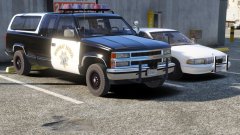 I want the truck!What? It doesn't say that in the article, unless I'm blind. *checks glasses for smudges*This topic has been moved to the appropriate forum. Please post in the correct location in the future.Can you please define "does not exist"? A bit more description is needed. Your topic has been moved to GTA V Support, this is not LSPDFR related. Please post in the correct location in the future.https://www.usatoday.com/story/news/nation-now/2018/05/07/drunken-driver-arrest-lawn-mower/585559002/ He just wanted to do a public service! Also, look at his mugshot. His face says "I just wanted to mow. "
 That I'm actually unaware of, unfortunately.
From the album: Red's LSPDFR chaos
From the album: Red's LSPDFR chaos
Here's a few - There's really not a lot of them [rumblers] out there.The OpenIV team themselves said it's not a thing, that's pretty much the end of the story. Modding is only available on PC, that isn't going to change.




