


Reddington
Members
-
Joined
Everything posted by Reddington
-
You don't need to drag the vehicles folder. The vehicles folder is there just to house the sirens, all you need to do is select the .awc/.oac file to add.
-
Go into the dlcpack NVR_EMISSIVES and delete pranger.ytd, sheriff.ytd, riot.ytd and firetruk.ytd.
-
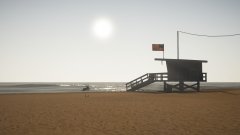
From the album: Red's LSPDFR chaos
-
-
-
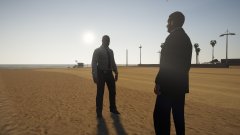
From the album: Red's LSPDFR chaos
-
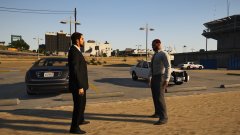
From the album: Red's LSPDFR chaos
-
This topic has been moved to the appropriate forum. Please post in the correct location in the future.
-
Your topic has been moved to GTA V Support, this is not LSPDFR related. Please post in the correct location in the future.
-
Check my pinned GTA V FAQs topic, one of the very first FAQs is how to make lights brighter.
-
The one in my signature is up to date.
-
What have you recently changed with your game?
-
Are you putting the vehicles in the very newest patchday?
-
Skai, the whole point of this forum is to make threads and help each other in the threads. 🙂 So going to PM isn't really necessary, and actually hurts the OP more since he's limited to only one person helping.
-
Oh, that's not an ELS issue. One of your mods, most likely your trainer, has keybinds turned on, and "K" is your turn signal. Turn off keybindings on your trainer and see if it still happens.
-
Can you link to the models that are having issues?
-
I'm sorry to say, but the issue is most likely you not installing them right. What all are you doing to install?
-
Check the pinned FAQs. One of the first FAQs is about making your lights brighter.
-
NVR installs a dlcpack named NVR_EMISSIVES. Go into this dlc and delete firetruk.ytd, pranger.ytd, and sheriff.ytd.
-
For the texture issues, define 'completely crazy'.
-
This topic has been moved to the appropriate forum. Please post in the correct location in the future.
-
This topic has been moved to the appropriate forum. Please post in the correct location in the future.
-
This topic has been moved to the appropriate forum. Please post in the correct location in the future.
-
What have you recently edited or changed?
-
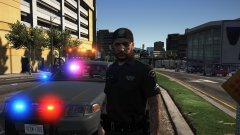
From the album: Red's LSPDFR chaos




