


Reddington
Members
-
Joined
Everything posted by Reddington
-
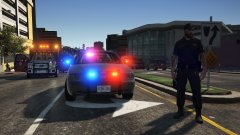
From the album: Red's LSPDFR chaos
-
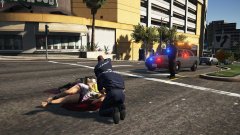
From the album: Red's LSPDFR chaos
-
This topic has been moved to the appropriate forum. Please post in the correct location in the future.
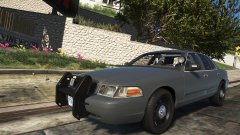
From the album: Red's LSPDFR chaos
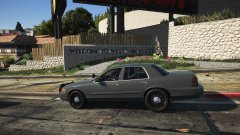
From the album: Red's LSPDFR chaos
This topic has been moved to the appropriate forum. Please post in the correct location in the future.I wouldn't say it's better, nor would I say it isn't ideal. You can use ELS and non ELS vehicles perfectly fine, you just won't have the functionality.Exactly, having all these strings is pointless since ELS can't use'em.Please attach the visualsettings.dat that is in your mods folder. This topic has been moved to the appropriate forum. Please post in the correct location in the future.NVR installs a dlcpack named NVR_EMISSIVES. Go into this dlc and delete pranger.ytd, firetruk.ytd, and sheriff.ytd. This topic has been moved to the appropriate forum. Please post in the correct location in the future.What do you mean by blinkers? Like the turn signals flashing? If so, open the VCF and find these lines: <IndicatorsF DfltPattern="0" ColorL="white" ColorR="white" /> <IndicatorsB DfltPattern="0" ColorL="red" ColorR="red" /> Set dfltpattern to 0.For the most part, vehicles are the same in terms of first person view. There's really no workaround to it aside from third person.Glad you got it sorted. 🙂 This topic has been moved to the appropriate forum. Please post in the correct location in the future.I think this thread has run its course.I think Inhale Skins misread, you said the vehicle itself doesn't show up, correct? This topic has been moved to the appropriate forum. Please post in the correct location in the future.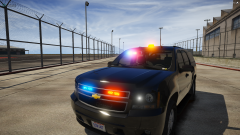 Tahoe looks sexy! but....is that a single bubble light on the roof?There are currently no mods that do this. There are some callout packs that have "shots fired at officer/officer taking fire" in which the AI says over the radio "need back up", but there's nothing like what you're wanting. I'm not even sure how viable it'd be.I don't ever use those. <WRNL LightingFormat="leds" > <PresetPatterns> <Lstg3 Enabled="true" Pattern="scan" /> <PRML LightingFormat="rota" ExtrasActiveAtLstg2="1and4" > <PresetPatterns> <Lstg2 Enabled="true" Pattern="scan" /> <Lstg3 Enabled="true" Pattern="scan" /> <SECL LightingFormat="leds" DisableAtLstg3="false" > <PresetPatterns> <Lstg1 Enabled="false" Pattern="scan" /> <Lstg2 Enabled="true" Pattern="scan" /> <Lstg3 Enabled="true" Pattern="scan" />Just change the setting you want to scan. It'll go through all the patterns that it has.Yeah, I asked the author and he said some of those weren't meant to stay in, he simply forgot to remove them. You're welcome.This is where it should be. In the main GTA directory, right inside the update folder is update.rpf. If you don't have it, you need to verify integrity of game cache.
From the album: Red's LSPDFR chaos





