


Reddington
Members
-
Joined
Everything posted by Reddington
-
From the album: Red's LSPDFR chaos
-
Please create a separate topic regarding LSPDFR, as the SUV issue is unrelated. Rename your mods folder to _mods Now go in game and look. How are the SUVs? Is there AI, and can you get in them?
-
Redistributing game versions is against Rockstar's terms and our guidelines. If you want help figuring it out, you may ask that.
-
Frankly, I wouldn't waste your time looking all of this up. The job of a police officer is just to arrest the bad guys, say the charges, and send'em away. If you're asking so you can accurately say what they are being charged with, that would be something for someone more legally knowledgeable to answer. This topic has been moved to the appropriate forum. Please post in the correct location in the future.
-
Did you install the VCF that came with the car? and does it have the same name as the car?
-
When you press J, what happens? This topic has been moved to the appropriate forum. Please post in the correct location in the future.
-
From the album: Red's LSPDFR chaos
-
Unfortunately, if you can't recall, my advice would be to remake your mods folder.
-
I couldn't even begin to assume what is causing it. 😛 My advice is to revert everything you recently changed in the mods folder, or just revert whatever changed when this started.
-
Your topic has been moved to LCPDFR Support Requests. Please post in the correct location in the future.
-
-
If you used a mods folder, you can just go into the vanilla update folder and get the original files.
-
Open RPH settings before launch and check forced windowed mode and force directx11.
-
Search Warrant works perfectly for me on the latest version.
-
From the album: Red's LSPDFR chaos
-
From the album: Red's LSPDFR chaos
-
With how outdated it is, I'm unsure if it'd still work.
-
Your topic has been moved to GTA V Support, this is not LSPDFR related. Please post in the correct location in the future.
-
Your log provides no info, so my first guess is your mods folder. Rename it to _mods Now go in game and try in the city. Your topic has been moved to GTA V Support, this is not LSPDFR related. Please post in the correct location in the future.
-
Your topic has been moved to GTA V Support, this is not LSPDFR related. Please post in the correct location in the future.
-
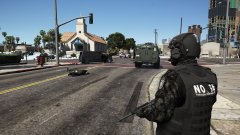 Who knows, the game loves to randomly kill textures.
 -
Then I'm sorry to say, but you're doing something incorrectly. The pause menu options + visualsettings edit should fix the lights. Double check your visualsettings and compare your defaultlight options with the ones that I show in the FAQs.
-
This topic has been moved to the appropriate forum. Please post in the correct location in the future.
-
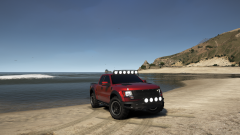 If only. It would make the PERFECT sheriff vehicle.
 -
In game, press start/escape to pause the game, now go to graphics settings. Set PostFX and Shaders to high or above. This topic has been moved to the appropriate forum. Please post in the correct location in the future.


