


Reddington
Members
-
Joined
Everything posted by Reddington
-
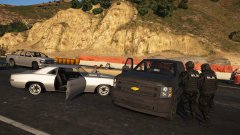 Somehow the AI contained themselves for this.
 -
His pack comes with two downloads, a dlcpack version and non dlcpack. Choose the one you want, then read the readme.
-
I believe you can, but it requires editing some files that I've never touched. Have you tried using different cars? If you're having this issue with all cars you try, it might indicate that your computer just can't handle it.
-
Okay, lets take a step back. According to your game, a lot of models are loaded and work fine with ELS. Do me a favor, go in game and try all police vehicles. Police, police2, police3, etc. Press J three times. Do you hear the beeps, do lights turn on?
-
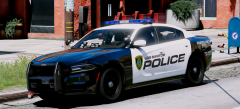 It's so damn good!
 -
Move the file onto your desktop first. Right click it-->properties and make sure all is unblocked.
-
Your best bet would be to try removing some of the replaced cars and see how that goes. Texture loss is most common when there are too many vehicles with 4k textures around you. However, it can also happen if there are just far too many modded cars in the vicinity.
-
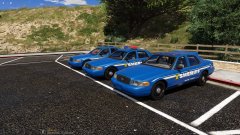 The fuck is wrong with the closest Vic? It looks like the roof is eating the light bar. 😁
 -
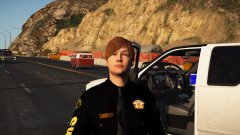
From the album: Red's LSPDFR chaos
-
-
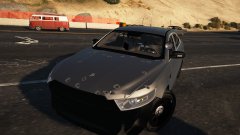
From the album: Red's LSPDFR chaos
-
From the album: Red's LSPDFR chaos
-
Redistributing original files is against Rockstar's terms and our guidelines. If you used a mods folder, you can go into the original x64 and copy it over to the mods folder. If you didn't use a mods folder, you'll need to verify integrity of game cache.
-
Open the plugins folder, right click LSPD First Response.dll-->properties. If it says "unblock", click it. If it says "read only", uncheck that. Do the same for LSPD First Response.pdb.
-
If you let it download, does it try and redownload each time?
-
If that particular hash is missing, either the author didn't provide it in the download, or your computer is mistaking it for a virus and removing it.
-
There is a dlcpack limit. Once you've exceeded a certain amount, it crashes your game. In your case, since it's not crashing, I assume you don't have all of the dlcpacks in the dlclist.
-
Try reinstalling the asi loader.
-
Moderator notice: You already have an active topic for this. Please do not create multiple topics for the same issue. If you feel this topic has been closed in error, please report this post.
-
No, it's not entirely accurate, but as you said, the easiest and most convenient. Most people aren't going to want to look around various modding sites for one mod that changes the .ymt.
-
Looks good thus far! I can't see from the screenshots, but does the push bar also have lights?
-
 LOL! Yes, yes they were.
 -
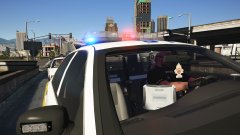 Nah, smells like Jed. Not the most pleasant thing. 😄
 -
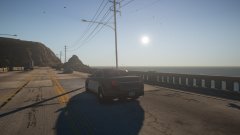 Nah, in real life the Taurus would probably be in the ocean. 😛
 -
 LOL
LOL



