


Reddington
Members
-
Joined
Everything posted by Reddington
-
That's not the correct path. mods-->update-->x64-->dlcpacks-->patchday18, and then navigate to the vehicles.rpf. To clarify, are you trying to replace or add vehicles as standalone/add-on?
-
Are you using a mods folder? If yes, rename the mods folder to _mods Now try and see if it still crashes.
-
What changes have you made recently?
-
Since you didn't install the dlcpack, ignore what I said. In which patchday did you place the vehicle files?
-
If you're still having issues, tell me with what. What's got you confused? 🙂I have the vehicle add-on spawner mod, but it should work even from the Rage console. Are you sure you did everything needed when installing his pack? If you installed it as an add-on DLC pack, you need to go into update-->update-->common and add his dlcpack to the dlclist.I'm not sure how much more I can help. He tells you how to install and what to do. I've installed his pack as an add-on dlc and all work fine for me.Uh...I'm a tad bit confused. Just follow the instructions, they point it out. The line I bolded is what you need to do.
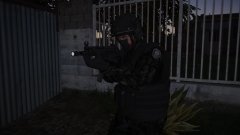
From the album: Red's LSPDFR chaos
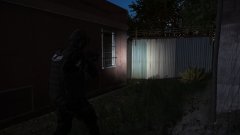
From the album: Red's LSPDFR chaos
Your best bet is checking this site out - https://pcpartpicker.com/ As this forum isn't a "PC builder" place, the odds of you finding someone to help make a gaming PC is a bit low. I'd Google search and look for some subreddits or other sites that have dedicated experts who can help and talk you through the process. I do want to note, if your budget is $600, you're most likely going to end up with a low end PC that, if you're lucky, can even run GTA at semi-decent FPS. For bigger games like GTA, you tend to need a beefy PC, especially if you want to use mods. Myself, and several others have good PCs and we still suffer huge FPS loss when going on duty. This topic has been moved to the appropriate forum. Please post in the correct location in the future.LSPDFR multiplayer is not a thing, and it's highly unlikely it ever will be.What happens if you do like CVPIguy said and hold G when standing right outside the driver door? Does it turn off?Triple check all settings. Something is still enabled in the trainer that shouldn't be. Your topic has been moved to GTA V Support, this is not LSPDFR related. Please post in the correct location in the future.I'm in love!Unfortunately, I'm not sure. This indicates it's something with ELS, but this is the first it has been mentioned. The only thing I can advise is a clean reinstall of ELS.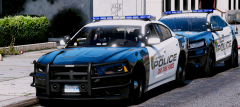 They look so good! 😄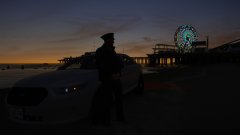
From the album: Red's LSPDFR chaos
You need to add the dlcpacks yourself. Go into the vanilla update folder to dlcpacks, go into the very latest patchday, patchday18, and click edit mode. You'll see a red box that says to make this path in the mods folder - do it. Also note, as you're using NVR, you need to go into NVR emissives and delete the following: lguard.ytd pranger.ytd riot.ytd sheriff.ytd firetruk.ytd This topic has been moved to the appropriate forum. Please post in the correct location in the future.Temporarily remove one of the VCFs for an ELS car. Now go in game and press E to turn on the lights and siren. Still happen?I'm not too sure, tbh. This is the first I've heard of this issue. Have you tried another siren?Yeah, launch without Rage.


