


Reddington
Members
-
Joined
Everything posted by Reddington
-
The carvariations are hard coded into the game. You'll need to add a new carvariation line for the vehicle. I recommend adding the line to mpchristmas2.
-
With the mods folder named _mods, are you starting via normal GTA 5.exe? If no, try that.
-
Take a screenshot of the contents within the dlcpacks folder.
-
In OpenIV, check the asi manager. Make sure they are still installed.
-
Is it only add-on cars that won't work? What happens if you try to spawn police? police2? etc?
-
This topic has been moved to the appropriate forum. Please post in the correct location in the future.
-
In the future, please do not tag me. I'll see the topic no matter what. Rename your mods folder to _mods Now try.
-
It could be if there's a mod conflicting with it.
-
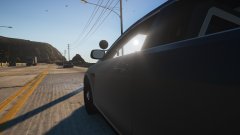
From the album: Red's LSPDFR chaos
-
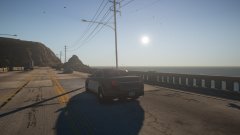
From the album: Red's LSPDFR chaos
-
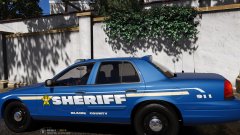 ohhh, ohhhhhh! I really like the texture.
 -
Have you thoroughly read the install instructions for both? Add-on cars and EUP both work flawlessly. Check the text tutorial in my signature for how to install add-on cars. This topic has been moved to the appropriate forum. Please post in the correct location in the future.
-
This topic has been moved to the appropriate forum. Please post in the correct location in the future.
-
This topic has been moved to the appropriate forum. Please post in the correct location in the future.
-
Yes I am. Try installing someone else's siren, then go into their vehicles folder and just replace over the sirens they have.
-
No. Sam and Cyan both have proven that base LSPDFR is as stable as can be.
-
Where did you install all of them to, your mods folder? This topic has been moved to the appropriate forum. Please post in the correct location in the future.
-
Yeah, I meant NVR, my bad. My only guess is you have other mods conflicting. I'd start reverting some of your changes, or just redo the mods folder. Again, I have installed NVR multiple times and never run into any issue, so I'd assume it's something on your end.
-
I'd do a clean install of NVR. I use it and have no issues at all. Pause menu lagging might be related to the NVE issues.
-
I think you may of installed a siren mastery version of the siren. All the sirens I've downloaded are the exact same and work flawlessly, and don't have those extra siren tones.
-
Sorry to say, you're doing something incorrectly. I just tested and all my audio files are there.
-
I'm not sure what you mean they changed. All of the ones you posted are still accurate, you're just missing one. VEHICLES_HORNS_SIREN_2
-
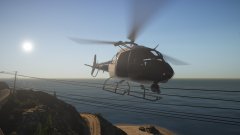
From the album: Red's LSPDFR chaos
-
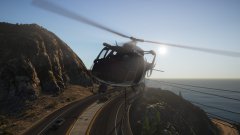
From the album: Red's LSPDFR chaos
-
Is ELS working on all other vehicles, or no? This topic has been moved to the appropriate forum. Please post in the correct location in the future.


