


Reddington
Members
-
Joined
Everything posted by Reddington
-
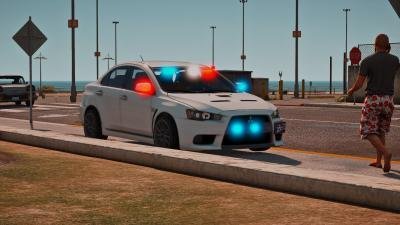 I've always loved the Evo and how sporty it was. For it to now be a police car? I am very happy! My only complaint is the lack of stage 1 lighting and no ability to turn on individual lights (warning and sectional). If you do any updates for this car, please add in stage 1 and attach the rear window lights to "sectional" so we can turn those on by themselves. Overall it is a fantastic car and I'm happy with the amount of lights and their placement. Perfect car for bait car and undercover operations. (I've made an all blue version if anyone would like that, just check my file. Collin, please let me know if you don't want me mentioning my file here and I'll edit this.)
- 11 comments
- 4 reviews
-
 There's one here already - I agree, and I don't like their minimalist light set up, or the arjent.
 -
This topic has been moved to the appropriate forum. Please post in the correct location in the future.
-
This topic has been moved to the appropriate forum. Please post in the correct location in the future.
-
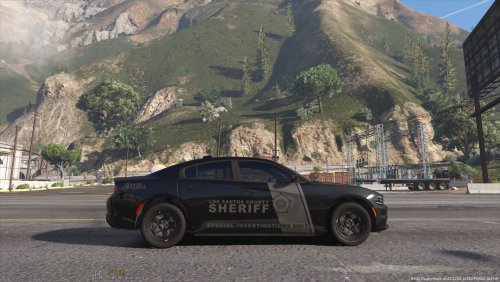 Oh. I assumed he was from another country where they call light bars sirens. lol
- 46 comments
- 7 reviews
-
Google slick top police cars. They are VERY common in the US. Not sure about other countries, but it's not "half assed" at all. It was intentional.
- 46 comments
- 7 reviews
-
My advice is remove the _copy, as it's really not needed. Most people will just take the one you provided and drag and drop into OpenIV. It's the advanced users who will manually go in and copy and paste if they want. Just provide install instructions and leave it at that.
- 46 comments
- 7 reviews
-
From what I can see, his car isn't anything unique, you don't need his provided meta or carvariations. Just install the car like you did with any others.
- 46 comments
- 7 reviews
-
If you feel this topic has been closed in error, please report this post.
-
This topic was last replied to 2017. Please don't necro old threads. He quoted all of the names, police transport/POLICET was already listed.
-
-
 Been a while since I used this pack, which vehicle is sheriff2? The Lariat? If so, try the sadler handling.
- 75 comments
- 19 reviews
-
This is the current mod most people are using - There's also Albo's mods, but he no longer supports any of them, so it's best to use BJ's mods.
-
This topic has been moved to the appropriate forum. Please post in the correct location in the future.
-
 You forgot to include the pop up that says "you only have three free views left before you need to pay us money to view the articles."
 -
Right here, just forgot to upload it here.
-
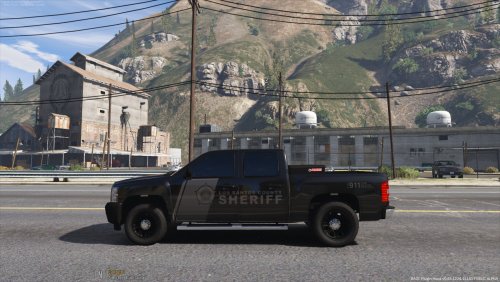 @HDgamerzPC It'd probably be better to put the Charger and the Silverado in the same file and download. You can call it a mini pack. 🙂
- 15 comments
- 2 reviews
-
I'm not sure why verifying integrity wouldn't be working for you. Check your trash bin on your desktop and see if the update.rpf is there. If not, you might have to just reinstall.
-
Just to verify, is this in the mods folder or the update folder in the main directory?
-
If you verified integrity of game cache, you should have your files back.
-
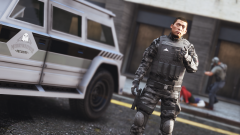 lol, sir, what is happening in the background?!
 -
If I'm remembering a post Sam made in one of the update threads, EUP will still be 100% usable and compatible. There's no way to say for sure if mods will become obsolete and if so, which. 0.4 is bringing in a lot of features, so I wouldn't be surprised if there's at least one that becomes redundant.Probably best if you use the fivem community for this. most of our community is here for LSPDFR, and we really don't offer fivem support.You're most welcome. 🙂


