Reddington
Members
-
Joined
Everything posted by Reddington
-
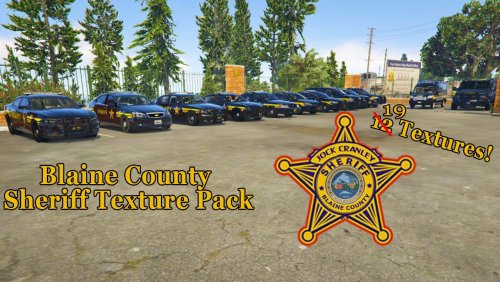 This is a beautiful skin pack! Black/yellow has always gone well together, and this is an example of why. I'm going to be using Panos's BCSO pack permanently, so your pack will be getting a lot of use! Thanks for making this, and for doing my request.
- 17 comments
- 3 reviews
-
-

- 1
-
-
This topic has been moved to the appropriate forum. Please post in the correct location in the future.
-
I would triple check everything. I have it installed and it's working fine. Triple check everything, including the prerequisites that he lists on the file page.
-
Taken from Hystery's pinned topic in GTA V support. The one slot he didn't list was LGUARD, which is lifeguard. Not technically law enforcement, but I believe you can make it a LEO slot with some edits to the meta and carvariations.
-
-
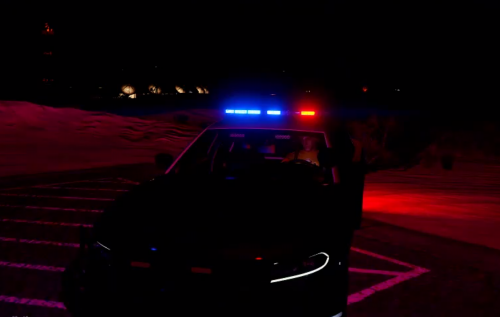 May want to correct the file description for the preview. 😉 Unless you intended for the video to be in the comments instead.
- 9 comments
- 1 review
-
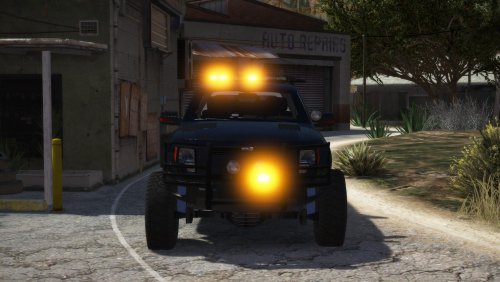 The towing industry has always been one of my unexplored fascinations until I got old enough to really understand and appreciate it. I've got my own little tow empire in game, all with amber lighting, and wanted to make this bad boy match the rest of them in terms of light colors and livery - or lack thereof. I've made this model all amber, and have added an unmarked, transparent livery which will allow you to use whatever color you want. Despite the vehicle being non-ELS, I've included a generic XML in order to make life a little easier on those of us using ELS. Do note that you will only receive the bare basics of ELS functionality, which includes turning on lights and siren individually and changing siren tone. You will not be able to change light patterns. Yes yes, I'm aware, my lights are bright as fuck in the screenshots. Currently tweaking graphics settings and this is an unfortunate result. Link to truck: https://www.gta5-mods.com/vehicles/police-raptor-towtruck Possible bug: You may still see blue reflections in the environment when the lights are on. I don't believe this is fixable. Install instructions for the light textures: Install instructions for the unmarked livery: Installing the VCF (Optional and only for people using ELS)
 -
This topic has been moved to the appropriate forum. Please post in the correct location in the future.
-
I have not tried this, nor have I seen other people reporting back about it. You can try it if you want to, but please do the following: Back up the files BEFORE you edit them! If the game crashes as a result, you can back it up easily. Remember to switch out the vehicles.meta line to that of an actual vehicle, and I mean replace the whole policeb meta line.
-
This topic has been moved to the appropriate forum. Please post in the correct location in the future.
-
Honestly, if there are any, all of them are probably pretending to be guys in order to avoid harassment and unwanted flirting.
-
This topic has been moved to the appropriate forum. Please post in the correct location in the future.
-
Assuming you haven't edited anything, OpenIV by default has just the vanilla update folder. You need to create the "mods" folder. You can do this by opening up your GTA directory in a normal window (not in OpenIV) and create a new folder. Name it mods - all lowercase. Next, go in OpenIV and and go into the vanilla update folder. Traverse to the very latest/newest patchday, and into the vehicles.rpf. Click "edit mode". You should see a red box telling you you're editing the vanilla files, and a prompt to create this section in the mods folder. Do it. Now you're good to go.
-
.png.ac1c1b2324646d786e63cb8137bf577c.png) I really like the skin!
I really like the skin! -
 This is a really beautiful, heavy duty truck! My only complaint is using the lifeguard's light bar. The light on it is just so...GTA. Wish there would've been beacons instead. Not a huge deal, though.
- 22 comments
- 10 reviews
-
Did you place Police menu in the scripts folder, and are you sure you're using the right keybind?
-
Do you have ScriptHookV?
-
The issue is either the vehicles. meta or the vehiclelayouts.meta. Which have you edited recently?
-
Your topic has been moved to GTA V Support, this is not LSPDFR related. Please post in the correct location in the future.
-
 Can you define 'doesn't work'? In response to the last few posts, I've been testing in game to see if the menu stops working, and so far everything is working as it should. I was just in earlier and the menu loads for me. [Edit] Welp, after I say something it breaks. It was working fine, closed it, opened another menu, then tried to open it again and it wouldn't open. Not sure why, but I wonder if it has to do with opening other menus?
- 59 comments
- 6 reviews
-
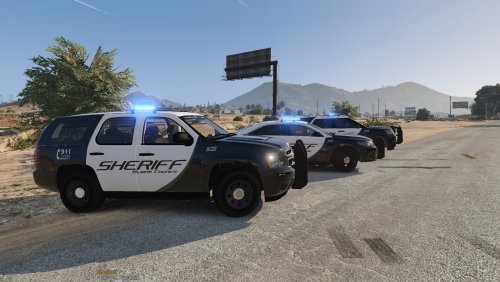 Absolutely love this pack, especially the Challenger! I love the amount of lights, and the liveries are very beautiful!
- 74 comments
- 25 reviews
-
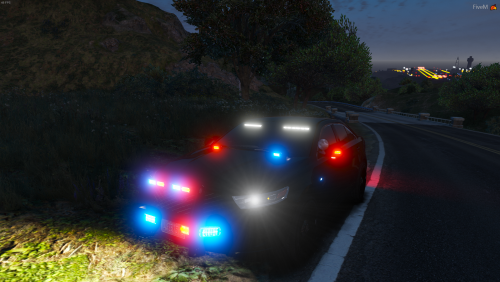
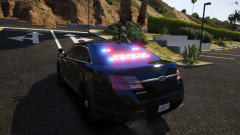 DAMN at all those lights! Is this yours?
 -
-
-

.png.ac1c1b2324646d786e63cb8137bf577c.png)