


Reddington
Members
-
Joined
Everything posted by Reddington
-
Try using your trainer instead to flip through the liveries.
-
What are you doing in game to find the other liveries?
-
Most likely. Open the +hi.ytd and look to see if there are liveries in it. If there are, replace the ones in here as well.
-
Welcome back!
-
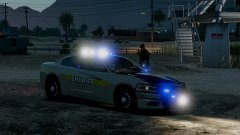
From the album: Red's LSPDFR chaos
-
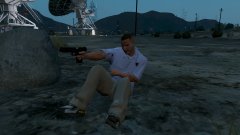
From the album: Red's LSPDFR chaos
-
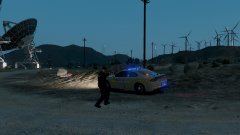
From the album: Red's LSPDFR chaos
-
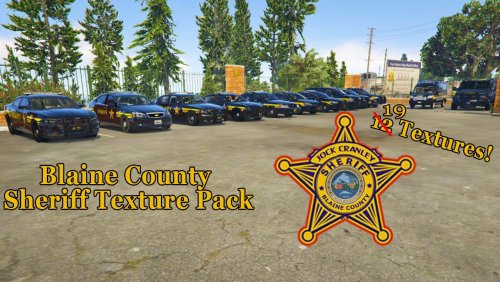 @Clarkes Could you please add Panoszaf's pack? This is kind of a big request since he has a lot of vehicles, so don't worry if I'm asking too much. The 16 Explorer, 14 Tahoe, 2010 Charger and Taurus all fit with the liveries you provided, so no need to worry about those.
- 17 comments
- 3 reviews
-
Does the vehicle have a +hi.ytd?
-
In OpenIV, go to where you installed the problem cars to and take a screenshot, please.
-
This topic has been moved to the appropriate forum. Please post in the correct location in the future.
-
You can either replace the current livery, which you will need to make sure the livery you want has the exact same name as the livery in the .ytd. If you're asking about multiple liveries, most vehicles can. There are some rare cases where the author makes it so the vehicle is stuck to one, but I haven't seen that happen in a while. As you mentioned, if you want multi liveries, you'd name the livery the same as sign_1, except add sign_2 For example, your screenshot. Say I want more Explorer liveries. I'd rename the one I want to add to exp_sign_2 and so forth depending on how many you want. Do note a few things: 1) In OpenIV, you need to be in edit mode to add liveries. 2) If it's not working for you, check the vehicles.meta entry for that slot you're trying to modify. In order to enable multi livery, a flag needs to be present. In the meta, look for the <flags> section. If you do not see FLAG_HAS_LIVERY, add it. This will allow your multi liveries to work.
-
This topic has been moved to the appropriate forum. Please post in the correct location in the future.
-
Unfortunately, there is no way to prevent extras from being used that I'm aware of.
-
Are you using a mods folder? and the very newest patchday?
-
This topic has been moved to the appropriate forum. Please post in the correct location in the future.
-
This topic has been closed because you are asking for support regarding pirated software. We are unable to provide support to pirates, or people using cracks. If you feel this topic has been closed in error, please report this post.Are you using ELS?Sorry, I cannot. I'm not an expert with computers in terms of what they offer.Your topic has been moved to GTA V Support, this is not LSPDFR related. Please post in the correct location in the future.Did you install ScriptHookV?Your topic has been moved to GTA V Support, this is not LSPDFR related. Please post in the correct location in the future.Hi there, What do you mean they are locked to one siren? When you turn on the siren and try to change the tones, can you, or no? or do you mean something else?What game is this for, GTA IV or V?


