


Reddington
Members
-
Joined
Everything posted by Reddington
-
Refer to this post: There's also another recent thread asking about this, please don't create duplicate threads.
-
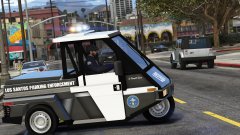 I found the LSPD texture in case you ever reinstall. https://www.lcpdfr.com/files/file/17228-lspd-parking-enforcement-go-4 We know you can't. 😛
 -
This topic has been moved to the appropriate forum. Please post in the correct location in the future.
-
I'm not aware of any specific pack created for his, but check out some of Harrison90's skins. https://www.lcpdfr.com/profile/240084-harrison90/
-
Hahaha! Thanks.
-
-
I'm almost positive an ELS removable lightbar is not possible. The lightbar itself would have to be non-ELS in order to do that. Would be nice if it was ever do-able, but I doubt it.
-
That's amazing! 😂
-
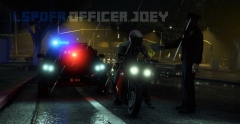 Just to add, watermarks don't stop them from stealing. In fact, they are just going to crop the picture in order to get rid of the watermark. Then you have someone who stole part of your picture and is only showing part of the beauty. Sucks that people steal pics, but I'd rather they steal the whole pic and show off how awesome it is, instead of just part of it. and honestly, if they want to steal GTA pics, have at it. They are just pictures you're showing off for other's enjoyment. It's not like the picture is of something you actually made and own.
 -
I forgot who made this model and the livery. Can you link, pelase?
-
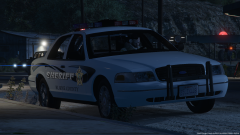 Ooohh, this looks hot! Love the light bar.
 -
Sam and LMS will correct me if I'm wrong, but I'd have to say no. Adding in add-on slots requires a bit more work and game editing. Right now LSPDFR is just a simple drag and drop, no edits in the update/mod folder. Installing new slots is up to the player, assuming they want to.
-
If it's working for you right now, I wouldn't worry about it. If you run into issues, then you'll need to place the vehicles in a different patchday. You would need whichever patchday is the newest and has a vehicles.rpf. My game is not up to date, so I have no idea what the newest patchday is. It's the one with the highest number, so 20.
-
The reason we say newest patchday is because the game draws the model from the most recent one. Example: In most cases, say you put the replacement in patchday 3. The game will draw the police files from a more recent patchday, meaning your replacement might not work because it found the most recent police files, which was in patchday 17.
-
I've never had that happen. The worst I've had are the morons who order food for a family of 200.
-
Typical McDonalds trash. This is why I always go through the drive through and take it home.
-
I'd like to think Gump saw the video and that's why he's doing it. You're welcome! 😛
-
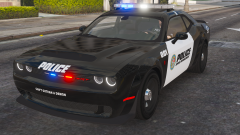 Ooohhhh!! I am so ready for this bad boy!
 -
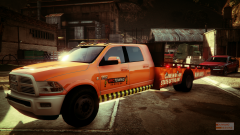 'Dunning Designs', lol. I thought that meant you made liveries. 😛
 -
Your topic has been moved to GTA V Support, this is not LSPDFR related. Please post in the correct location in the future.
-
Your topic has been moved to GTA V Support, this is not LSPDFR related. Please post in the correct location in the future.
-
Your topic has been moved to GTA V Support, this is not LSPDFR related. Please post in the correct location in the future.
-
Make sure you're not multi-tasking. The forum seems to hate it when you're uploading a file and clicking into other tabs/windows/etc. You also might need to just wait a bit. This topic has been moved to the appropriate forum. Please post in the correct location in the future.
-
Your topic has been moved to GTA V Support, this is not LSPDFR related. Please post in the correct location in the future.
-
Make sure postfx and shaders are on high or above in your GTA settings.


