Laqueesha
Members
-
Joined
-
Last visited
Everything posted by Laqueesha
-
Just one gripe, a Transit Police car would use police license plates, not civilian plates.
-
When can we see a handling line/vehicles.ide line? Could we use the 2003 Chevy Suburban handling line, as the two have similar platforms? EDIT: The 2003 Chevy Suburban handling line works perfectly for this car. Isn't the bed cover an extra part that randomly spawns and can be taken off? EDIT: Never mind, BxBugs123 answered that already.
- 16 comments
- 14 reviews
-
Front end is reminiscent of the old 1994-1996 Chevy Impalas, although the rear end looks like a Hyundai.
-
The Vapid Police Cruiser isn't that bad, it's just that it's based off of the 1992-1997 Ford Crown Victoria, and thus, looks very out of place for a video game that's set in the 2010s. Hell, it even looked out of place back in 2007. Now, if GTA IV or GTA V were set in say, 1994 or 1996, then the Vapid Police Cruiser would be just fine. It's like playing a video game set in the 1970s and watching a Ford Model T drive by.
-
-
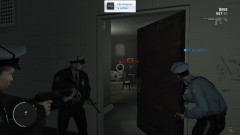 "Kicking down the door, asking: 'Where is the bricks at?'"
 -
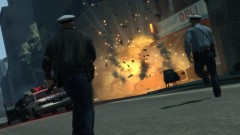 "¡Cuidado! That's about to blow!"
 -
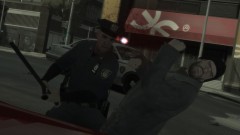 "You want to feel my baton?"
 -
-
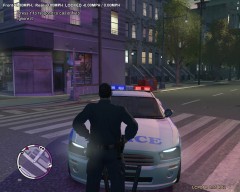 I think the radar is the original one from the TBOGT DLC.
 -
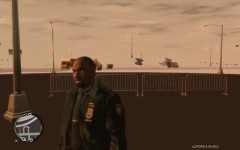 This used to happen to me when I had a GTX 560 Ti. The problem went away after I upgraded to a GTX 680. To fix this, upgrade your computer, or use a different traffic mod.
 -
I like what you did here, although halogen lights would be better than LED for this car, in my opinion.
- 22 comments
- 12 reviews
-
Is there a way to replace the uniformed officers that work the toolbooths with traffic cops (the unarmed ones that wear the light blue shirts)?
-
Is there a way to replace the uniformed LCPD officers (the ones that are usually armed with AR-15/M4A1s) that stand guard at subway stations, parks and other public places with NOoSE TRU/LCPD ESU officers?
-
Love the lightbar and pushbar, they look great! However, some license plate-reading cameras and wig-wag lights would make this car absolutely perfect.
- 43 comments
- 15 reviews
-
-
There's a courthouse-looking building in Broker, I believe. I don't remember what it is called, though. There might be one in Alderney too.
-
Now all we need is for somebody to color the combat shotgun green or orange. :happy:
-
I'd like to see this too; get some variety in the game. :thumbsup:
-
The FDLC should give him a medal. :biggrin:
-
Is there a way to give regular uniformed cops M4A1 carbines when the player reaches a three or four star wanted level? Want to simulate real-life police response for a killer at large.
-
It would be awesome if there was a way to get the body armor cops to only show up at three or four wanted stars, to simulate officers putting on their body armor for an emergency tactical situation, i.e., a mass murderer or spree-shooter at large, etc.
- 44 comments
- 23 reviews
-
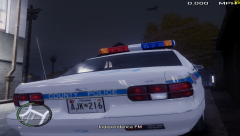 Nice era-specific license plate with registration sticker. :thumbsup:
 -
I recently installed some knew FBI agents to replace the FIB ones via SparkIV and I noticed that they are not spawning at all when I reach the maximum wanted level. In the past, they usually spawned fairly quickly when I reached full wanted level. So, my question is, does replacing models and textures in SparkIV have anything to do with the wanted level cop-spawning system?
-
As stated here before, frames per second (frame rate) has a lot to do with it. Try going into the Booth Tunnel or on the middle of the Bohan Bay Bridge and see how fast it flashes, for the frame rates in those areas tend to increase due to the game having less scenery to load.