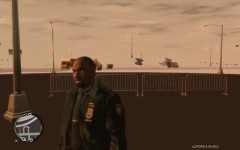
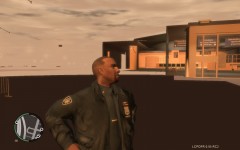
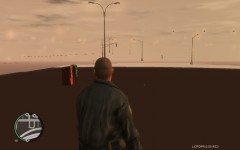
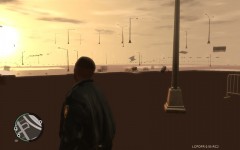
After TrafficLoader V5 4 Share https://www.lcpdfr.com/gallery/image/4865-after-trafficloader-v5-4/ Share on Facebook Share on X {lang="reddit_text" More sharing options... Followers ""
strike Members May 8, 201214 yr Author stats That also happened to me, you need a better computer :( I use traffic control system, it's not the best traffic fix, but it spawns variety of cars and make the gta iv working well enough with lcpdfr if you have a weak computer.
Gonzy Members May 8, 201214 yr Author stats Yeah, strike is right, you need a better computer. This happens also when you install too much car models, even if you remove them and put default cars back , or if you remove the mods, textures will load slower. you need to reinstall your game.
Mags Community Team May 8, 201214 yr Author stats Community Team You really don't need to reinstall the game everytime just keep the orginal vehicles.img and when you notice the textures are loading slow because to many cars etc... just replace the vehicle.img
Gonzy Members May 8, 201214 yr Author stats I had this problem too, because i downloaded too much mods, so i removed them, and textures was still looking like this. So i dunno.
Guest Andrew. Guests May 8, 201214 yr Computer isnt powerful enough to run gta iv normally. This could be caused by memory leakage or your processor/graphics card sucks. If you want to play gta iv like some of the people out there, id suggest you save up some money to buy a new machine
NicolaiB Members May 8, 201214 yr Author stats Either your computer is too weak to run gta, or you need to uninstall some car mods.
Laqueesha Members May 9, 201214 yr Author stats This used to happen to me when I had a GTX 560 Ti. The problem went away after I upgraded to a GTX 680. To fix this, upgrade your computer, or use a different traffic mod.
Illusionyary Members May 9, 201214 yr Author stats I have a 560, and there is no damn way I am upgrading again, my whole PC cost me 2200$. So I just use Traffic Control System.
TheNastyOne Members May 9, 201214 yr Author stats Core2Duo @ 2.8ghz, 4gb ddr3 kinston ram @ 800 mhz, dg33fb mother board, BFG GTS 250 1 gig overclocked edition. Pretty sure im within sys req lol. But I found out what it was. I was useing v5.4 of the traffic fix script. For some reason it causes the textures to vanish for me. Uninstalled it, Replaced it with the older trafficfic.asi i had in a car pack and now its running flawlessly again at 40 fps :) Full textures full sight range. Thankyou guys for the insight though.



Recommended Comments
Join the conversation
You can post now and register later. If you have an account, sign in now to post with your account.