
Azteco
Members
-
Joined
-
Last visited
Everything posted by Azteco
-
To me the prank thing has gotten out of hand. I have seen people posting videos of random pie to hot sauce attacks in the face. It is assault. No different then punching a random innocent person in face or yielding a weapon at them. This prank above isn't funny at all. Specially in current world events. It's about as dumb as the pranksters who thought it would be funny to dress in real shackles and cuffs running around a metropolitan area where inmates actually wear oranges with 4 distinct letters in rear or a number. They soon found a army of police after them then cried my rights after being aggressively taken down or cap stunned. That prank and the solo one similiar yielded alone over 180 911 calls for the group one and the second one doing a solo orange suit prank about 90 911 calls from citizens some saying they want to use deadly force if the inmate entered the business. People need to think before pulling pranks on normal people going about daily life. I agree it is in a sense terrorism in its own form when it is similiar to above.
-
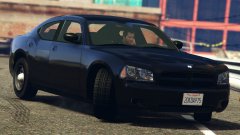 The real black beauty
 -
You need to use a mods folder. You'll copy over the say just for example x64e.rpf from your main directory to c:\grand theft auto v\mods Always use a mods folder. You'll have to copy over the mods folder any archive path you intend to modify. For example update.rpf or whichever you plan to mod needs to be copied into your mods folder and the sound mod and others mods be installed in those locations copied into the mods folder. The read mes explain this.
-
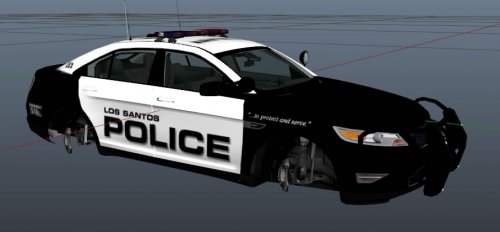 Sub68, and bxbuggs cvpi would be good for the pack
 -
Just recently a few plugins were updated again this weekend back to this thursday I would apply those that updated and see if any change occurs. If not my own next step would be to unload all the plugins and go one by one with game play until the problem returned showing itself snd knowing what what ca using the issue.
-
According to log no plugin was ticking. So like jg said what scripts are running and have you removed them all and loaded one at time and played for while seeing if the crash occurs again? Keep in mind one crash here and there sometimes is common with mods as it is mods not a flawless program. Now if it always occurs and you literally can't play then that's where a issue is. Even youtube users have crashes as many can see so it isn't uncommon but to have them non stop is another. I would unload the scripts since your gta runs fine and lspdfr runs fine. Since no plugin was ticking I would look at the scripts then see if a crash occurs again and providing that log. I'm no pro at the Logs either. Prior to this problem did you have a running gta v and lspdfr with the scripts and plugins before the rage hook update and gta v update? Since your a steam user I'm sure you hit the update as soon as it came. Did the problem appear after rage hook update and gta getting kicked to 617? Is your native script up to date and did this problem occur after that being updated or did you add something requiring a newer version? I'm no pro but I would troubleshoot it in that form as I had similiar occur before where after a update one script was crashing my game all the time and I hadn't obtained everything needed. Noticed d3d in bottom of log failed or ended. Have you tried reinstalling direct x 11 and seeing if the result returned?
-
With that message it is a plugin and and or script. Had it before. You will need to one by one find the culprit unless you post logs for others to see. But one of those scripts or plugins is causing a crash. Keep in mind when lspdfr rolled out to 0.3 rage plugin became outdated soon after and had to be updated. It is possible one of your scripts or plugins won't run on latest rage hook 36 and is why it causes the issue since it wasn't updated. You will have to check the versions for your plugins and scripts making sure they are compatible. Ensure your rage hook is updated to latest as the version in the lspdfr is already outdated. If you haven't gone to ragehook.net get version 36 under the downloads. If your game lspdfr hasn't ran at all then it's possibly this. When you run the rage plugin for first time ensure all the icons on right are checked green when it first runs. If something is red x out then obtain what it needs. Do not ignore those. Once game is running utilize the back up feature the plugin offers for a fyi.
-
-
Modding is that and has bugs. As for the problem it can be anything but and sounds like something your end not lspdfr. Being a gtx 960 I wouldn't push everything beyond if it's under 4gb. Try adjusting your game settings and lower things such as enable suggested limits and restore to default. Then one by one change each setting and see the result if it returns. I say this as I played in past with settings and still do trying to max out and see what happens or what result occurs if any in performance or drop. Maybe like mentioned abovepost the log and screen shots of your graphic settings and advanced. Is anything running in background while playing lspdfr like Antivirus and firewall that is heavy in using system resources?
-
-
I'm leaning toward corrupt game files as something was damaged or altered with a visual mod in game or a update corrupted something and the game needs to be reinstalled and updates re applied. But before that try running the game itself without any mod and from the gta launcher see how it loads. It's possible something did not get installed correctly. If your not using a mods folder and specially using visual mods and something messes up that can be it also be it before looking at hardware end of things. Have you tried adjusting your settings such as making sure something isn't on highest or ultra? Take screen shots by pc or phone of the settings then go adjust them seeing if something is running too high seeing how that works. (Game settings in gta v pause game then go to graphics and advanced graphics). Then make sure your graphics drivers are up to date they pushed a couple past 2 months out for the gtx line.
-
The finger one is funny I'll edit this when I can get it to upload proper of mine. Smoke now cry later....
-
Rage hook currently has issues with retail. As the gta v update came at bad tine one of the lead members had a planned vacation along side pc repairs and other is out also. Keep in mind these people have normal life too while trying to do all this. They will update as soon as they can and other will look into the retail issue when he gets back. But this is why I make exact full backups of everything and gone as far as dedicating external drives for it since they sat doing nothing any how. Utilize the revert game version in rage hook also. Then you can literally revert in event rock* does cause breaks. This is a good time for me to stress that make backups. Also practice the habit of after validating your retail copy shut your router off, or disconnect your wifi usb to stop updating after validating. Utilize your firewall inbound blockers as needed. Most importantly make backups not just using the rage revert feature. Use it also but a copy stored elsewhere of the entire game comes in handy when you need to refresh back to a working game. But i recall reading if you have issues revert your game to 573 and use rph 34 until the guys can get back to it and solve the bug. They deserve a vacation like we all do so give it some time. If I find the topic I'll post it and link it here. I hope those links help you in some way till things calm down from rock* monkeying update again. Downgrade by using the rph revert game feature or if you have a archived copy of your entire game you could take measures to revert that way also.
-
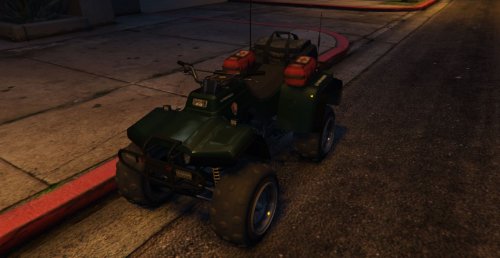 I second very great and a optional red and blue download would be good too. Heck even all yellow/amber for the beach! Cough this would be ideal for Jeffs vids using a NPS skin just saying
- 58 comments
- 5 reviews
-
-

- 3
-
-
For you Michigan lovers they are planning a anniversary retro emblem scheme sometime around end of 2016 and 2017. You can read more here and it gives a couple photos of the retro scheme they use to use back in day. Black with the gold emblems. So those who love to mod MSP here is a new skin you can begin to look into. http://www.miheadlines.com/2015/10/08/sneek-peek-at-msp-anniversary-project/
-
I started on a add on slot vehicle read me almost done but took a break last night since I haven't had much sleep. Will work more on it later tonight and go through it. Trying to make it pretty fool proof in explaining for anyone that is new.
-
Ok from square one, when you need to validate, only launch gta v launcher if you already have things reverted or haven't had issues yet etc to validate. Once you go into the gta launcher it'll attempt to download a initial launcher update, this should be ok if it even pops on screen which usually doesnt and is only like 20 to 30 mb if that. Then it'll go to social club sign in. Sign in. Now be ready to disconnect from the internet quickly (I should add wait for the actual update screen to appear and quickly yank your Internet connection off or if you know already how long it takes to validate in between the social club screen and update screen you can cut your net offline prior to the downloading update screen) This screen will attempt a actual patch update of gta v after validating into social club. This is what you want to avoid if you actually want to avoid a update. Pull your connection when the screen goes to the download update. Click cancel. Now offline and not connected to the intenet at all launch rage plugin. Then select offline mode. Viola. Keep in mind if you connect to the net while playing it'll update and download. So stay offline when playing if you don't want the update. Unless rock* altered the launcher update to skip signing in and grab a update immediately at launcher which I very highly doubt due to it needing to validate your copy and prevent pirate copies from getting a update from the server you shouldn't have any problems with retail copy using the above method to stay behind. This launcher validation they do is in a modders favor who wishes to stay behind if need be and plays not connected to the Internet. If you do online mp club play then you'll get the update regardless if you want to or not. I never been into that so I never had issues. This works for the retail dvd copy above as for steam the others have commented how to go about that.
-
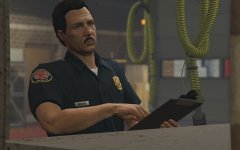 Lol a common real issue believe it or not or switcheroos on batteries
 -
If your using a dvd disc version when it asks to authenticate simply log in to social club on the gta launcher not rage. Validate then when it goes to jump to the update unplug your net and hit cancel then don't go online while running gta 5 or lspdfr and rage. It won't update unless your online. If steam allows offline play and csn allow same process then you should be good until the rage is updated etc and this buys you time or indefinitely if you don't go online for gta at all. You'll still have to validate time to time but doing that each time prevents unwanted updates. It'll update the launcher prior to signing in but disconnect the net connection prior to it wanting to update the patches and you should be good. It works well for me since I'm running 2 machines one at rph 28 still and other latest both no issues. This also works with multiple partition installs on your system and gta if you choose to keep one behind and one at current. Always backup things as stressed many times everywhere. The rage revert backup option, and copies of your mods and game if you can. It makes life easier when all this happens lol
-
Thirteen Lucky 13 haha
-
I recall in 0.2 it did as I would be chasing a vehicle and in certain areas it would occur.
-
The gangs or groups in gta will fire on you if you are acting certain ways. It is the gta ui/ai and not lspdfr.
-
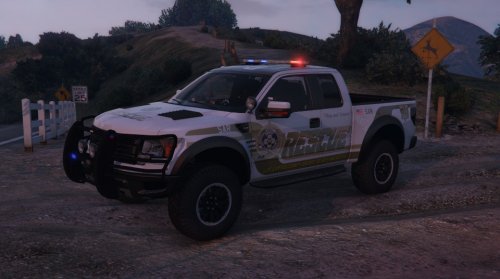 Is there a black and white template anywhere for the lssd or lspd? Doesn't need to have anything on it just the black and white?
- 64 comments
- 13 reviews
-
 Not sure if it's been mentioned or asked but I changed the skin and I noticed the side lights by tires don't work now. Not sure if it was the visual iv. Will try replacing the files later seeing if it's the skin or visual iv causing it. Think visual iv. Any thoughts or fixes besides removing visual iv?
- 159 comments
- 53 reviews
-
 If your having issues dragging and dropping try un checking the run as admin. If it isn't checked try having it checked. Make sure you update open iv to the latest.
- 336 comments
- 70 reviews